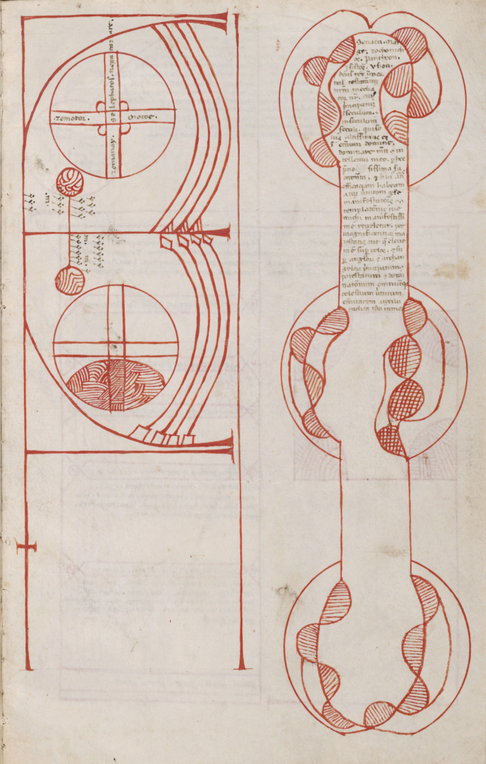
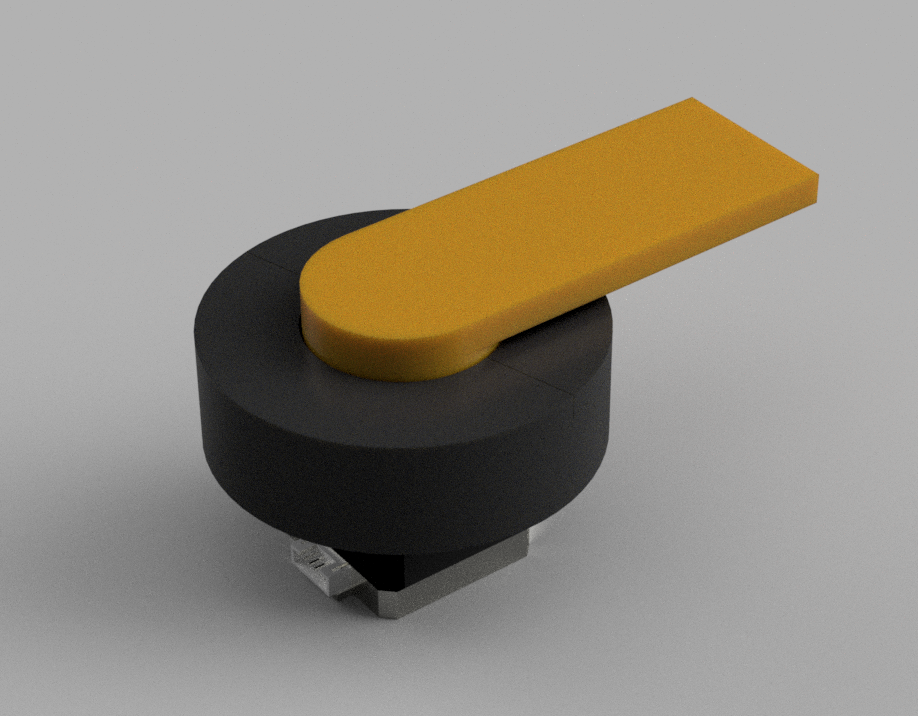
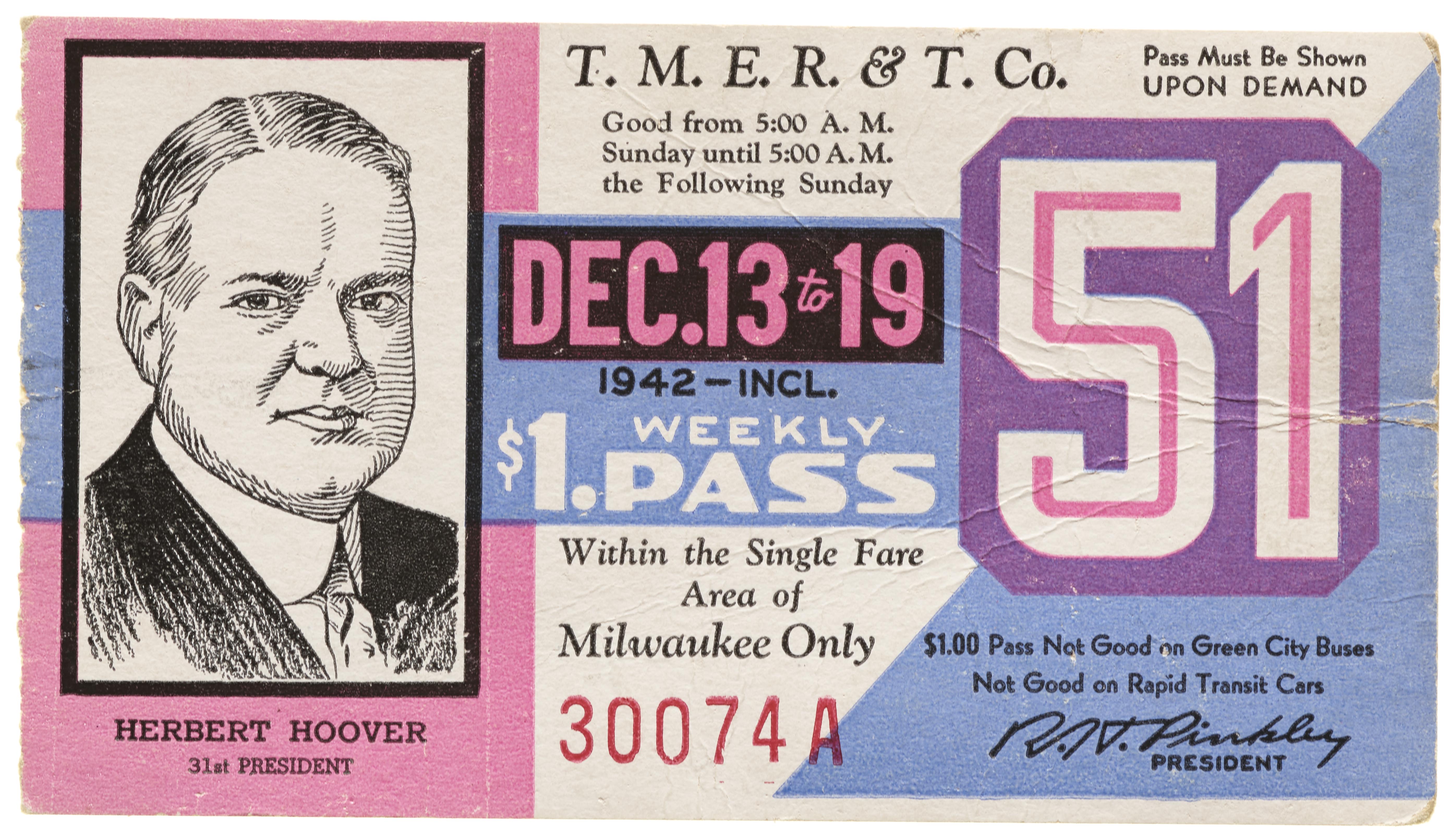
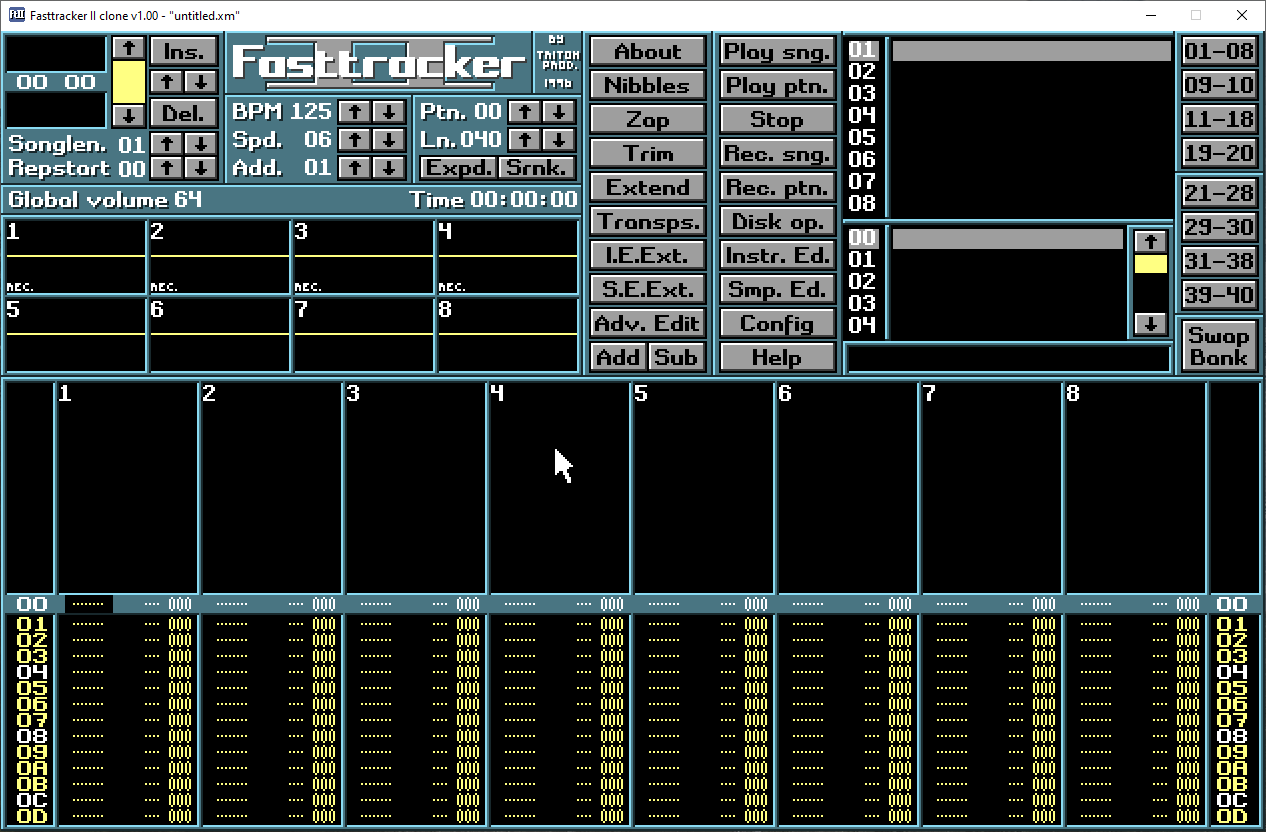
Cover illustration

TheDaily Front

Issue No. #260802 Sunday, August 2 2026 #260802 — SUNDAY, AUGUST 2, 2026
Moving pictures, moving goalposts, and one very busy pelican.
Sunday, August 2, 2026 The Daily Front No. #260802 — Contents
30stories
5,613points
2,559comments
372kllm tokens
Assembled with 31 model calls — 242,313 tokens read, 129,505 written.

Highlights

Seedance 2.5

A new video-generation model pushes from isolated clips toward reference-driven, long-form audiovisual production—and prompts a lively argument about where such power leads.

Karpathy’s Pelican

A million-token coding run turns a literary prompt into a janky but startling procedural 3D scene, renewing the perennial question of what makes a useful model benchmark.

Go 1.27 Interactive Tour

A hands-on tour of the forthcoming Go release makes its changes runnable, readable, and ready for the working programmer.

Show HN: Kakehashi – Experimental userspace to run macOS binaries on Linux ARM

An experimental translation layer takes early steps toward running macOS ARM command-line binaries on Linux ARM.

SwiftUI After 7 Years

Seven years into SwiftUI, a developer’s severe appraisal asks whether Apple’s declarative framework has ever truly left beta.

From the Editor

The machines have spent the day learning not merely to answer, but to stage-manage: films, rendered worlds, tiny drawings, and even the old rituals of the workshop. Yet the front page also offers a useful corrective—hardware still needs hands, software still needs trust, and a good tool remains a thing one can understand.

  1. Seedance 2.53
  2. Karpathy’s Pelican4
  3. Go 1.27 Interactive Tour5
  4. Show HN: Kakehashi – Experimental userspace to run macOS binaries on Linux ARM6
  5. Developers are attached to tools because tools encode trust7
  6. Note-Taking and Personal Knowledge Management8
  7. F*: A general-purpose proof-oriented programming language9
  8. MkLinux and the pimped-out Apple Workgroup Server 915010
  9. When transit passes were designed by hand (2022)11
  10. Twenty Years of RISC OS Open12
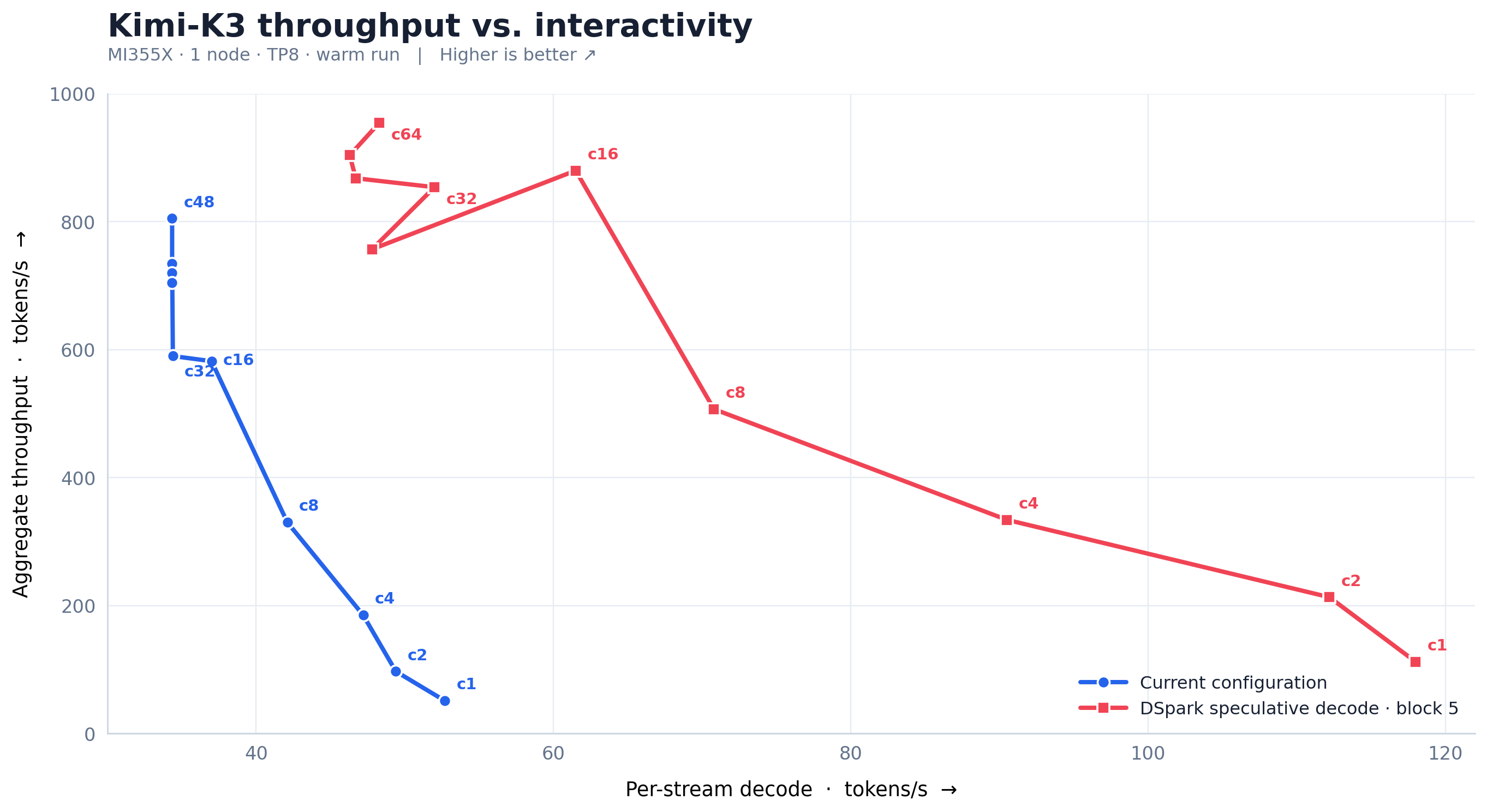
  11. Running Kimi K3 on MI355X at Better Performance per Dollar Than B30013
  12. How the words we teach English language learners changed14
  13. Show HN: NixOS-DGX-Spark – Nix and NixOS on the DGX Spark15
  14. ASRock BC-250: Building the Budget Steam Machine16
  15. Nyctography: A substituton cypher by Lewis Carroll17
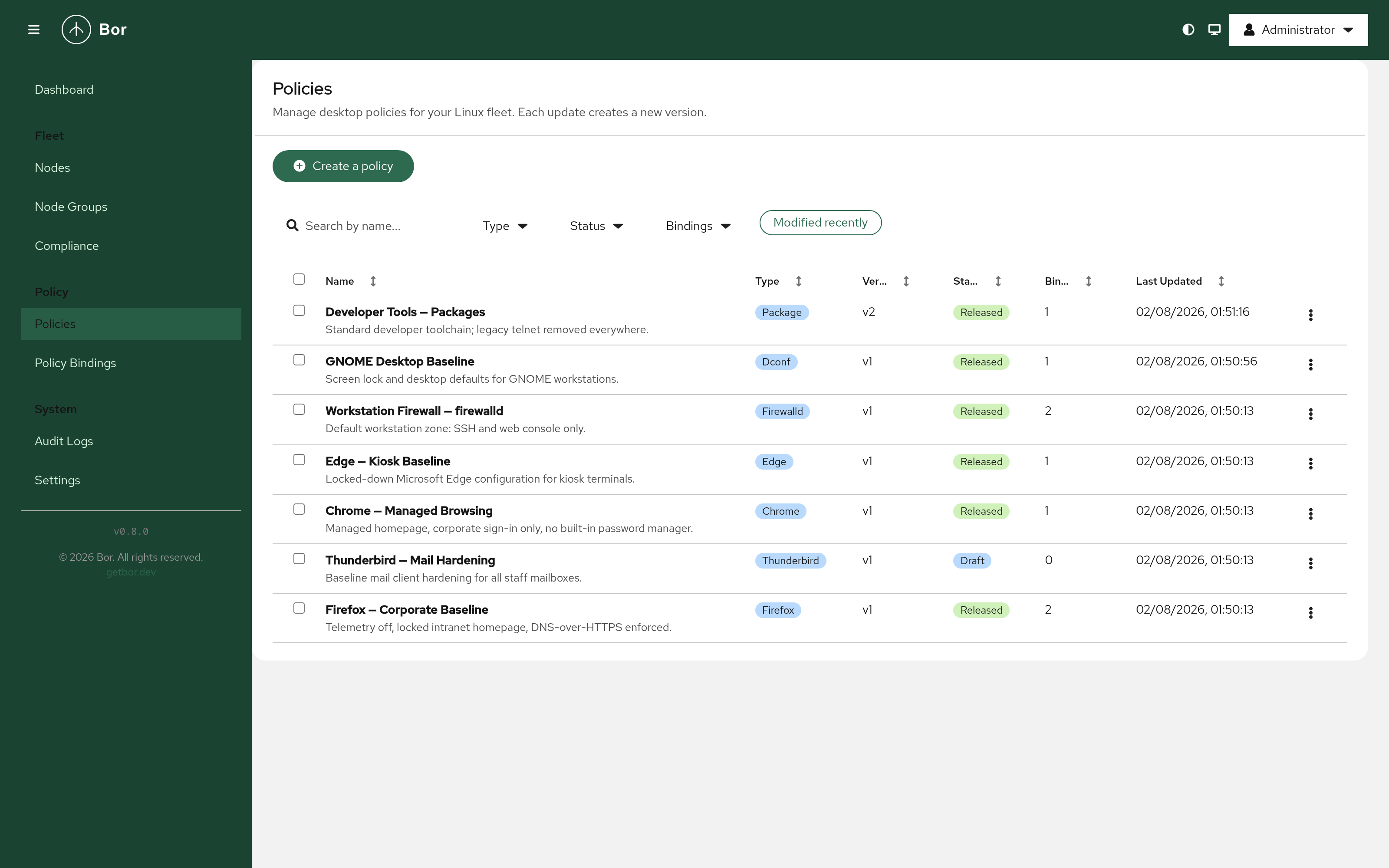
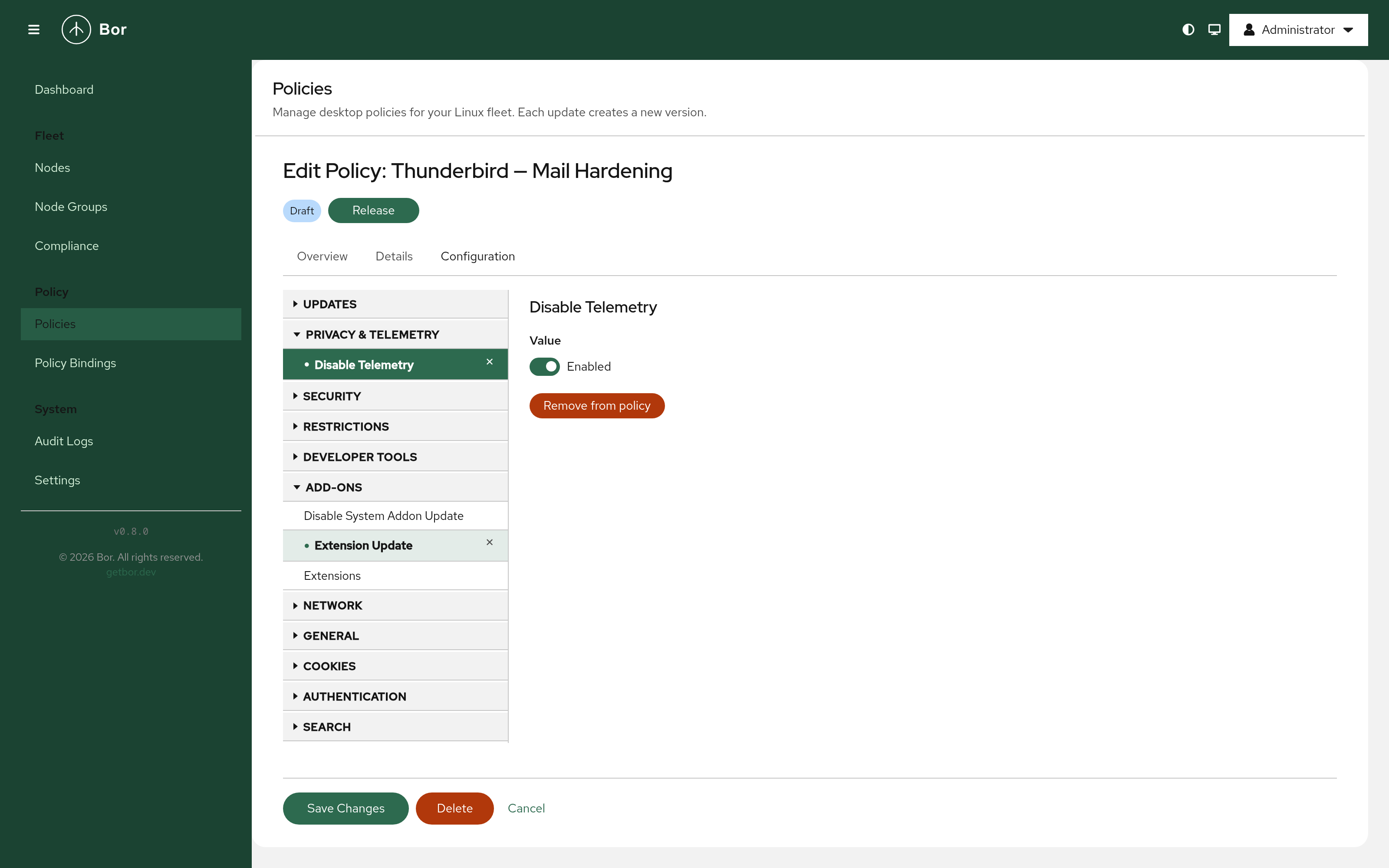
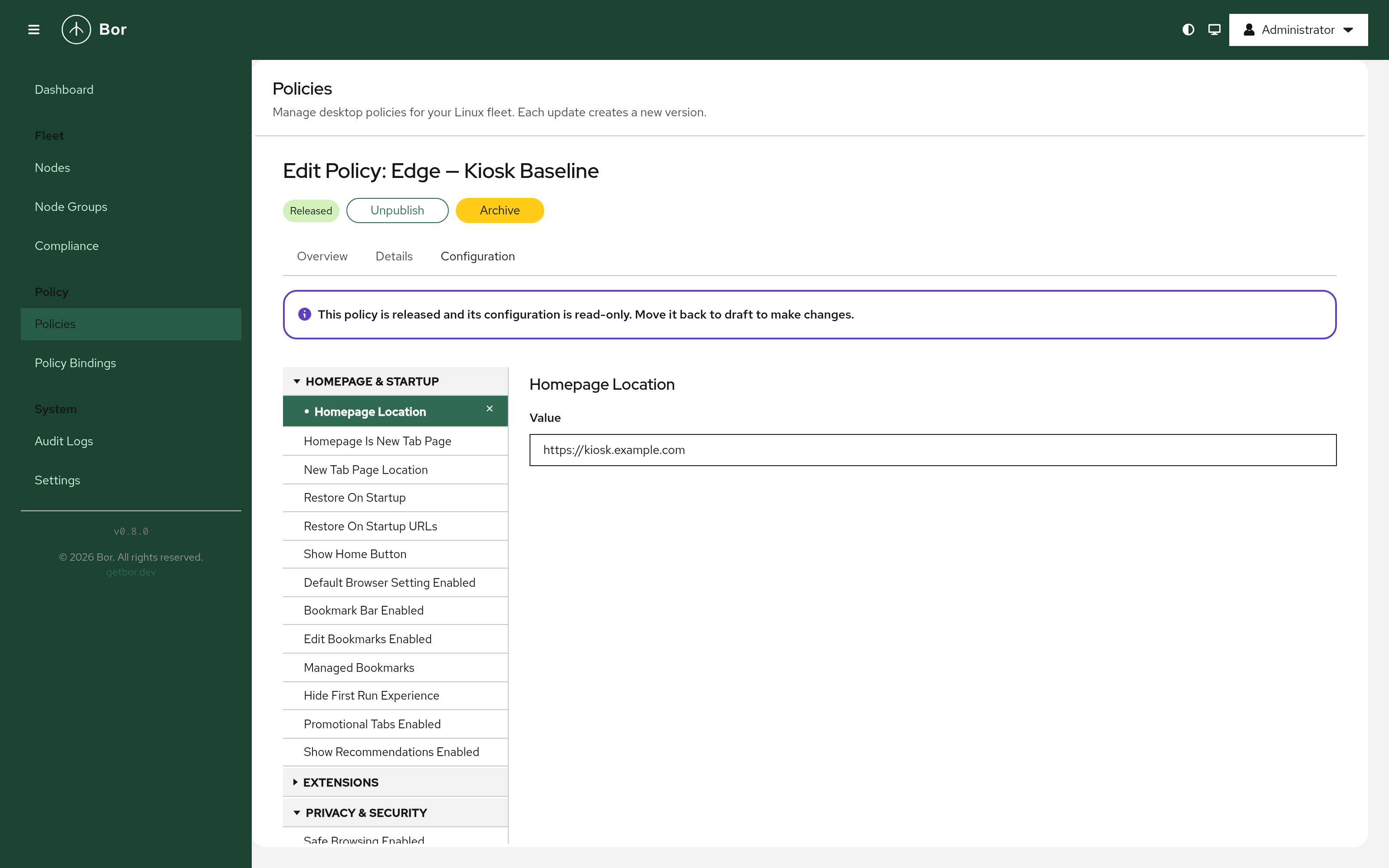
  16. Show HN: Bor – Open-source policy management for Linux desktops18
  17. Autoregressive Language Model on the 6502 Processor19
  18. RFC 10015: Deprecating Obsolete Key Exchange Methods in TLS 1.2 and DTLS 1.220
  19. When random.bytes() runs but doesn't work21
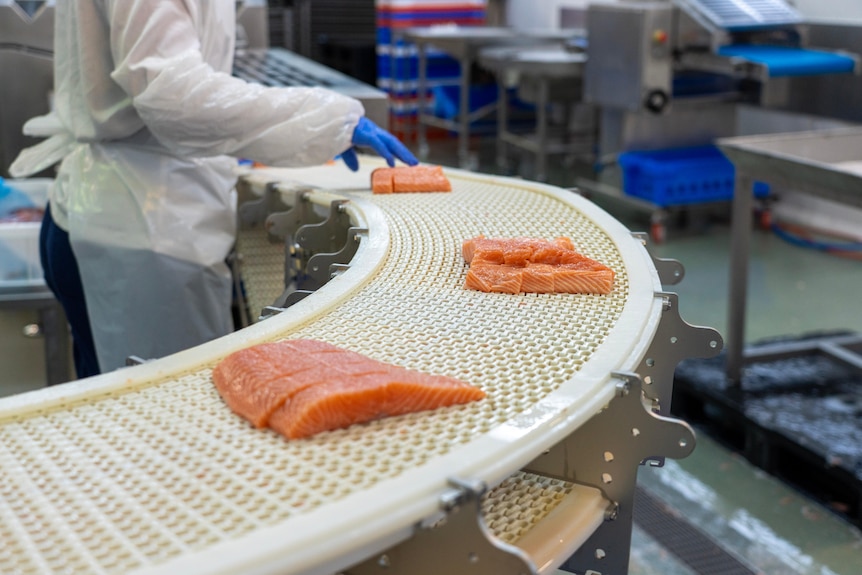
  20. Norway became a global salmon behemoth. Now it's facing the consequences22
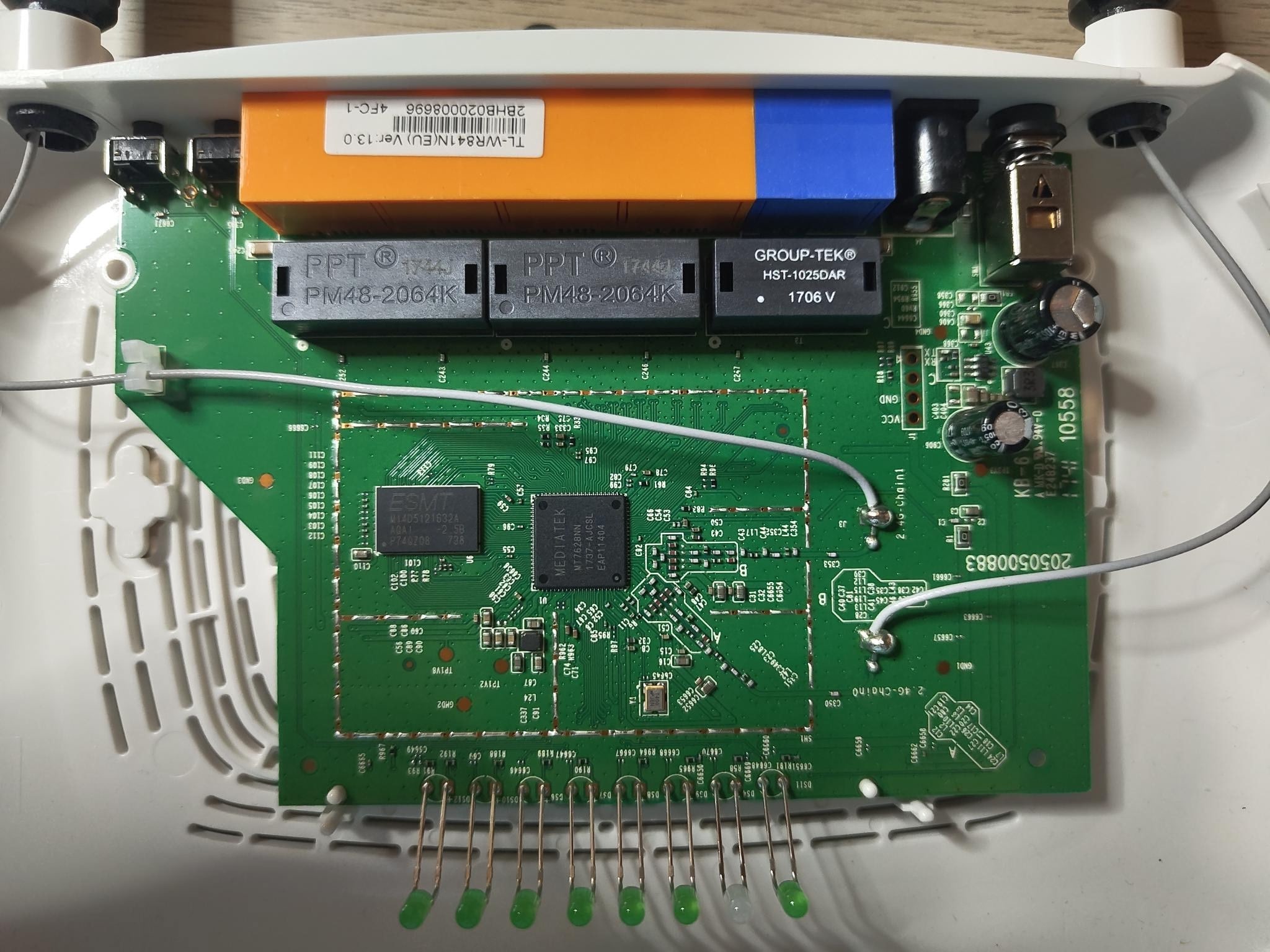
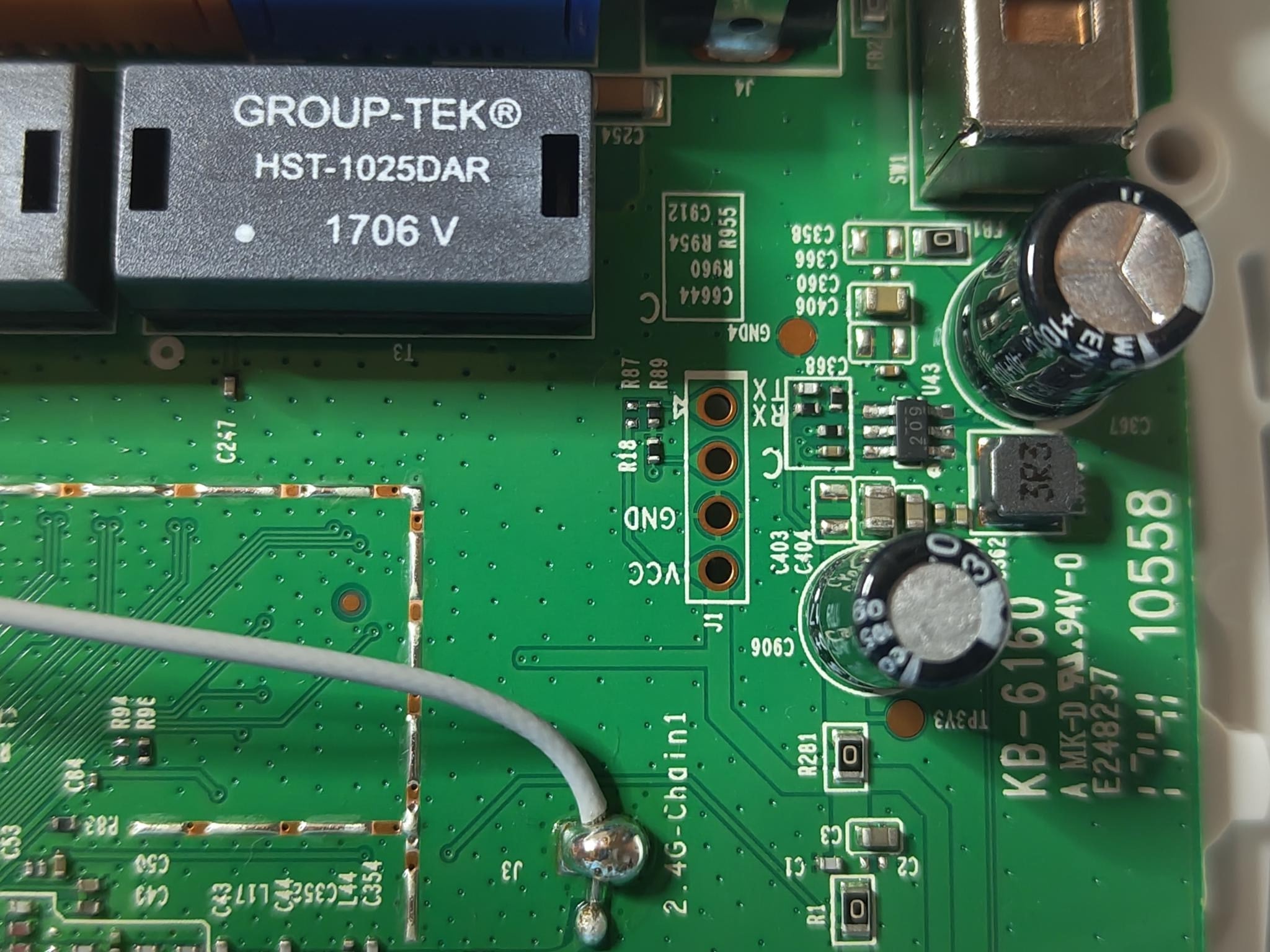
  21. Rooting, firmware analysis and persistent credentials of TP-Link TL-841N23
  22. My personal AI benchmark: “Generate an SVG of a frog with a Habsburg jaw”24
  23. SwiftUI After 7 Years25
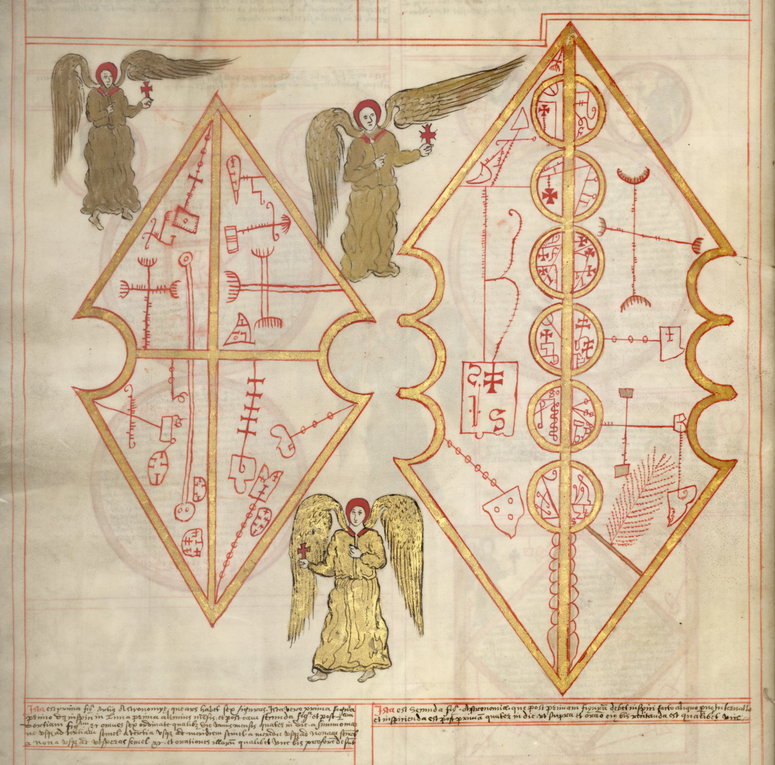
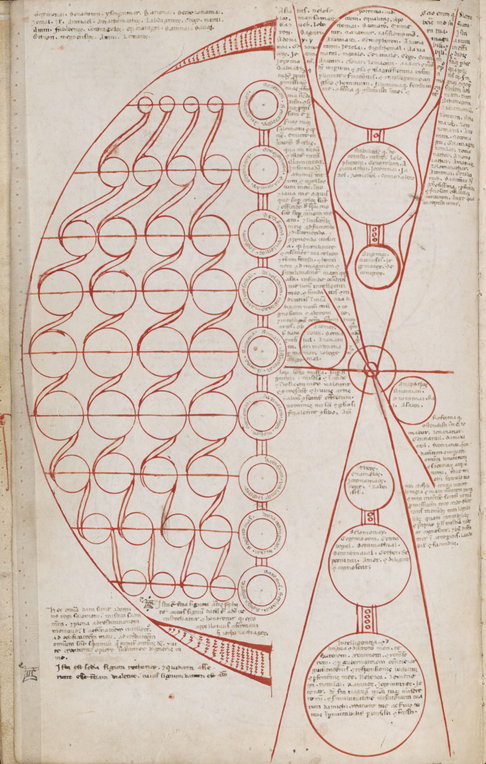
  24. Artificial Intelligence: Ars Notoria and the Promise of Instant Knowledge26
  25. Show HN: I'm a 15 Year Old Wannabe Engineer, This Is a Cycloidal Gearbox I Built27
  26. Meshdiff – visually compare two STL versions in the browser, client-side28
  27. Folding Paper Globes28
  28. Fasttracker II clone in C using SDL 228
  29. Read the novels and forget everything else29
  30. Deep-sea vehicles spot 'alien' sharks deep beneath the waves in the Pacific29
The Daily Front Page 2 of 30
Sunday, August 2, 2026 The Daily Front No. #260802 — The New Moving-Picture Machine
article

Seedance 2.5

by njaremko·▲ 433 points·248 comments·seed.bytedance.com ↗
from merely generating a clip to completing a creative work

Today, we are officially launching Seedance 2.5, the new-generation video creation model. Since the release of Seedance 2.0, we have noticed a shift in what users expect from video creation models: from merely generating a clip to completing a creative work. Building on the unified multimodal audio-video joint-generation architecture of Seedance 2.0, Seedance 2.5 centers on foundational generation and reference-based generation, delivering major breakthroughs in long-form storytelling, multimodal reference, and editing. Grounded in real-world use cases, it opens up greater creative imagination and control, and further unlocks productivity.

Key highlights include:

Up to 30 seconds per generation, with multi-round extensions: Seedance 2.5 can generate high-quality, 30-second audio-video clips in a single pass and supports multiple rounds of extension. It also improves shot transitions and scene changes for stronger continuity in longer videos, and delivers notable gains in image, audio, and motion quality, resulting in a more natural, polished visual quality than commonly seen in AI-generated video. As a result, users can produce high-quality multi-minute content with a consistent audiovisual language, bringing a complete story to life in one take.

Fully upgraded multimodal referencing: Users can now input up to 30 images, 10 video clips, and 10 audio clips as reference materials in a single pass. The model also strengthens a range of reference capabilities, including clay render, motion, and creative references, enabling it to better grasp the creator's intent and realize complex ideas that span multiple subjects, scenes, and shot changes.

More precise and stable editing capabilities: Seedance 2.5 offers timestamp-level control for targeted editing of audio and video content, notably improving efficiency and controllability. The model also enhances advanced editing features, such as green screen, camera perspective, and reference-based editing, to meet the rigorous demands of professional, complex fields like film and advertising.

With advancements in long-form storytelling, multimodal reference, and editing, Seedance 2.5 goes beyond longer single-pass video generation. The model better understands creative intent and delivers the journey from idea to finished video with greater control. Now, we'd like to invite you to watch a short creative film, produced end-to-end by Seedance 2.5.

Today, Seedance 2.5 is rolling out on Jimeng AI, Doubao Pro, and other platforms, with API access coming soon via BytePlus ModelArk. We invite you to give it a try and share your feedback.

Project homepage:

https://seed.bytedance.com/seedance2_5

Access:

Jimeng Web -> Video Generation -> Select Seedance 2.5

Doubao Pro -> Video Generation -> Select Seedance 2.5

30-second long-form storytelling with multi-round extensions: presenting complete stories in a single pass

Seedance 2.5 extends single-pass video generation from 15 to 30 seconds and further strengthens its storytelling in longer videos. Within 30 seconds, the model can organize multiple logically connected shots so that a story unfolds through setup, development, turning points, and resolution, rather than simply extending a single moment. For example, in a one-take clip of a singer's stage performance, the model portrays the full story of the singer interacting with staff in the dressing room, then walking through the backstage corridor, meeting the dancers, and stepping onto the stage with them for the performance, instead of only the moment of walking on stage.

T2V prompt: One-take handheld gimbal tracking shot. The camera slowly pushes in through a gap in a heavy red curtain and enters a warm-toned backstage dressing room. A young female singer, with her back to the camera, is adjusting her earpiece as a staff member reminds her it's time to go on. She turns toward the camera and starts singing citypop. The camera pulls back and tracks her as she passes through the curtain into a dim backstage corridor, interacting naturally with her dancers along the way; one staff member hands her a microphone. She and the dancers then step onto the stage, and the camera arcs around to the back, gradually revealing the red-and-black stage design, LED screens, spotlights, haze, and reflective floor. The camera finally pulls out to a wide shot of the arena, showing the packed audience, light boards, glow sticks, and cheering crowd, capturing the youthful, free-spirited climax of the concert.

Thanks to the model's multi-round extension capability, users can smoothly append subsequent shots to existing video outputs. Throughout the extension process, it maintains the consistency of main characters, environments, and narrative pacing. This allows users to output videos lasting several minutes at once, reducing the effort required to split clips, repeatedly splice footage, and fix transitions.

R2V prompt: Extend the video. Continue from the visuals and subjects in @Video 1 and generate another 30-second clip, keeping the character subjects, scene, visual style, and sound effects consistent. The little boy runs along the train carriage holding a soccer ball. When the subway stops, the side door opens and he immediately dashes out, with the male lead chasing after him. The two run across the platform and out onto the street, startling passersby and vehicles along the way. The male lead finally catches up and grabs him. The boy looks up, aggrieved. The male lead's anger slowly fades; he pats the boy's head and shows a helpless smile.

In terms of visual presentation, the model achieves smoother transitions between camera movements. The main subject remains stable across multiple cuts, and the audio and visuals remain in sync, resulting in highly coherent long-form videos. For example, in a Peking Opera scene, the camera executes a graceful circular pan following the lead actor's flowing sleeves, while the main subject and background remain entirely consistent. The swinging of the sleeves forms natural arcs in the air, closely adhering to real-world physics.

R2V prompt: 16:9 widescreen, cinematic texture, single continuous take, smooth camera movement, no cuts. Scene reference: @Image 4. 0–5s: Open with a close-up of the Overlord from @Image 2. The camera slowly circles his upper body and transitions into a medium shot. The Overlord spins and turns, his body and back flags sweeping quickly past the lens to form a natural occlusion, and the camera follows through to Consort Yu's side in @Image 1. 6–10s: The camera steadily circles Consort Yu in a medium shot from @Image 1, following her water sleeves through the arc. She raises her arm, flicks her wrist, unfurls the sleeves, and half-turns. She then draws the sleeves back, holds the pose, and looks sideways toward the Overlord. 11–20s: The male warrior from @Image 3 enters with an aerial flip. The Overlord takes center stage while the warrior advances and retreats on the opposite side in a combat exchange. Consort Yu stands slightly behind and to the side of the Overlord, weaving in water-sleeve movements to set softness against strength. The camera slowly pulls back from a medium-close shot of the warrior to a full stage view. At the end, all three face the audience and strike a synchronized Peking opera finale pose.

Additionally, to address the overly artificial look often seen in AI-generated videos, Seedance 2.5 systematically optimizes details such as object textures, skin and eye features, lighting, and color saturation. The model also minimizes uncontrolled occurrences in subtitles and background music, delivering final products that closely resemble the cinematic quality of live-action footage.

Comprehensive upgrades to multimodal reference, bringing greater control to complex creative tasks

Seedance 2.5 further strengthens its multimodal reference generation capabilities. It allows users to input up to 30 images, 10 video clips, and 10 audio clips as reference materials in a single pass. A larger volume and wider variety of references can better capture the user's intent, producing complex videos with more subjects, richer scenes, and more flexible camera work.

The model comprehensively understands elements such as visual composition, scenes, styles, characters, and props across all materials, applying them to the video generation process as instructed. Even in complex scenarios like multi-character shots or group storytelling, it can preserve the appearances and voices of multiple characters while keeping each subject's characteristics stable.

R2V prompt: A 30-second concert sequence in 16:9 landscape, with cinematic realism, authentic concert hall lighting and shadows, warm golden stage lighting, and the atmosphere of a formal classical concert. Use @Image 1 for the venue. Reference @Image 2 for the pianist. Reference @Image 3 for the cello. Reference @Image 4 for the violin. The lead vocalist must strictly follow @Image 5. Reference @Images 6 to 10 for the rest of the orchestra. Reference @Images 11 to 14 for the choir. Reference @Images 15 to 18 for the audience seating. The lead vocalist walks from center stage toward the front edge. The pianist is positioned by the piano. The orchestra is arranged on both sides and toward the rear. The choir stands at the back of the stage. Open with a high-angle wide shot of the full concert hall. The pianist strikes the keys, and the lead vocalist steps into the spotlight and begins singing. The camera naturally moves across the violin, cello, and orchestra as they perform together, with the violin feeling bright and the cello warm. In the latter part, the choir joins in. The lead vocalist briefly makes eye contact with front-row audience members, who respond with a smile and a slight nod. In the closing shot, the camera pulls back. The singing ends, and the audience joins in the applause.

Seedance 2.5 also enhances specific reference capabilities including clay render, motion, and creative referencing, giving users finer control over subjects, actions, and camera work in the frame. For instance, with clay render referencing, users can build a scene's spatial structure, character poses, motion paths, and camera angles using textureless 3D models. The model then uses this structure to generate the video, ensuring that the composition and blocking of complex shots closely match the creator's expectations. Additionally, Seedance 2.5 improves lighting control. By leveraging the spatial information from the clay render, it generates realistic lighting effects that follow physical laws, such as light source direction, color temperature, intensity, and shadow projection. This results in more natural light and shadow in the final output.

R2V prompt: Refer to @Clay Render 1 for camera movement, pacing, shot-size transitions, subject trajectory, and blocking. Refer to @Image 2 for character design, scene, materials, lighting, color, and fairy-tale atmosphere, and render the white model as a dreamy, warm, 3D animated short with a childlike fantasy feel. The story unfolds as follows: flight through a fantasy sky → mythical beasts flying alongside through a sea of clouds → a dive into the ocean → weaving through the deep with manta rays → passing through a mirrored rift in spacetime → picking stars from the cosmos → transforming back into the bedroom → father tucking in the blanket → the picture book closes and holds on the final frame.

More precise and reliable editing for higher creative efficiency

In video creation, users typically need to control pacing during the generation process and also refine details afterward. The exact second an action occurs, the precise timing of a camera cut, and whether a character's movement in a specific clip requires adjustment all profoundly impact the final result. More precise and reliable editing capabilities allow creators to accurately bring their ideas to life, improving efficiency and reducing the cost of repetitive generation.

Seedance 2.5 supports precise content editing via timestamps. During the generation phase, users can use prompts to control the narrative, camera perspective, movement, and overall rhythm for a specific time frame, aligning the output more closely with their creative intent. After generation, users can make targeted modifications to characters, actions, or plot elements within specific clips, all while maintaining continuity and realism before and after the edits.

Seedance 2.5 also elevates multiple editing features, such as green screen editing, camera perspective editing, and reference-based editing, to meet the rigorous demands of professional fields like film and advertising. In green screen editing, for example, the model can replace backgrounds and tell entirely different stories while keeping the main subject intact. Furthermore, it excels at rendering how the subject responds to the physical rules of the new environment. This includes the fluttering direction of clothes, the state of hair, gait rhythm, and lighting interaction, ensuring the subject blends harmoniously with the scene.

R2V prompt: Using @Video 1, render the green-screen background, obstacles, wardrobe, and supporting characters. 0–4s: outdoor training, replace the obstacles with rocks, bricks, tires, and wooden crates. 4–10s: locker room, friends offering encouragement. 10–15s: international match, replace the training poles with original defenders and a goalkeeper, and the protagonist scores. Overall photorealistic, cinematic quality.

R2V prompt: Edit @Video 1. Keep the characters, actions, and visual style unchanged. Adjust only the camera movement. A 15-second segmented camera plan: 0–4s, a micro-FPV move skims tightly past the pan, then follows the popping toast and whip-pans to the coffee; 4–7s, push in and track laterally along the rim of the pan, following the fried egg as it flips up and lands back in place; 7–11s, rapidly rise to a top-down view, then descend at a steady pace, sweeping across the plate and keys; 11–15s, use a handheld close-up to follow the hands with a fast lateral whip, then push in on the breakfast and pull back to a medium two-shot. Keep the entire sequence smooth, continuous, and stable.

Going deeper into broader industry scenarios, continuously exploring real-world value

As the model's capabilities evolve, Seedance 2.5 is reaching deeper into broader industry scenarios such as education and manufacturing. In education, the model has begun to enter real learning settings. For example, Seedance 2.5 can turn the historical context, characters, and storylines behind a lesson into more vivid and immersive visuals. It also helps teachers produce instructional videos more efficiently, turning abstract content — scientific principles, historical events, experimental procedures — into dynamic demonstrations. This not only lowers the barrier to producing educational materials but also allows for highly flexible content customization.

An example of Doubao Learning app's "Doubao Classroom" scenario

R2V prompt: Expressive Eastern painterly style. A street scene in Lin'an during the Southern Song dynasty. Several children run and shout through the bustling street, chanting, "I turn around, and there he is, where the lantern lights grow dim." The camera follows the children as they run, sweeping past the lively street. The camera then tilts up to reveal Xin Qiji from @Image 1. Xin Qiji turns his head, and in the distance stands a man among the fading lantern lights. The shot stays continuous throughout.

In sectors like industrial manufacturing, embodied intelligence, and autonomous driving, Seedance 2.5 is becoming integrated into highly specific production workflows. The model can generate high-quality synthetic video data that helps train robots' perception and manipulation skills. It is also being utilized for industrial simulations, process training, and equipment demonstrations. For autonomous driving, the model can simulate long-tail scenarios, such as extreme weather and complex traffic conditions, providing more diverse samples for system testing and training.

R2V prompt: Reference the camera work, composition, shot scale, spatial relationships, part positions, model structure, assembly order, and motion paths from @Clay Render 1. Reference the materials, lighting, color, reflections, and atmosphere from @Image 1, and turn the clay render into a high-end, photorealistic car assembly sequence.

Summary and looking forward

Seedance 2.5 marks a significant step forward in understanding and rendering the real world, elevating video generation from clip-level outputs to comprehensive creative workflows. At the same time, we recognize there is still room for improvement, particularly regarding the physical plausibility of complex motions and the stability of scenes involving interactions among multiple subjects.

Looking ahead, the Seed team will continue to explore more coherent storytelling, deliver a more intuitive generation and editing experience, and further deepen the model's grasp of real-world physics. We hope the Seedance models will become more vivid, more controllable, and better at understanding users' intent, helping more users express their creative ideas while continuing to explore and serve broader industry needs.

The Daily Front Page 3 of 30
Sunday, August 2, 2026 The Daily Front No. #260802 — The Pelican Test Retires
The Daily Front Page 4 of 30
Sunday, August 2, 2026 The Daily Front No. #260802 — Go, Ahead
article

Go 1.27 Interactive Tour

by Hixon10·▲ 355 points·188 comments·victoriametrics.com ↗
the official release notes are pretty dry, so here’s a hands-on version with runnable examples

Go 1.27 interactive tour

Go 1.27 is coming soon, so it’s a good time to get a head start on what’s new. The official release notes are pretty dry, so here’s a hands-on version with runnable examples showing what changed and how the new behavior works.

A quick credit first: the interactive Go tours were started by Anton Zhiyanov, who wrote one for every release from Go 1.22 through Go 1.26. He’s decided to stop, so we’re picking up where he left off. His earlier tours are all still worth a read:

Thanks, Anton.

Before we start digging into the new features, let’s set the context.

This article is based on the official release notes and the Go source code, licensed under the BSD-3-Clause. This is not an exhaustive list; see the official release notes for that.

Links point to the documentation (𝗗), proposals (𝗣), most relevant commits (𝗖𝗟), and authors (𝗔) for each feature; check them out for motivation, usage, and implementation details. The authors (𝗔) are the people who contributed to the feature (writing the implementation, the tests, or, for features that graduated from an earlier experiment, the original design), not necessarily a single main author.

Error handling is often skipped to keep the examples short. Don’t do this in production ツ

Generic methods

This is the headline of the release. A method declaration may now declare its own type parameters, independent of the receiver’s. Before Go 1.27, only top-level functions could be generic, so a generic operation on a type had to live as a package-level function instead of a method.

Say we have a generic container and want a Map operation that can change the element type:

type Box[T any] struct{ v T }

// The method declares its own type parameter U (new in Go 1.27).
func (b Box[T]) Map[U any](f func(T) U) Box[U] {
    return Box[U]{v: f(b.v)}
}

Now Map is a method of Box and can transform an int box into a string box:

func main() {
    b := Box[int]{v: 21}
    doubled := b.Map(func(n int) int { return n * 2 })
    label := doubled.Map(func(n int) string {
        return fmt.Sprintf("value=%d", n)
    })
    fmt.Println(label.v)
}
value=42

There is one important restriction: interfaces still can’t declare type-parameterized methods, and a generic method can’t be used to satisfy an interface. Put a generic method in an interface and the compiler stops you:

type Mapper interface {
    Map[U any](f func(int) U) any // interfaces can't declare generic methods
}
interface method must have no type parameters

Struct literal field selectors

A key in a struct literal may now be any valid field selector for the struct type, not just a top-level field name. In practice this means you can set a promoted field (one that comes from an embedded struct) directly, without spelling out the embedded type.

type Base struct {
    ID int
}

type User struct {
    Base
    Name string
}

Before Go 1.27 you had to write User{Base: Base{ID: 7}, Name: "Mittens"}. Now the promoted ID works as a key on its own:

u := User{ID: 7, Name: "Mittens"}
fmt.Println(u.ID, u.Name)
7 Mittens

Generalized function type inference

Function type inference has been generalized to apply in all contexts where a generic function is used where a matching function type is expected: not just plain assignment to a variable (which already worked), but also conversions and composite literals. In those cases you previously had to spell out the type arguments by hand.

Take two generic helpers and drop them into a slice whose element type is func([]int) int:

func first[T any](s []T) T { return s[0] }
func last[T any](s []T) T  { return s[len(s)-1] }
// The slice's element type drives inference: T=int for each entry.
// Before Go 1.27 this failed with "cannot use generic function
// without instantiation"; you had to write first[int], last[int].
ops := []func([]int) int{first, last}
for _, op := range ops {
    fmt.Println(op([]int{10, 20, 30}))
}
10
30

Faster memory allocation

The compiler now generates calls to size-specialized memory allocation routines, cutting the cost of some small (under 80 bytes) allocations by up to 30%. Improvements vary with the workload, but the overall gain is expected to be around 1% in real allocation-heavy programs. The tradeoff is about 60 KB of extra binary size, independent of the workload.

There’s nothing to change in your code; it just gets a little faster. If you need to turn it off, build with GOEXPERIMENT=nosizespecializedmalloc. That opt-out is expected to be removed in Go 1.28.

Goroutine labels in tracebacks

For modules whose go.mod sets Go 1.27 or later, tracebacks now include runtime/pprof goroutine labels in the header line of each goroutine. If you already attach labels for profiling with pprof.Do, that context now shows up in crash dumps, SIGQUIT traces, and runtime.Stack output too (handy for telling apart otherwise identical goroutines).

Here we attach a label, then dump the current goroutine’s stack to see it in action:

ctx := context.Background()
pprof.Do(ctx, pprof.Labels("request", "42"), func(ctx context.Context) {
    buf := make([]byte, 1<<12)
    n := runtime.Stack(buf, false)
    fmt.Printf("%s", buf[:n])
})
goroutine 1 [running] {request: 42}:
main.main.func1(...)
	.../main.go:14 +0x38
runtime/pprof.Do(...)
	.../runtime/pprof/runtime.go:57 +0x8c
main.main()
	.../main.go:12 +0x6c

The pointer arguments, offsets, and file paths differ from run to run; what’s new is the {request: 42} appended right after the goroutine’s [running] state: its pprof labels. That same {...} annotation appears on the header of every labeled goroutine in a panic or SIGQUIT traceback. You can disable it with GODEBUG=tracebacklabels=0 (the setting was added in Go 1.26). The opt-out is expected to stay indefinitely, in case labels carry sensitive data you don’t want in tracebacks.

Goroutine leak profile

Go 1.26 introduced a goroutine leak detector as an experiment. In Go 1.27 it graduates to a regular profile: runtime/pprof exposes a goroutineleak profile that runs a GC cycle to find goroutines that are permanently blocked (leaked) and reports their stacks; no GOEXPERIMENT needed anymore.

A “leaked” goroutine is one blocked forever on a channel, mutex, or similar, with no way to ever make progress. The classic example is a goroutine that sends to a channel it alone holds, so nobody can ever receive from it:

func leak() {
    ch := make(chan int) // only this goroutine ever sees ch
    ch <- 1              // blocks forever: nobody will ever receive
}

Start one, let it park, then dump the profile:

go leak() // this goroutine can never finish

runtime.Gosched() // let it park on the send

// The GC-backed scan finds goroutines that can never make progress.
pprof.Lookup("goroutineleak").WriteTo(os.Stdout, 1)
goroutineleak profile: total 1
1 @ 0x... 0x... 0x... 0x... 0x...
#	0x...	main.leak+0x27	.../main.go:11

The total 1 line says the detector found exactly one leaked goroutine, and the stack pins it to main.leak: the ch <- 1 send that will never complete (the addresses vary from run to run). In a real service you’d usually scrape the /debug/pprof/goroutineleak net/http/pprof endpoint instead of writing to stdout.

Post-quantum signatures

The new crypto/mldsa package implements ML-DSA, the post-quantum digital signature scheme specified in FIPS 204. It comes in three parameter sets (MLDSA44, MLDSA65, and MLDSA87), trading key/signature size for security level.

priv, _ := mldsa.GenerateKey(mldsa.MLDSA65())

msg := []byte("victoria metrics")
sig, _ := priv.Sign(rand.Reader, msg, crypto.Hash(0))

fmt.Println("scheme:  ", mldsa.MLDSA65())
fmt.Println("sig size:", mldsa.MLDSA65().SignatureSize())
fmt.Println("verified:", mldsa.Verify(priv.PublicKey(), msg, sig, nil) == nil)
scheme:   ML-DSA-65
sig size: 3309
verified: true

ML-DSA support also reaches crypto/x509 (private keys, public keys, and signatures) and crypto/tls (the new MLDSA44, MLDSA65, and MLDSA87 signature schemes in TLS 1.3).

The uuid package

Go finally has a UUID package in the standard library. The new top-level uuid package generates and parses UUIDs per RFC 9562, using a cryptographically secure random source. Random-component UUIDs are comparable, so you can use == on them directly.

a := uuid.MustParse("f81d4fae-7dec-11d0-a765-00a0c91e6bf6")
fmt.Println("parsed:", a)
fmt.Println("nil:   ", uuid.Nil())
fmt.Println("max:   ", uuid.Max())
parsed: f81d4fae-7dec-11d0-a765-00a0c91e6bf6
nil:    00000000-0000-0000-0000-000000000000
max:    ffffffff-ffff-ffff-ffff-ffffffffffff

For generation, uuid.New() picks an algorithm suitable for most uses, while uuid.NewV4() gives a purely random UUID and uuid.NewV7() gives a time-ordered one; the latter is great for database keys because it sorts by creation time. Each call produces a fresh value, so try running this a few times:

fmt.Println(uuid.NewV4()) // random
fmt.Println(uuid.NewV7()) // time-ordered

JSON v2 by default

The long-awaited encoding/json/v2 rewrite has been experimental since Go 1.25. In Go 1.27 the experiment graduates: encoding/json/v2 and its low-level companion encoding/json/jsontext are now available without the GOEXPERIMENT=jsonv2 build flag. The quieter but bigger change: the classic encoding/json (v1) package is now backed by the v2 implementation under the hood.

The switch is transparent: behavior is preserved (only some error-message text differs), with new options pinning v2 to v1 semantics where they’d otherwise diverge. No migration is required, and GOEXPERIMENT=nojsonv2 restores the original v1 implementation if you hit a compatibility issue.

For the common case, the v2 API mirrors v1 (the import here is json "encoding/json/v2"):

type Point struct {
    X int `json:"x"`
    Y int `json:"y"`
}

data, err := json.Marshal(Point{X: 1, Y: 2})
fmt.Println(string(data), err)
{"x":1,"y":2} <nil>

One behavior worth knowing: unlike v1, which always sorts map keys, v2 does not sort them by default; skipping the sort is faster. When you need stable map output (for golden tests, say), pass the json.Deterministic option.

Portable SIMD

Go 1.27 adds an experimental simd package: portable, vector-size-agnostic SIMD that compiles down to real hardware vector instructions where they’re available and falls back to a pure-Go emulation where they aren’t. It’s off by default; you build with GOEXPERIMENT=simd to enable it.

The types are named after their element type with an s suffix (Int32s, Float32s, Float64s, and so on), and their width is deliberately not fixed: a Float32s might hold 4 lanes on one machine and 16 on another. You load a vector from a slice, operate on it, and store it back, letting the hardware pick the width:

a := []float32{1, 2, 3, 4, 5, 6, 7, 8, 9, 10, 11, 12, 13, 14, 15, 16}
b := []float32{10, 20, 30, 40, 50, 60, 70, 80, 90, 100, 110, 120, 130, 140, 150, 160}

va := simd.LoadFloat32s(a) // reads exactly va.Len() lanes from a
vb := simd.LoadFloat32s(b)

sum := va.Add(vb) // element-wise add, many lanes in one instruction

out := make([]float32, sum.Len())
sum.Store(out)

fmt.Println(out[:4])
[11 22 33 44]

Cut around the last separator

strings.Cut (from Go 1.18) splits around the first occurrence of a separator. Go 1.27 adds strings.CutLast (and bytes.CutLast) for the last occurrence (a cleaner replacement for many LastIndex dances).

before, after, found := strings.CutLast("a/b/c", "/")
fmt.Printf("%q %q %v\n", before, after, found)

before, after, found = strings.CutLast("nosep", "/")
fmt.Printf("%q %q %v\n", before, after, found)
"a/b" "c" true
"nosep" "" false

As with Cut, when the separator isn’t found you get the whole input as before, an empty after, and found == false.

Generic hashing

The hash/maphash package gains a Hasher[T] interface: a contract that future hash-based data structures (hash tables, Bloom filters, and so on) can use to hash and compare values of a type. It bundles two operations: Hash, which mixes a value into a running hash, and Equal, which compares two values. The rule tying them together is that equal values must hash the same.

There’s a ready-made ComparableHasher[T] (hash by value, equality by ==) for any comparable type, but the interesting part is defining your own. Here’s a case-insensitive string hasher:

type ciHasher struct{}

// Equal ignores case; Hash mixes in the lower-cased form, so values
// that are Equal always hash the same.
func (ciHasher) Hash(h *maphash.Hash, s string) { h.WriteString(strings.ToLower(s)) }
func (ciHasher) Equal(x, y string) bool         { return strings.EqualFold(x, y) }

Now "Go" and "GO" count as equal and hash identically, which plain == and value hashing can’t do:

var h maphash.Hasher[string] = ciHasher{} // plug in the custom strategy

fmt.Println(h.Equal("Go", "GO"), h.Equal("Go", "Rust"))

// Equal values must hash the same, so feed each into a Hash sharing one seed:
seed := maphash.MakeSeed()
var a, b maphash.Hash
a.SetSeed(seed)
b.SetSeed(seed)
h.Hash(&a, "Go")
h.Hash(&b, "GO")
fmt.Println(a.Sum64() == b.Sum64())
true false
true

Integer division with rounding

math/big adds Int.Divide, which computes a quotient and remainder together with an explicit rounding mode: Trunc, Floor, Round, or Ceil. The classic Quo/Mod always truncates toward zero, so this fills a real gap for financial and numeric code.

x, y := big.NewInt(7), big.NewInt(2)
q, r := new(big.Int), new(big.Int)

q.Divide(x, y, r, big.Ceil)
fmt.Printf("ceil:  q=%s r=%s\n", q, r)

q.Divide(x, y, r, big.Floor)
fmt.Printf("floor: q=%s r=%s\n", q, r)
ceil:  q=4 r=-1
floor: q=3 r=1

Notice how the remainder follows the rounding mode: with Ceil the quotient rounds up to 4, leaving a remainder of −1; with Floor it rounds down to 3, leaving 1.

Random numbers, your type

math/rand/v2 has had a top-level generic N function since Go 1.22. Go 1.27 adds it as a method, (*Rand).N, so you can draw a bounded random number of any integer or duration type from your own *Rand source.

r := rand.New(rand.NewPCG(1, 2)) // fixed seed → reproducible
fmt.Println(r.N(100))            // int in [0, 100)
76

Sleep in synthetic time

testing/synctest (stable since Go 1.25) lets you test concurrent code against a fake clock. Go 1.27 adds a Sleep helper that combines time.Sleep with synctest.Wait: advance the bubble’s synthetic clock and then wait for all goroutines to settle, in one call.

Inside a bubble the time package uses a fake clock, so a two-second sleep returns instantly; synctest.Sleep also waits for the background goroutine to finish before moving on:

t := &testing.T{} // in real code, use the *testing.T your test receives
synctest.Test(t, func(t *testing.T) {
    start := time.Now()
    go func() {
        time.Sleep(time.Second)
        fmt.Println("worker woke at", time.Since(start))
    }()

    // Advance fake time by 2s AND wait for goroutines to settle, in one call.
    synctest.Sleep(2 * time.Second)
    fmt.Println("main advanced", time.Since(start))
})
worker woke at 1s
main advanced 2s

Both durations are exact; no real time passes. It’s a small convenience, but it removes a common two-line boilerplate from almost every synctest-based test. (The bare &testing.T{} above is only to make the snippet self-contained; in a real test synctest.Sleep lives inside a func TestXxx(t *testing.T) and you pass that t.)

In-memory test servers

httptest.NewTestServer creates an httptest.Server backed by an in-memory fake network instead of a real TCP listener. No real ports are involved, and it registers its own cleanup via t.Cleanup, so there’s no defer srv.Close() to remember. It also pairs with testing/synctest, letting HTTP round-trips run in synthetic time for faster, fully deterministic tests.

t := &testing.T{} // in real code, use the *testing.T your test receives
handler := http.HandlerFunc(func(w http.ResponseWriter, r *http.Request) {
    fmt.Fprintln(w, "hello from the in-memory server")
})

srv := httptest.NewTestServer(t, handler) // in-memory network, auto-cleanup
resp, _ := srv.Client().Get(srv.URL)      // no real TCP port
body, _ := io.ReadAll(resp.Body)
fmt.Print(string(body))
hello from the in-memory server

The request never touches the network stack; srv.Client() is wired straight to the handler over an in-process pipe. (As with the previous example, the bare &testing.T{} is only to keep the snippet self-contained; in a real test you’d pass the t from your func TestXxx(t *testing.T).)

Unicode 17

The unicode package and the rest of the standard library have been upgraded from Unicode 15 to Unicode 17, picking up new scripts, characters, and properties.

To see the jump in action, take 🫜 (U+1FADC “root vegetable”), which was added in Unicode 16.0. On Go’s old Unicode 15 data it was an unassigned code point, so IsSymbol and IsGraphic both returned false; now it’s a recognized symbol:

fmt.Println("Unicode", unicode.Version)

r := '🫜' // U+1FADC "root vegetable", added in Unicode 16.0
fmt.Printf("%#U  symbol=%v graphic=%v\n", r, unicode.IsSymbol(r), unicode.IsGraphic(r))
Unicode 17.0.0
U+1FADC '🫜'  symbol=true graphic=true

On Go 1.26 the very same code prints Unicode 15.0.0 and U+1FADC symbol=false graphic=false; the code point isn’t even printable, so %#U omits the glyph.

Other notable changes

A few smaller changes that are easy to miss but can affect real code:

  • time channels are now always unbuffered. Following the timer rework in Go 1.23, the channels returned by time.After, time.NewTimer, time.NewTicker, and friends are now synchronous in every case. The asynctimerchan GODEBUG that restored the old buffered behavior has been removed, so if you relied on asynctimerchan=1, that escape hatch is gone.
  • http.Response.Body drains itself on Close. For HTTP/1, closing the body now reads and discards any unread content (up to a conservative limit) so the connection can be reused. For most programs this is a transparent win; if you were leaning on an early Close to abort a large download, set Transport.DisableKeepAlives to opt out.
  • HTTP/2 servers honor client priorities. The server now understands RFC 9218 priority signals and serves higher-priority streams first. Set Server.DisableClientPriority = true to restore the old round-robin behavior.
  • crypto/x509 honors SSL_CERT_FILE and SSL_CERT_DIR on Windows and macOS. When either is set, SystemCertPool loads roots from disk and uses Go’s own verifier instead of the platform APIs (disable with GODEBUG=x509sslcertoverrideplatform=0).

Tooling

A grab bag of go command and toolchain improvements:

  • go test runs the stdversion vet check by default. It reports uses of standard library symbols that are newer than the Go version declared in your go.mod, catching accidental “works on my machine” version drift.
  • go doc pkg@version. You can now ask for documentation at a specific module version, e.g. go doc example.com/mod@v1.2.3 (proposal 63696).
  • go doc -ex. The new -ex flag lists a package’s runnable examples (go doc -ex bytes). To print one example’s source, name it directly, e.g. go doc bytes.ExampleBuffer.
  • go fix gains new modernizers. The atomictypes, embedlit, slicesbackward, and unsafefuncs analyzers rewrite older patterns to their modern equivalents. (The waitgroup analyzer was renamed to waitgroupgo, and fmtappendf was dropped.)
  • go mod tidy tidies require blocks. For modules on go 1.27 or later, it now merges scattered require blocks into the canonical two (one for direct and one for indirect dependencies) while preserving attached comments.
  • go tool trace -http=:6060 binds to localhost. When given only a port, the trace UI now listens on localhost only, matching go tool pprof. Pass an explicit address to listen more broadly.
  • The go command dropped support for the Bazaar (bzr) version control system (proposal 78090).
  • Response files (@file) are now supported by the compile, link, asm, cgo, cover, and pack tools, compatible with GCC’s format (helpful for build systems that hit command-line length limits).

Hidden gems

Everything above comes from the release notes. But the notes are a curated summary, and roughly 1,600 commits landed between Go 1.26 and Go 1.27. Here are some changes that are worth knowing about:

Final thoughts

Go 1.27 is a meaty release whose center of gravity is the type system. A few themes stand out:

  • Language: generic methods are the big one (a long-anticipated change that lets generic operations live on the types they belong to), joined by more ergonomic struct literals and broader type inference.
  • Performance: size-specialized allocation makes allocation-heavy programs a little faster for free, and an experimental portable simd package opens the door to explicit vectorization.
  • Security: post-quantum ML-DSA signatures land across crypto/mldsa, crypto/x509, and crypto/tls.
  • Quality of life: a standard uuid package, json/v2 graduating out of the experiment, CutLast, and nicer testing helpers.

All in all, a strong release; a reminder that Go’s “boring on purpose” pace still delivers a lot each cycle.

P.S. Curious how we use Go at scale? The whole VictoriaMetrics stack (metrics, logs, and traces) is written in Go. Browse the rest of our blog for deep dives into the runtime, the standard library, and performance.

The Daily Front Page 5 of 30
Sunday, August 2, 2026 The Daily Front No. #260802 — A Bridge for Binaries
show hn

Show HN: Kakehashi – Experimental userspace to run macOS binaries on Linux ARM

by vlad_kalinkin·▲ 225 points·56 comments·github.com ↗
macOS ARM64 → Linux aarch64 translation layer

Userspace macOS ARM64 → Linux aarch64 translation layer (CLI-first, no JIT).

Load Darwin Mach-O on Linux aarch64, map a freestanding libSystem, translate BSD syscalls, and run real guests (clang probes, 7-Zip 7zz , curl, threads).

Live execution Linux aarch64 (bare metal, VM, Colima/Docker) Dry-load / inspect Any host (including macOS) Design reference docs/

What works

Verified on Docker/Colima and UTM (Linux aarch64). Install once:

cargo install kakehashi
# or from a checkout:
cargo install --path crates/kh-cli --force

kh bottle ensure
kh install 7zip    # Darwin 7zz → guest /usr/local/bin/7zz
kh install curl    # Darwin curl → guest /usr/local/bin/curl

Relative -o / archive paths resolve against the host CWD of the kh process (create parent dirs yourself, or rely on auto-mkdir for O_CREAT). Through the bottle, /Volumes/linux/… bridges to the host root (/ → host /).

7-Zip (7zz)

# Version / help
kh run 7zz --
kh run 7zz -- --help

# Create archive (cwd-relative)
kh run 7zz -- a demo.7z README.md
kh run 7zz -- t demo.7z
kh run 7zz -- l demo.7z
kh run 7zz -- x -o./out demo.7z

# Multi-thread compress (correctness gate)
kh run 7zz -- a -t7z -m0=lzma2 -mx=5 -mmt=4 mt.7z README.md
kh run 7zz -- t mt.7z
# expect: Everything is Ok, exit 0

Docker helpers (artifacts under host .tmp/kh-out/):

./scripts/docker-7zz.sh --help
./scripts/docker-7zz.sh a /Volumes/linux/out/demo.7z /Volumes/linux/src/README.md
ls -lh .tmp/kh-out/demo.7z

KAKEHASHI_HYPERCALL=1 ./scripts/docker-7zz.sh a -t7z -m0=lzma2 -mx=5 -mmt=4 \
  /Volumes/linux/out/mt.7z /Volumes/linux/src/README.md
./scripts/docker-7zz.sh t /Volumes/linux/out/mt.7z

curl

# Banner (G1)
kh run curl -- --version

# HTTP GET → file (G3 / G5). Parents for -o are created when missing.
kh run curl -- -sS -o .tmp/kh-out/body http://example.com/
# expect: exit 0, ~559 bytes, HTML contains "Example Domain"
wc -c .tmp/kh-out/body
head -c 80 .tmp/kh-out/body; echo

# HTTP to stdout
kh run curl -- -sS http://example.com/ | head -c 80; echo

# HTTPS GET (G4) — OpenSSL + bottle CA (from host or curl.se download)
kh run curl -- -sS -o .tmp/kh-out/https-body https://example.com/
wc -c .tmp/kh-out/https-body

# Negative: bad / self-signed cert must fail (rc ≠ 0)
kh run curl -- -sS -o /dev/null https://self-signed.badssl.com/; echo exit:$?

Docker helpers:

./scripts/docker-curl.sh --version
./scripts/docker-curl.sh -sS -o /Volumes/linux/out/body http://example.com/
./scripts/docker-curl.sh -sS -o /Volumes/linux/out/https-body https://example.com/
ls -lh .tmp/kh-out/body .tmp/kh-out/https-body

# Trace-first probe logs → .tmp/kh-curl-probe/
./scripts/docker-curl-probe.sh --version

# Option matrix (large tiers) → .tmp/kh-curl-options/
./scripts/docker-curl-options.sh tier1
./scripts/docker-curl-options.sh tier9-10
./scripts/docker-curl-options.sh all          # tier1..10

Harmless noise on many runs:

  • kh: open fail ENOENT(openat) path=/etc/ssl/openssl.cnf — OpenSSL optional config; HTTP/HTTPS still work via the seeded CA bundle.
  • WARN … skip dylib … Security/CoreFoundation — Apple frameworks not in the bottle; soft stubs cover the load path.
  • unresolved strong symbol; bound to named missing trampoline — symbols not hit on the happy path.

Details and gates: docs/curl.md.

Also green

Surface Notes Clang / fixture probes tests/clang-probe/, tests/fixtures/ Multi-thread 7zz -mmt=4 Docker + UTM Bottle + freestanding libSystem kh bottle ensure embeds dylib Unit tests + clippy cargo test / clippy workspace (excl. kh-libsystem)

Not a product claim (yet)

Full curl feature set (POST bodies, proxies, HTTP/3 end-to-end, every scheme), real Apple Security.framework, git / CLT, GUI, codesign. Next product slice: git via kh install xcode-tools — see docs/git.md.

Crates

Crate Role kakehashi Binary kh (install this) kh-loader Mach-O parse, map, execute kh-runtime Memory, traps, BSD syscalls, bottle; embeds freestanding libSystem.B.dylib kh-libsystem Source for that dylib (aarch64-apple-darwin only; not a Linux host crate)

The guest dylib is vendored at crates/kh-runtime/resources/libSystem.B.dylib and compiled into the runtime with include_bytes!. Publishing kh-runtime ships the dylib; end users do not need a separate download.

Requirements

  • Rust 1.88+
  • Linux aarch64 for live kh run / kh trace
  • Page sizes: 4 KiB (containers) and 16 KiB (Asahi-class)
  • Optional: curl/wget + tar for kh install 7zip / kh install curl

Install

cargo install kakehashi
# or from a checkout: cargo install --path crates/kh-cli

kh bottle ensure
kh install 7zip
kh install curl

Bottle layout

Default root: ~/.local/share/kakehashi/bottle/ (override with KAKEHASHI_DATA_DIR / KAKEHASHI_ROOT).

Host Guest …/bottle/ / …/usr/local/bin/7zz /usr/local/bin/7zz /usr/local/bin/curl /usr/local/bin/curl /usr/lib/libSystem.B.dylib /usr/lib/libSystem.B.dylib /private/etc/ssl/cert.pem /etc/ssl/cert.pem (host CA or downloaded Mozilla) …/Volumes/linux/… /Volumes/linux/… → host FS

Performance (honest)

Kakehashi runs guest code natively on the CPU. The tax is the syscall boundary (TLS switch, alt stack, NEON save/restore, Rust dispatch) × how chatty the guest is — not an instruction emulator.

Measured gap

On Ubuntu aarch64 bare-metal (UTM), multi-file 7zz archive (-t7z -m0=lzma2 -mx=5 -mmt=4, ~8k files / ~240 MiB tree):

native Linux 7zz Darwin 7zz under kh ratio wall ~22.5 s 118 s **×5.2**

On compression-heavy, few-file samples the gap is often much smaller (~×1.1–1.2). The large multi-file gap is dominated by path walk + per-syscall boundary, not “wrong LZMA”.

Hypercall is on by default for all guest threads. Opt out with KAKEHASHI_HYPERCALL=0 only for debug (residual svcbrk / SIGTRAP).

Why ~×5 is still useful in CI

The product goal for CI is not “as fast as native macOS,” but run Darwin CLI/tools on cheap Linux aarch64 runners instead of scarce, expensive macOS capacity.

GitHub Actions hosted runners (private-repo overage rates, USD per minute; see Actions runner pricing):

Runner Per-minute rate Linux 2-core arm64 $0.005 Linux 2-core x64 $0.006 macOS 3–4 core (M1/Intel) $0.062 macOS larger (e.g. 12-core / M2 Pro) $0.077–$0.102

macOS standard is roughly ×10–×12 the Linux arm64 minute rate before any wall-time difference. Even if a job runs ×5 slower under kh on Linux arm64 than the same work on a macOS runner, billable cost can still be lower because the macOS minute is an order of magnitude more expensive (illustrative: 5 × $0.005 ≈ $0.025 vs 1 × $0.062). Public-repo free minutes and self-hosted Linux amplify that further; macOS hosted capacity also tends to queue longer and (on GitLab SaaS) is Premium/Ultimate / beta-gated.

When macOS runners still win: GUI, codesign/notarization, Xcode UI tests, or any workload that is not a pure CLI Darwin binary under freestanding libSystem.

Gates, not benches: CI correctness is cargo test / smoke / 7zz -mmt=4, not “match native wall clock.” Perf work is tracked in docs/roadmap.md.

Quick start (Docker / Colima on Apple Silicon)

docker build -t kakehashi:dev -f Dockerfile.dev .
docker run --rm -v "$PWD":/src -w /src kakehashi:dev \
  cargo test --workspace --exclude kh-libsystem

# Full smoke (build + clippy + test + micro run)
./scripts/docker-smoke.sh

Build

cargo build -p kakehashi --release
cargo test --workspace --exclude kh-libsystem
cargo clippy --workspace --exclude kh-libsystem --all-targets -- -D warnings

# Maintainers: refresh embed after freestanding ABI changes
cargo build -p kh-libsystem --release --target aarch64-apple-darwin
./scripts/stage-libsystem.sh   # → crates/kh-runtime/resources/libSystem.B.dylib

libSystem discovery: --libsystemKAKEHASHI_LIBSYSTEM → paths next to kh → crate resources/embedded bytes in kh-runtime.

Testing map

Goal Command Artifacts Unit tests cargo test --workspace --exclude kh-libsystem terminal Docker smoke ./scripts/docker-smoke.sh ends with smoke ok Fixtures kh run --expect-code … tests/fixtures/… see tests/fixtures/README.md Clang probes kh run --root tests/fixtures/bottle tests/clang-probe/puts_hello stdout hello Real Darwin 7zz ./scripts/docker-7zz.sh … host .tmp/kh-out/ Real Darwin curl ./scripts/docker-curl.sh … host .tmp/kh-out/; probe → .tmp/kh-curl-probe/ Fair CPU bench ./scripts/bench-fair-local.sh host .tmp/kh-bench-fair/

.tmp/, .kh/, and target/ are gitignored.

Guest path ↔ host path (Docker helpers)

Bottle bridges the Linux FS as /Volumes/linux/…:

Guest path Host /Volumes/linux/src/README.md <repo>/README.md /Volumes/linux/out/demo.7z <repo>/.tmp/kh-out/demo.7z (durable; default for docker-7zz.sh) /Volumes/linux/tmp/… container /tmp/…gone after docker run --rm

Scripts

Script Purpose scripts/stage-libsystem.sh Build product → crates/kh-runtime/resources/ scripts/install-linux.sh Local build + install kh + bottle ensure scripts/docker-smoke.sh Smoke suite inside Dockerfile image scripts/docker-7zz.sh Darwin 7zz under kh (outputs → .tmp/kh-out) scripts/docker-curl.sh Darwin curl under kh (same shape as docker-7zz) scripts/docker-curl-probe.sh KH_CURL_PROBE=1 wrapper (logs → .tmp/kh-curl-probe) scripts/docker-curl-options.sh Tiered curl flag smoke (tier1tier10, tier9-10, all.tmp/kh-curl-options) scripts/docker-git.sh Apple git from CLT under kh (swscan + .kh/data cache) scripts/bench-fair-local.sh Native vs kh compress (artifacts → .tmp/kh-bench-fair)

License

Apache License 2.0. See LICENSE.txt and NOTICE.

This project is not derived from Darling. Do not vendor proprietary Apple SDKs or blobs.

The Daily Front Page 6 of 30
Sunday, August 2, 2026 The Daily Front No. #260802 — Why Tools Matter
article

Developers are attached to tools because tools encode trust

by HieronymusBosch·▲ 219 points·120 comments·stackoverflow.blog ↗
If your kitchen knife kept changing shape, weight, and edge, you’d have to relearn it every time

The tools themselves are new and their capabilities are in constant flux. If your kitchen knife kept changing shape, weight, and edge, you’d have to relearn it every time; that’s a hard tool to build trust in. But it also points to a flaw in how you use that tool, the process around it, and the way the tool reinforces the process.

A repeating pattern of interlocking red, blue, and yellow hammer-like shapes.

About six years ago, we ran a piece about IDEs where the gist was that IDEs were getting to be so powerful and capable that it was a marvel that anybody used Vim or Emacs like a caveman. While yes, it was a provocative article, it got a lot of developers pretty riled up. Comments came from both sides, both from folks trashing the article for not understanding how developers work and from those developers who preach the good news of Emacs all day. But mostly there was a great discussion about why these tools were actually useful.

For a novice, Vim and Emacs can seem like unintuitive terminal programs that require memorization of secret keystrokes to use (and escape). But for the experienced user, it can feel as natural as thinking. One comment pointed to The Pragmatic Programmer by David Thomas and Andrew Hunt, which explained that developers—craftsmen that they are (or were)—need “sharp tools” that feel like an extension of their hand. Vim and Emacs, in their infinite customizability, can be molded to fit your exact hand and workflow. Taking the time to build proficiency and trust in your tools, and well as hacking them to fit you, pays deep dividends.

In this age of agentic engineering, the new tools are terminals you talk to in natural language. A coding agent lacks the precision and specificity of a developer writing well-crafted code, but it can output whole applications in a fraction of the time. The question that still echoes today is whether those outputs can be trusted. Our last Developer Survey found that the more developers used AI, the less they trusted it—usage rose from 76% to 84%, but trust fell from 40% to 29%.

The tools themselves are new and their capabilities are in constant flux. If your kitchen knife kept changing shape, weight, and edge, you’d have to relearn it every time; that’s a hard tool to build trust in. But it also points to a flaw in how you use that tool, the process around it, and the way the tool reinforces the process. You trust your favorite knife, IDE, paintbrush, or whatever because of the trust you’ve built with it, and the process around it.

In this article, we’ll look at how tools build trustworthy processes, the ways that tool changes highlight but can’t fix broken processes, and where tooling and culture can work together to build new trust.

Tools are part of the process

Developer tooling operates and evolves alongside software development as a whole, but also with individual developers. If you start working and learning in a terminal, perhaps in a day when IDEs or graphic interfaces didn’t exist, then the way that you understand creating code includes those terminals and terminal text editors. Adding in an IDE would require not just learning a new tool, but refactoring your process of writing code.

If moving from the terminal to the IDE is a hard process shift (or as some would say, unnecessary), then moving from either to an agentic coding tool is harder. “One of my reticences for embracing some of the AI programming is because I'm faster with my IDE because I know how that works,” said Tricia Gee, a developer productivity advocate. “I've seen the same thing when I've worked with people who know Vim and Emacs very well. You could use the refactoring tools in IntelliJ IDEA. They're like, yes, but that requires a learning curve. I've spent so long using whatever tool it is. My fingers know what to do. Understanding a tool very well, no matter what it is, becomes a lot of unconscious competence.”

Building that muscle memory, that tacit knowledge of how software operates on a code level, lets developers trust their tools to help produce and improve their code. AI agents, meanwhile, are faster, more opaque, and less predictable. You use ambiguous language to create software instead of code. “Code is a precise statement of a solution,” said Bjarne Stoustrup, the creator of C++. “English is a lousy language for expressing things that have to be unambiguous.” A trusty tool is predictable, reliable. You don’t have to iterate repeatedly with Emacs or Vim.

With most developer tools, like an IDE, containerization tool, or static analyzer, you know where the boundaries are. They have their role and don’t step outside it. But AI is finding its way into all parts of the SDLC toolchain. Which means the reduced trust developers have in AI applies to the entirety of the process. Code may be faster to produce, but validating it, getting it to a point where developers can trust that it won’t cause expensive production failures, often takes longer.

Tools encode processes, but won’t fix them

Agentic coding tools change the nature of the software development process. The tools that arose around the previous process—linters, automated unit tests, CI/CD, etc.—may not work in their current form with this changed process.

Those tools encoded the process, but they weren’t the process itself. A great CI/CD tool didn’t mean you shipped faster. A great IDE didn’t mean you wrote better code. An issue tracking system with story points didn’t mean you estimated effort well. Some part of the process existed as culture, as the behaviors and norms of the people building software. New tools often mean changing the organizational culture.

This story will be familiar to anyone who works in sizable engineering orgs. New tools, whatever their promise, can fail when they don’t fit into existing cultures and processes. Successful tools require shifting the culture and processes in a way that developers accept and understand. Y’all love building things and solving problems, so tools that don’t help you do that better get ignored.

Agentic coding gained rapid adoption because it let developers solve problems faster. But it exposed a lot of flaws in existing processes when code became nearly trivial to create. There had always been an issue with unclear and shifting requirements, but now solving a problem requires tightly defining what both “problem” and “solve” mean.

Code may be (nearly) free, but validating it isn’t. The new bottleneck has become code review. The old joke was that if you want a PR approved quickly, change 100 lines. Coding agents change hundreds of lines of code in an instant, and send massive diffs across to humans to review (or rubberstamp). LLM-as-a-judge is evolving as a scalable solution here, but engineering ways to trust that an AI can review code that an AI wrote takes work.

In that same light, running code is also not free. You’ve got the cost of infrastructure, which in the cloud-native era is a factor of the compute, memory, and traffic volumes your application incurs. You’ve got the cost of your hosted dependencies and APIs. And, you’ve got the cost of failures, the hardest thing to budget for: downtime, security breaches, and opportunity costs. Tools that produce software that doesn’t (or can’t) consider these costs might not be worth it. And they put a strain on the process you built that used to produce trustworthy, reliable software.

For a lot of folks, the SDLC has started to look broken thanks to agentic coding. Naturally, these folks are looking to new tooling to repair those cracks: AI SREs, automated code review, memory and context managers, control plane and harness improvements, and so on. These are all solid additions to the tooling in an AI-enabled software organization. But tooling alone will not fix things, especially if the culture and process stay the same. A broken process with better tools (that folks may not use) is still broken.

Building trust with better processes

In the old SDLC, product managers would come up with feature and function requirements based on their research, customer conversations, and competitor understanding. Architects would spec out the software based on their years of experience and understanding of the existing tech stack. Engineers would build it and review commits based on their knowledge of code logic and the existing codebase. QA would review and try to break the software based on their experience with how software breaks. Once the software was deployed to production, DevOps and SREs would monitor and manage the performance and resources used based on their previous experience.

You built trust in this system by working with people, understanding how they thought, and limiting the ways that any one individual or tool could go rogue and devastate the system. Building trust in an AI-enabled SDLC needs these same things: working with people and ensuring they are responsible and accountable, sharing working processes and iterating on them, and minimizing the chance for mistakes.

The first step is to ensure that we enshrine humans as the responsible parties and flag where AI made contributions. Everybody talks about “human-in-the-loop,” but as Charity Majors, CTO of Honeycomb, pointed out, “Human-in-the-loop sounds like a pity invite. I made the loop, I own the loop, I'm the only reason that loop exists. It is MY f***ing loop!” The person pushing the commit owns that code. The people approving those PRs own that approval. If you broke prod on a Friday before AI, you didn’t blame your IDE. If you break it now, the problem doesn’t lie with the agent; it lies between the keyboard and chair.

Collaboration in the age of AI can be a harder and stranger thing. Agents let you expand the idea of what a fullstack developer is, doing everything from product requirements to DevOps in a coding agent. Developers can very easily become a silo of one. “You don't have to, say, check in with your designer about the design because you just got an agent to build the design,” said Jaime DeLanghe, chief product officer at Slack, “and you don't have to work with another engineer in a specific domain to understand their code base because you just ask the agent the question. You could go way down this path and create a massive PR.”

Some folks have suggested prompting agents in a shared room, so everyone can comment and modify the process. Others have suggested that every PR include transcripts of the prompting process. This view into the conversation with an agent might even give greater insight into how that code came about. “It's so cool to be able to open up a PR and actually see how the developer was thinking and how they were problem solving,” said Dane Knecht, chief technology officer at Cloudflare.

Where the old process used access controls, audit trails and diffs, and CI/CD checks to limit the blast radius of any mistake, the new process needs to remove chance before the code is written. That means ensuring everything you want the code to do is explicitly stated in the prompt. You can use spec.md files for this, but anything not specified might now get built. “If you leave anything up to chance, it will be left up to chance,” said Scott Hanselman, VP of Developer Community at Microsoft. “I got this little ring light app to build, and I'm on x64. I wanted it to work on ARM, so I needed to tell it, 'Make me an ARM version.' If I didn't do it, it wouldn't have happened.”

Of course, you can’t cram everything you need into a clever prompt (nor should you). You’d end up repeating yourself a lot and almost certainly missing a few things that exist as tacit company knowledge. Lots of smart people are out there thinking about providing better context to your agents and giving them long-term and short-term memories. The trick is giving your agents the right context that your code needs. Normally, this would be the seasoning that senior devs get over time. But agents need you to capture that knowledge somewhere (like Stack Internal), verify it, and serve the right bits up as context when needed.

So you’ve got the world’s best prompt. You gave your agent the right context, and it built something that passed peer review and got pushed to prod. Your next check on the system is to never build that piece of functionality again. You’ve got a perfectly good software component; don’t lose it, reuse it. “The DRY (don’t repeat yourself) principle is our main principle,” said Laly Bar-Ilan, Chief Scientist at Bit. “AI today is inherently WET (write everything twice). This developer tells it, ‘Okay, generate a button,’ and it gladly does so, and then another developer in another team asks it, and then there's another button in the code base.”

The biggest hack to building trust with AI agents, though, might be to know when not to use them. Even with all the above guardrails on your process, there’s still a bit of a dice roll involved with AI by dint of its nature. If you have a perfectly good non-deterministic solution in place, why reinvent the wheel? “We are trying to apply non-deterministic systems to a lot of scenarios where you should have deterministic code,” said Anil Dash. “LLMs are bad at that thing, and so why are we trying to use them as the hammer on all these things that ain’t nails? The humble bash script that has been running for six years is fine.”

We used to have trust built-in thanks to the people and tools we worked with. That trust came from predictability: You knew what they could do, you knew where their strengths and weaknesses were, and could you expect that your experience with them on Monday would match up with your experience with them Tuesday. The probabilistic nature of AI, as well as the speed at which improvements and changes happen, throws all that out the window. Process improvements can help engineer trust back into development.

Conclusion

In the good old days, we built processes around people, and we trusted those processes because we trusted the people we worked with. We built tools that we trusted to manage the process, and they acted as an extension of ourselves and the people we worked with.

With AI, we’re able to automate a lot of those processes. The good news is that work gets done faster. The bad news is that we don’t trust it when it’s done. The tools are new, the people are moving to more high-level roles, and we still need to build trust. With a more deliberate, explicitly-defined workflow that preserves human judgement, we can start to build trust in the new systems.

Successful teams won’t be the ones that generate the most code. They’ll be the ones building feedback loops, gold standard knowledge that provides the best context, and tools that align your process with your workflows.

The Daily Front Page 7 of 30
Sunday, August 2, 2026 The Daily Front No. #260802 — The Memory Cabinet
article

Note-Taking and Personal Knowledge Management

by surprisetalk·▲ 210 points·72 comments·unattributed.cc ↗
was it intentional that he presented both arguments and counterarguments

Bridge heading into the smokey landscape. Bridge heading into the smokey landscape. License: CC-0

I read Brennan Kenneth Brown's What have note-taking PKMs accomplished, really?, and found myself writing a lengthy response. But, after I wrote my response I reread Brennan's article and found myself in a bit of a quandary. I found myself asking a simple question: was it intentional that he presented both arguments and counterarguments in his piece? That seemed to have a simple answer: yes.

Any good piece of writing should undertake to present the relevant perspectives, and treat them seriously. But this is where I stumbled to understand Brennan's position. While he presented the counterpoints, or counterarguments to these positions, he didn't seem to treat them in the same manner as his primary arguments and points. That has caused me to think about his article from a different perspective.

What Was the Purpose

There is a statement, or rather a question, that forms the premise of Brennan's argument about Personal Knowledge Management:

Obsidian has been out for six years now—has there been an increase in public-facing understanding and knowledge?

That is a question that, the more that I look at it, seems completely wrong. It's taking the idea of a single piece of technology, a single application, and asking what that tool has contributed to the world. How does anyone measure what the contribution of a piece of software is to the world?

Take for example a couple of applications that have been around for many more decades than Obsidian: Emacs and vim. Have Emacs and vim contributed to “public-facing” understanding or knowledge? No, they haven't. However, what they have enabled people to do a lot of things: write code, programs, applications, papers, documents, books, poems, and a lot more.

The tool doesn't make the contribution. The tool enables people to make contributions to the world. But Brennan goes on to double down:

I think it's safe to say that, while there have always been courses and lessons on productivity people sell and buy, the unique values and principles of Obsidian (local plain-text files written in Markdown, data privacy, portability, “future-proofing,” etc.) give the ideas and the people behind them a certain higher-brow purpose and epistemological value.

And this is where the wheels come completely off the train. Basically nothing about the linked document supports the statement that Brennan is making. The page in question does not mention: data privacy, portability, or “future-proofing.” What it does suggest is, “We believe in plain text for something as important as your knowledge base. […] When the file system replaces the cloud, you get flexible options to work with your files: you can back them up with Dropbox, use Git to do versioning, or encrypt your disk for security. Whatever works on your file system will work on your Obsidian knowledge base.” There is no hint at the concepts being “higher-brow” or anything to indicate an ascribed “epistemological value.”

Instead, the core argument the Obsidian team makes is nearly the opposite:

Note-taking is a highly personal activity. Naturally there is no single all-encompassing solution for everyone.

Instead of providing you with an opinionated and assembled product, Obsidian gives you a foundation and numerous functional building blocks to discover and build your own solution.

The foundation is to be able to view files, edit them, and search them. For the minimalist, that's enough.

So where Brennan came up with all of this “future-proofing” and “highbrow” and “epistemological value” is minimally unclear, and maximally misleading. Obsidian is just a tool. A tool that is designed for users to create the system they want or need.

Where I think Brennan has gone wrong with this is reading or watching what others have said about Obsidian as a tool. I have seen this ecosystem that seems to have developed around Obsidian, and honestly it is quite off-putting. But should we judge a tool by its users? Or should it be judged based on what it's developers have provided?

I think I am going to side with the developers on this one.

Brennan then posits his central thesis a second time:

My concern is in the lack of critical examination of what these complex, robust systems are producing: Has there been a meaningful increase of understanding and creation thanks to personal knowledge management systems? This is the question I want to investigate and try to answer.

I do wonder what “complex, robust systems” he means at this point. He's only mischaracterized Obsidian, which certainly at its core is not all that complex. It's a personal Wiki with a few extra features. Wikis have existed since 1994 when Ward Cunningham developed the first one (which was installed online in 1995).

Believe it or not, we haven't even gotten to the meat of Brennan's article yet. This article is so dense with information that it's going to take a lot of work to go through and pull it apart for a clear examination.

Personal Knowledge Management Systems

After providing a list of PKM's (most notable of which are PARA, Johnny Decimal, Zettelkasten, GTD, and Commonplace Books), Brennan sets out a series of questions for the examination of these systems:

  1. First, what does it mean to make an important and meaningful contribution to our understanding of the world?
  2. Second, are PKM frameworks being used by those making important, meaningful contributions in fields of academia and communications? By communications, I mean synthesizing the understanding of expert-domains so these discoveries can be understood and shared among everyone instead of gatekept by elitism.
  3. Third, what does the process actually look like for the actual people who write important papers and books?
  4. Fourth, what is the throughput and output of the people who have dedicated themselves to PKM frameworks?

This series of questions, in itself, is something of a mess. The first question doesn't have any relationship to personal knowledge management. What a person contributes to the world isn't measured by their ability to store or regurgitate information. Making an “important and meaningful contribution” is a highly nebulous concept that is dependent on the audience and the author.

The second question is a complete shift in scope. Making “important, meaningful contributions” to academia and communications is not the same as making a contribution to “our understanding of the world”. And then there's this: “…shared among everyone instead of gatekept by elitism.” To many, academia is quite literally a form of elitism that gate keeps information. (Aside: I could make a long argument here about what happened to Aaron Swartz in his attempt to liberate the information that was being gate kept by academia.)

Third question: surely it looks like whatever works for them, right? I mean, this is what the promise of Obsidian is in the first place: “Note-taking is a highly personal activity. Naturally there is no single all-encompassing solution for everyone.” If someone wants to use PARA, they use PARA. If they want to invent their own system (spoilers) then they will do so. Again, how is this relevant? Is a person's choice of system indicative or predictive of their ability to perform some task?

The fourth question is, possibly, the most valuable, and yet the most difficult. How do you know what people are choosing to use for their knowledge management? How does someone measure “throughput and output”? Certainly you can perform a quantitative analysis of this, however assessing the qualitative nature of this question is far more difficult.

Next we talk about German sociologist Niklas Luhmann, whose Zettelkasten system has become widely known, and is frequently cited as a “genius” method for organizing one's notes or information. Brennan here thinks of this as a “Myth” because no one has been able to take Luhmann's notes and create new works based on them. People have realized that his system was idiosyncratic to Luhmann himself. But does that make his methodology a “myth?” I don't think so, it just means his method was specific to him.

The Questions

At this point Brennan starts going through the questions that he outlined (as quoted above), only there's a bit of goal shifting here. For example, question one is now stated as “What counts as a meaningful contribution to understanding?” Before it had to be both “important and meaningful” and it had to apply to “our understanding of the world”. But, nonetheless, let's continue. Brennan states:

The empirical literature on insight and creativity centers on incubation, the act of stepping away from a problem, unconscious restructuring, working memory offloading. This is not the act of browsing a hyperlinked card catalog.

Incubation is, quite literally, a portion of the process that systems like PARA (Forte, Tiago. Building a Second Brain: A Proven Method to Organize Your Digital Life and Unlock Your Creative Potential. Vol. 1. Simon and Schuster, 2022.) actually supports. In Chapter 3, he quite clearly states:

There are four essential capabilities that we can rely on a Second Brain to perform for us:

  1. Making our ideas concrete
  2. Revealing new associations between ideas.
  3. Incubating our ideas over time.
  4. Sharpening our unique perspectives.

(Emphasis added.)

The understanding is that this is very much in line with the ideas that works about insight and creativity have suggested. This isn't just spending time “browsing a hyperlinked card catalog.” It's storing information such that it can be found when it is needed and additional information might surface during the process that allows intuitive leaps in problem-solving. This whole concept is completely in line with the papers being cited.

And then Brennan disproves his whole point by pointing to a paper: Scholars ARE Collectors: A Proposal for Re-thinking Research Support which makes the point that academics are “hoarders” of information. And they organize and interact with this information in their own way. In other words: they make intuitive leaps through use of hoarded information.

The next question, “Are PKM frameworks used by people making real contributions, or mostly by people selling PKM?” is completely different from the one listed in the beginning of the article: “Second, are PKM frameworks being used by those making important, meaningful contributions in fields of academia and communications? By communications, I mean synthesizing the understanding of expert-domains, so these discoveries can be understood and shared among everyone instead of gatekept by elitism.”

Seriously? How does the literal questions keep changing this much? The first question mostly in scope. But now, the second question doesn't even match between statements of the question. I think I know why this happening, which I will explain towards the end of this article. For now, we'll talk about the revised question.

Brennan notes that there is a whole market of people selling books, courses, and other materials about PKM. And, makes note that it is likely that those who are writing and doing training about it are not likely applying their teachings.

Honestly, I don't know that this is really an issue. There are people that get into many lines of work, including things like life trainers, gym trainers, motivational speaking, etc. What works for one person may not work for another person. Listing off a bunch of people that don't use a system doesn't disprove the system, it only shows that there are other methods that can be used.

The part that I think was hilarious about this section was the “gotcha” Brennan tries to make of this post on the Obsidian forum. The way the original poster made his post, it's obvious that he was trying to promote his own book, and his website. But then one respondent posts a literal bibliography of at least fifty works the original poster didn't reference. The clear implication of this post: the original poster is unqualified in the field, he hasn't done his research. And yet, here we are, using this post where someone is debunking the original poster as an example.

Okay, on to the third question:”What does the process actually look like for people who write important books?” Hey, what do you know: this time the questions actually match!

Now, while I love to examine the processes of others when possible to glean any insights I can from them, and possibly integrate some of their concepts into my own, I don't see how this proves anything. Just because people that are highly successful, or are high functioning in their field don't adopt a PKM methodology or specific tool is no reflection on the methodology or the tool. It's just a matter of the person having found the tools and methods that work for them.

So, let's look at this statement from Brennan:

The analogue systems used by demonstrably prolific working writers are project-bounded and disposable. The digital PKM ideology sells the opposite promise of a permanent, ever-growing, cross-project system that gets more valuable the longer you maintain it.

Are the analogue systems always project-bounded? There are many times when fiction writers have started developing some idea or concept for a work, but found that it didn't fit the story they wanted to tell. So, do they just throw it away? No. They put it aside someplace only to be retrieved when it fits in the story they are writing.

The PKM system, on the whole, is about building a knowledge base, basically a library of knowledge that you can pull from. When you have a specific project, you pull the information that fits specifically within the scope of the project you are working on. This is basically no different from going to a library and gathering research materials. Just because a library has hundreds of thousands of books that don't apply to your field doesn't mean those books don't have value. There are likely books that don't fit in your field of study that still have value to you for other reasons.

Singling out three or four people that have processes that are completely different from PKM method doesn't disprove anything about PKM methods. It just shows that those methods don't work for them.

Okay, on to the last question: “What is the actual throughput of people dedicated to PKM?” Originally this was stated as “throughput and output” but now the scope is narrowed to “throughput”. And, what exactly is “throughput?” Is that quantifiable or measurable? Output could be quantified or measured: X number of articles, Y number of books, Z number of videos… More importantly, one could consider the potential impact based of their work product based on their relevance as measured by following.

The example given in this section is of Theo Stowell, someone who has been writing about PKM and using Obsidian for several years, and now is supposedly developing a new tool. How relevant is he? Well, the highest number of followers for Theo I could find was on Medium, where he has 1.8K followers. Everywhere else I looked (YouTube, Instagram, Substack) he had well below 1K followers, and in many cases well below 500 followers.

Now, how big is Obsidian? On Obsidian's own website, they indicated there were around 750K downloads by 2022. The most recent estimate I could find of Obsidian's distribution was in this Fueler article, which states there are between 1-1.5 million copies of Obsidian out there.

So, I don't understand the example of Theo Stowell, he doesn't seem to represent a significant presence in the Obsidian community considering there are plugins with well over 1 million downloads (23 as of this writing).

Now, we know that there is a big market around self-help, personal-development market. And organization systems, methods, and tools is a part of this market. But, honestly, it's not as big as it might seem. Tiago Forte, the most notable name in the PKM had a revenue of about $2.4M from his “Building a Second Brain” book. But when all the expenses were factored in, he netted approximately $1.26M. That is on the sale of 500K books.

Sure that sounds like a decent chunk of change, but in a market worth somewhere around $46 Billion in 2025, $2.4M is a fairly small amount compared to the potential. Obsidian is very difficult to estimate, but based on the referenced Fueler article, its revenue is somewhere between $5M and $25M annually. And even that is still a fairly small amount when compared to the overall industry.

Where Did Brennan's Article Go Wrong?

When I started the first draft of this response, I was stymied by how so much of the article had gone so wrong. I was thinking, “I don't know how I can ever explain this.” But, then, just when I thought I was going to have to say “I don't know” an article popped up on Bubbles that provided some insight: People and Blogs: Brennan Kenneth Brown. In particular, there is a segment about Brennan's writing process where he points to a post on his own site: My Blogging Workflow: A routine for nearly a post a day for 4 months straight., wherein he talks about how he handles the research parts of his posts:

Regardless of my focus or topic, I go as fast as possible, as I want to reach 750 words in around 20 minutes, though sometimes it takes much longer.

How do I have articles heavy with links and stats and quotes from others if I'm writing so quickly? When I'm writing a research-heavy essay or commentary, I'll put something in brackets with TK and return back to it in the editing process so I don't slow down with the writing.

Rightly, he points out, this is a practice from journalism, as journalists are frequently writing in the field and don't have access to the research materials. But, there is a pitfall to this process: in trying to write and edit articles quickly, it can lead to poorly done research. And that is what appears to have happened with this article. Many of the cited (aka linked) articles, papers, and websites are inconclusive in relationship to their supposed point. In some cases they don't support the arguments that are being made at all.

This response post has been a two-day slog for me through all of this, and trying to do some quick research of my own to correct the misleading information in the original article. Indeed, a lot of this is my opinion or my interpretation of the materials that Brennan has placed before his audience. However, it's pretty simple to see that there is a substantial portion of his article that just was not well considered.

Conclusion

And this is where I get to point to a substantial irony in this story. Much of Brennan's issue with PKMs and tools like Obsidian is that we don't see a lot more output from people. That instead, we see quite a few people that have gone the route of trying to become influential in the PKM field, and writing their own books about it (with or without appropriate levels of research).

Brennan himself, has documented that his approach is to write a post every day. He makes it a process by which is tries to write 750 words in 20 minutes. He also notes that he has written quite a few novels, all of which are self-published works.

Personally, all of this is sounding completely backwards from what I was taught to do when writing a research paper. I was always told: come up with a thesis, do the research, and only when the research is complete write the paper. In fact, I was called out several times in school for not having done my research well, and trying to use sources in a narrow manner to prove points that they didn't support. Sound familiar?

I always had the excuse that I was working on a deadline, and I didn't realize the complications that I was going to run into, so I did the best with the materials that I had. But the fact was that I hadn't done the research properly, and I hadn't based my writing on the research. Instead, I went into the writing process trying to prove my thesis correct, even when it was weak or incorrect.

And that's the issue with Brennan's article. There is just a lot of the research that doesn't completely support the underlying statements. And even Brennan knew that he couldn't make the information fit the narrative that he had in his mind when he sat down and started writing. That's why we see things like restatements of questions that have substantial shifts in scope.

In the end, I think Brennan went into his post with good intention. But he became over-ambitious and let the whole thing creep out of his control. However, there is one thing that we both agree on: AI. As he states in his article:

I promise there is a deep debt to be paid if you attempt to offload cognitive labour to a non-deterministic machine, especially if you care about objectivity and facts.

Indeed, AI is no replacement for the labor of actually committing one's own cognitive processes to the page or screen.

The Daily Front Page 8 of 30
Sunday, August 2, 2026 The Daily Front No. #260802 — Proof, Compiled
article

F*: A general-purpose proof-oriented programming language

by ducktective·▲ 179 points·90 comments·fstar-lang.org ↗
It combines the expressive power of dependent types with proof automation

F* (pronounced F star) is a general-purpose proof-oriented programming language, supporting both purely functional and effectful programming. It combines the expressive power of dependent types with proof automation based on SMT solving and tactic-based interactive theorem proving.

F* programs compile, by default, to OCaml. Various fragments of F* can also be extracted to F#, to C or Wasm by a tool called KaRaMeL, or to assembly using the Vale toolchain. F* is implemented in F* and bootstrapped using OCaml.

F* is open source on GitHub and is under active development by Microsoft Research, Inria, and by the community.

Download


F* is distributed under the Apache 2.0 license. Binaries for Windows, Linux, and Mac OS X are posted regularly on the releases page on GitHub. You can also install F* from OPAM, Docker, Nix, or build it from sources, by following the instructions in INSTALL.md.

Learn F*


An online book Proof-oriented Programming In F* is being written and regular updates are posted online. You probably want to read it while trying out examples and exercises in your browser by clicking the image below.

F* Tutorial

Low*

We also have a tutorial that covers Low*, a low-level subset of F*, which can be compiled to C by KaRaMeL.

Course Material

F* courses are often taught at various seasonal schools. Lectures and course materials for some of them are also a useful resource.

Community


Please use GitHub Discussions to ask questions about F*, learn about announcements, etc.

Although we previously used a Slack instance, we aim to consolidate our online community on this public forum on Zulip.

We also have a mailing list, which has very low traffic. You can subscribe at fstar-mailing-list.

The F* PoP Up Seminar, a users and developers meeting is open to all. We aim to schedule it once a month, though the schedule is irregular---we hope to see you there!

You can also contact the maintainers of F* at fstar-maintainers@googlegroups.com.

Uses


F* is used in several projects in both industrial and academic settings. We list a few of them here. If you are using F* in your project, please let us know by writing to the fstar-mailing-list.

Project Everest

Project Everest is an umbrella project that develops high-assurance secure communication software in F*. A big part of the development of F* has been motivated by the scenarios that Project Everest targets. Several offshoots from Project Everest continue as their own projects, including some of those listed below.

HACL*, ValeCrypt, and EverCrypt

HACL* is a library of high-assurance cryptographic primitives, written in F* and extracted to C. ValeCrypt provides formally proven implementations of cryptographic primitives in Vale, a framework for verified assembly language programming embedded in F*. EverCrypt combines them into a single cryptographic provider. Code from these projects is now used in production in several projects, including Mozilla Firefox, the Linux kernel, Python, mbedTLS, the Tezos blockchain, the ElectionGuard electronic voting SDK, and the Wireguard VPN.

EverParse

EverParse is a parser generator for binary formats that produces C code extracted from formally proven F*. Parsers from EverParse are used in production in several projects, including in Windows Hyper-V, where every network packet passing through the Azure cloud platform is parsed and validated first by code generated by EverParse. EverParse is also used in other production settings, including ebpf-for-windows.

Research


F* is an active topic of research, both in the programming languages and formal methods community, as well as from an application perspective in the security and systems communities. We list a few of them below, with full citations to these papers available in this bibliography. If you would like your paper included in this list, please contact fstar-maintainers@googlegroups.com.

The Design of F* and its DSLs

Semantics and Effects

Applications in Security and Cryptography

Many papers applying F* in security and cryptography can be found in the Project Everest bibliography. We mention a few prominent ones here as well as other applications not related to Project Everest.

Applications in Systems

Applications in Parsing

Applications in Programming, Program Proof, and Program Analysis

AI-assisted Programming

Miscellaneous

Papers about an older version of F*

The first paper to introduce a system called F* was in 2011. Although the current version of F* was redesigned and implemented in 2015, we include some of these older papers here for completeness.

The Daily Front Page 9 of 30
Sunday, August 2, 2026 The Daily Front No. #260802 — PowerPC After Hours
article

MkLinux and the pimped-out Apple Workgroup Server 9150

by goldenskye·▲ 103 points·18 comments·oldvcr.blogspot.com ↗
it all started so innocently: rebuilding a flaky Apple Workgroup Server 9150

MkLinux and the pimped-out Apple Workgroup Server 9150

As is typical here in the Floodgap lab, it all started so innocently: rebuilding a flaky Apple Workgroup Server 9150, the odd duck of the Workgroup Server line and older cousin to our beloved Apple Network Server. And then I just had to pimp it out for MkLinux.
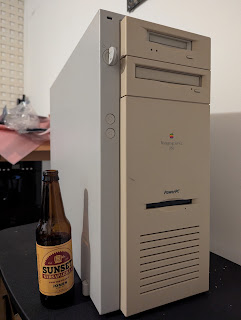
Apple Workgroup Server 9150

Before the sui generis IBM AIX-based Apple Network Server, one of our favourite machines here at Floodgap, there were the WGSes, the Workgroup Servers, Apple's well-intentioned but conflictingly received line of Macintosh rebadges hopped up with high-spec options and special server software. While certain users had long repurposed desktop Macs as ad-hoc servers, these computers were the first Apple systems explicitly positioned and sold as such, and the first generation was even advertised with A/UX, Apple's own hybrid System V UNIX implementation.
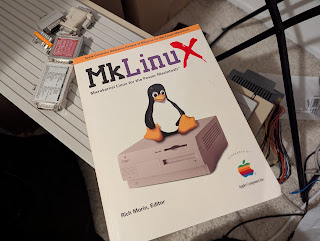
Workgroup Server

A/UX ultimately didn't survive the 1994 68K transition to PowerPC, but in 1996 Apple publicly offered another option: run Linux, using the Mach microkernel. Although MkLinux emerged after the 9150's discontinuation, it's still just an overgrown NuBus Power Mac, so between more RAM, a beefier CPU upgrade and various video cards, by the end of this article we ought to have a configuration that gives us the best of two worlds — classic MacOS and MkLinux — in one server.

But first we're going to have to rebuild it. And these plastics definitely don't want to stay in one piece.

Rebuilding the Green Giant

Before we get into that, however, I've previously talked at length about Apple's early 1990s server strategy as it pertained to how the Apple Network Server ended up running IBM AIX, though not much about why CEO John Sculley's Apple embarked on a server line in the first place. Likewise, we've said very little about the parallel evolution of the Workgroup Servers and their relationship to the core Macintosh product line. Let's consider those topics now.
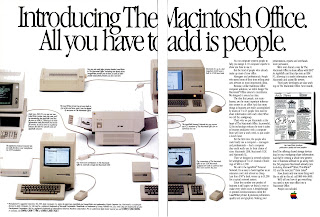
Macintosh Office advertisement

As an upstart in the age of microcomputers, Apple never had a history of making big iron, and the emergence of its server line can actually be traced back almost directly to the failed Macintosh Office concept. In January 1985, Apple's infamous "Lemmings" ad led its new hardware and peripherals announcement, including the AppleTalk Personal Network (what we now call LocalTalk) to set up multidrop serial links between computers and networked devices, the new LaserWriter printer, and a revamped Lisa 2/10 with more RAM and hard disk space newly subsumed into the Mac fold as the Macintosh XL. For a not completely eye-watering amount of money, Macintoshes could talk amongst themselves and send jobs to a high-quality shared printer, with network file storage on the XL's 10MB "Widget" hard disk to come shortly and support for suitably equipped PCs to follow. Steve Jobs, then both chairman of the board and veep of the Macintosh division, confidently predicted 10,000 Macintosh Office networks by the end of the year.

While the LaserWriter started at $6995 [$21,750 in 2026 dollars], the refreshed Lisa, er, Macintosh XL now started at a surprisingly competitive $3995 [$12,450], some $6000 less. However, the dirty little secret was that the Macintosh XL was only supposed to be a stopgap, a way to both slowly wind down the hardware and also buy time pending the real Macintosh Office centrepiece: Jobs' new leap forward, the "Big Mac." Big Mac had many vague ideas associated with it, though most of them converged on it being a file server or high-end workstation running some sort of Unix, possibly with the Macintosh interface layered on top. As such, being the most powerful machine in the constellation, it couldn't help but be fated for a central role in the new Macintosh Office. Later in design it was also internally known as the "3M" project, because it would generate at least a megapixel display (its most famous surviving mockup even put it in portrait orientation), provide at least a megabyte of memory, and run at least a million instructions per second on the new 68020.

Unfortunately for John Sculley, the company grossly underestimated the XL's appeal at its new lower price. What Apple expected to sell in eighteen months sold in three, emptying the parts inventory so rapidly that Sculley was forced to end its availability in April with Big Mac and its software still stuck in development. ("Apple's strategy may have been too good," mused InfoWorld.) Neither could Apple keep up with demand for the LaserWriter, becoming deeply backordered from manufacturing delays and only shipping 2,500 printers by June. Third-party products ended up filling the gaps, including networking hardware from 3Com and the Centram TOPS file sharing suite. Meanwhile, the Apple board, increasingly concerned about Jobs' excesses in his dual role, ordered Sculley to contain him, after which Jobs was cashiered in May and departed in September. Now in practical ruins, even though Apple promised all shipping products would remain available, the Macintosh Office initiative was officially shut down the same month.

Big Mac sensu stricto was so identified with Jobs internally that it became a political liability in the wake of his precipitous exit. For his part, new Mac product manager Jean-Louis Gassée considered it a "toy" and wasted little time officially canning it, instead promoting the Milwaukee project which had been quietly launched without Jobs' knowledge to create the future Macintosh II. Consequently, Apple's image began to suffer with corporate consumers as they lost confidence in the company's suitability for large office deployments. Sculley addressed this perception head-on at the 1986 introduction of the Macintosh Plus, telling attendees, "I know the real commitment from business customers must be earned by meeting customer needs, by living up to expectations and by keeping promises. We intend to do all of that."

The legacy of Big Mac nevertheless persisted in the Macintosh II's development, which at one point was even codenamed "Little Big Mac," and AppleShare's tardy arrival in January 1987 finally made a basic server platform possible. At launch AppleShare was targeted at any Macintosh Plus with sufficient external storage, though in initial versions a machine chosen for server duty had to be all but completely dedicated to the task. Introduced in March, the Mac II, compatible with the new AppleShare as well, would subsequently go on to largely achieve the 3M project's aims.

Another idea also originally intended for Big Mac emerged as a beta test later that year: Apple's own Unix, christened A/UX, based on UNIX System V Release 2.2 with extensions from 4.2BSD and 4.3BSD. For this work Apple contracted with UniSoft, then on the other side of the Bay in Emeryville, and well-known in the industry for their Unix ports such as the initial operating system of the Sun-1. After the kernel and userland were largely complete, development returned to Apple to graft on the Toolbox layer, a complex undertaking that suffered from months of delays fixing bugs. A/UX 1.0 (amusingly codenamed "Pigs in Space" after the Muppets sketch) finally emerged at Uniforum in February 1988 and was immediately available as a special Macintosh II configuration ($8597, approximately $24,250 in 2026 dollars) or on a pre-configured 80MB hard disk with a PMMU chip and extra RAM (up to $4979, or $14,050 in 2026 dollars), plus another $650 [$1835] for the book manuals.

Although A/UX 1.0's Toolbox had no MultiFinder support and could only run one GUI application at a time — and only about five to ten percent of existing Macintosh applications — the new operating system still achieved its greater purpose: credible entry to the high-end workstation market and new interest from government and educational customers who needed a Unix-based option, yet still keeping much of the Mac's secret sauce. "In terms of broadening the Unix platform," Sculley intoned at its introduction, "useability is probably even more important." Users generally agreed, though it was necessary to reboot back into System 6 to run most Mac applications, and developers objected to the A/UX Toolbox's front-end limitations and un-Mac-like programming interface when building hybrid apps. While System 7's impending development continued in the background, Apple added X11 support as an option in part to address these and other deficiencies in the graphical interface. "Our first goal was to do a solid Unix," argued Michael J. Homer, technical markets director.

A/UX 2.0, introduced in 1990 before System 7's rollout, made good on the majority of Apple's promises: most 32-bit clean applications could now run under a new compatibility layer, MultiFinder was supported, and Macintosh, command line and X11 applications were finally able to coexist on one screen. It was exceptionally well-received by reviewers and users alike, with MacUser approvingly calling it "the most interesting and impressive software to have come out of Apple since HyperCard." Subsequently in July 1991, after System 7's May launch, Apple and IBM announced their new partnership around the PowerPC and a future AIX incorporating the Mac Toolbox. In November this idea was broadened into the future A/UX 4.0, with Apple introducing the System 7-based A/UX 3.0 at the same time. (Another, less-well-known alternative also emerged around this period, but we'll talk about that later when we discuss the history of MkLinux.)

Despite these positive moves on the server software side, there had yet to be any corresponding server hardware, and Macs pressed into server duty in those days were otherwise just Macs. One I particularly remember as an undergraduate at the University of California San Diego was an SE/30 (userserve.ucsd.edu) down in the AP&M B337 lab, running AppleShare version something-or-other and an unknown Gopher server that we all accessed for software resources. I was fortunately able to save its contents before it was decommissioned, since it could still be accessed off-campus at the time.

As such, Apple management concluded their persistent lack of a turnkey server configuration was harming additional institutional uptake. At Mactivity '92, the Enterprise Systems Division (what would become Apple's Server Group) quizzed attendees for desired features; respondents nearly unanimously favoured high-end hardware on a Unix platform. Fortunately, Apple now credibly had one. In March 1993 the company announced the first Macintoshes to officially be called servers: the Workgroup Server 60, Workgroup Server 80, and Workgroup Server 95.

Of course, these machines at their core were also "just" Macs, or more specifically they were "just" Quadras: the AWS 95, the first one out of the gate in April, was a rebadged Quadra 950 (complete with the same keyswitch that debuted in the Q900), the Workgroup Server 80 was a rebadged Quadra 800, and the Workgroup Server 60 was a Centris 610 (that later became the Quadra 610). The main difference from the consumer models was that all three systems shipped with full 68040s plus extra base RAM and larger hard disks up to a full gigabyte, and true to their word, all three systems were A/UX-capable.

But the AWS 95 (codenamed "Chinook") did the other two one better: it came with A/UX 3.0.1, a requirement of the included high-performance PDS SCSI and L2 cache (128K to 512K) card, plus an optional 200-seat AppleShare Pro license for file and print services (a separate configuration targeted databases, with Oracle 7 specifically mentioned). In fact, when the demo machine reportedly got stolen shortly before Mactivity93, product manager Marv Su had to "make one" out of a Quadra 950 and a spare card to show to attendees. An optional tray could carry up to five internal hard disks, sitting on top of the system's drive shelf. While the AWS 95 could still run System 7, the PDS SCSI/L2 card was only fully supported in A/UX, and blocked one of the five NuBus slots when installed.

The other two systems came with a 50-seat AppleShare 4.0 license and System 7.1, and both the AWS 95 and the AWS 80 had optional built-in DDS (DAT) tape backup. The 60 and 80 launched two months after the 95 in June; Apple started the three systems at $3079, $6399 and $7589 [$7150, $14,850 and $17,600] respectively. The most expensive AWS 95 loadout had 48MB of RAM, a 230MB and a 1GB disk drive, DDS-1 tape and 512K of L2 cache, and sold for $12,929 [$30,000].

All three servers were generally well-reviewed, though the value proposition of the two lower-end models was somewhat questionable, and their sales were correspondingly tepid. On the other hand, in certain stratospheric market niches the AWS 95 became especially prized as both a high-end Mac workstation as well as a server. With institutional customers clamouring for an even higher-performance version, Apple wanted to keep that momentum going through the transition to PowerPC.

Meanwhile, Sculley himself exceeded the Apple corporate board's collective patience (particularly over Newton, cratering sales, various failed merger talks and Apple's biggest loss in any fiscal quarter to date) and was replaced as CEO by Michael Spindler in June 1993. Spindler's initial layoff moves were tough to swallow, but PowerPC had serious street cred and an obvious role driving Apple's next server generation. Officially Apple promised it would be helmed by an AWS 95 successor, incorporating its generous case and oodles of options, maybe even 64-bit with the any-day-now top-tier PowerPC 620, and of course running A/UX 4.0 powered by the Mach-based OSF/1 on top of the common PowerOpen platform.

Unofficially, just about none of that came true except the case, and even the case was to endure notable modifications. The 620 was intended to be the first 64-bit PowerPC implementation, capping the original 1991 roadmap above the 601, 603 and 604, but by late 1993 IBM was still working bugs out of the design and even the 603 and 604 weren't yet in production. Although the 601 was shaping up to be a powerful CPU for the era, for this high-end server's release to be at all timely its CPU could only practically differ from a desktop Power Mac in terms of clock speed and L2 cache. Likewise, on the operating system side PowerOpen-A/UX and the various Pink and Taligent projects the new server might have run remained victims of scope creep and slow development, while PowerOpen-AIX still didn't have its promised compatible Mac Toolbox, leaving only the same System 7 that every other upcoming Power Mac was going to run. Although System 7 software on PowerPC used the same PowerOpen ABI that A/UX was planned to, which would hopefully smooth out any later transition to A/UX 4 or AIX, the new A/UX wasn't even close to a beta.

Spindler's solution was an unexpected partnership with Novell to port what was then called Portable NetWare, an implementation of the NetWare 3 server platform running atop a separate host operating system, instead of the traditional architecture where NetWare itself was the operating system. This port was variously codenamed "Wormhole" and/or "Deep Space Nine," borrowing code from the existing IBM AIX port of Portable NetWare — AIX was PowerOpen too, after all — but modified to run via System 7; Wormhole would then run on the new high-end server, codenamed "Green Giant," using the fastest PowerPC 601 then available in a Quadra 950-style case. Novell NetWare was, of course, the premier network operating system of the early 1990s, but many believed it was already on a slow decline, and the overwhelmingly negative reaction Wormhole provoked from testers who still preferred Unix caught the Enterprise Systems Division off guard. Spindler remained doggedly convinced NetWare was the way forward, but as it was imperative the PowerPC server reach market with or shortly after the desktop Power Macintosh, at least initially Green Giant would have to be System 7 — any other options could come later. (As we'll discuss.)

To supplement the line the Power Macintosh 6100 and 8100, in nearly the same form factors as the Quadra 610 and 800/AWS 60 and 80, were retrofitted as the Workgroup Servers 6150 and 8150, collectively codenamed "Starbucks." Both these systems had CD-ROMs, however, and there was only one drive bay in the Q950/AWS 95 case which was used for the DDS tape drive, a previously popular option which Apple now intended to provide standard with the 8150 and Green Giant. The 8150 still had a bay available for it, but Green Giant required the aforementioned case modification: the floppy drive, formerly at the top of the Q950/AWS 95, was moved down to the bottom half of the front and the top reworked into a new bay for the DAT/DDS so the CD-ROM could go in below it. This made Green Giant the first, and ultimately the only, Macintosh in history to come with a low-mounted floppy, and the only Workgroup Server that didn't correspond to any existing desktop Mac. Green Giant also kept the AWS 95's five-drive tray, but got a new name to go with the new case: the Workgroup Server 9150. (There was never a "Power Macintosh 9100," for the record.)

As shipped, in hardware terms the WGS 6150 was nearly identical to the 6100/60, with the same 60MHz 601, the same processor direct slot convertible to NuBus, and the same 8MB of motherboard RAM, plus a 256K L2 cache and 500MB hard disk for $4219 [$9535]; the WGS 8150 was in turn based on the 8100/80, with an 80MHz 601, three NuBus slots and a PDS, but 8MB or 16MB of total RAM, 256K L2 cache, DDS tape and a 500MB or 1GB hard disk. The WGS 9150 (also seen as the "WS 9150" in various Apple documentation) used the same 80MHz 601 and added an extra NuBus slot, plus 512K of L2 cache and one or two 1GB drives, but you could also buy the biggest $10,269 [$23,200] configuration with two 2GB drives and 24MB of RAM. You could also get a 9150 logic board to install in a Quadra 900 or Quadra 950 or, for that matter, an AWS 95, and it would fit your physical case if not your use case (if you were using A/UX).

Apple still kept the AWS 95 (and at least initially the AWS 60 and AWS 80) in the product line for users who wanted A/UX 3. To otherwise entice new users and soften the blow of its absence, the new PowerPC servers included software RAID 0 and 1 and the new PowerPC-compatible AppleShare 4.0.2, plus AppleSearch, Apple Internet Router and Apple Remote Access 2.0, and the DAT-equipped 8150 and 9150 also got Dantz Retrospect Remote for backups. The new PowerPC Workgroup Servers emerged in April 1994, just a month after the Power Macintosh 6100, 7100 and 8100 in March.

The machine we'll be rebuilding and then retrofitting is one of these original WGS 9150 machines, originally shipped in 1994. I had a 9150 a number of years prior but stripped it for parts, a shame I wear to this day, so this project was as much for penance as it was for pleasure (of sorts). This one was an eBay grab way back when, though it came somewhat stripped also, with its hard disk wiped, one NuBus slot cover missing, no RAM at all (just the 8MB soldered to the logic board), none of the pack-in software, and no cache stick. I suppose I should be glad it still had its special pre-terminated internal SCSI cable, the ROM SIMM and the PDS terminator, because these systems didn't come with a PDS video card standard and the PDS terminator is required if you'll be using motherboard video. I loaded it up with 128MB SIMMs (to equal 136MB), a couple hard disks and a 256K cache from a 7100. Its name is Brinton, after Brinton Baker, the server group's senior director of product marketing.

The rebuild came when it started getting flaky last year and intermittently crashing, but the RAM tested good and replacing the boot disk didn't make it better. Since these early 601s can run a little warm, I next redid the heat grease with proper modern compound to see if that would help, and it didn't. While my personal experience has been that these systems don't universally have the bad capacitors that '030 Macintoshes and their contemporaries (e.g., the Macintosh Portable) do, others have reported bad caps on their own early Power Macs, so that was the last thing to try. I sent the board off to Garrett Bunge for a professional recap, who reported there might have been a tiny bit of leakage, but either way it came back looking great.

We'll come back to the history when we get to our choices of operating system. Let's first get it back together, starting with the bare case.

Like most of its generation, these units have a metal skeleton with plastic on top and inside.

Unfortunately, that plastic is Spindlerplastic, typically ABS plastic where the plasticizer (probably a phthalate of some sort) has since evaporated with age and left the now-brittle polymer. There is no way to rehabilitate the plastic short of remelting it and adding new plasticizer; modern plasticizers are much less volatile. The Quadra 900 and its descendant designs (Q950, AWS 95, WGS 9150) are tower systems, so the logic board sits vertical and is supposed to stay in place with those snaps and tabs, which becomes a significant problem when the tabs and snaps snap. We're going to deal with that very issue later on, so take a good look at the image since it's the last time you'll see most of the pieces intact. The same root problem afflicts Amelioplastic, such as in the PowerBook 1400.

The exterior door is plastic, but backed with metal. It has guides for the cards.

It also shows how to properly loop and secure the cabling, though we're going to modify this somewhat since we'll be upgrading the unit to a single ZuluSCSI as part of the rebuild (keeping the original CD-ROM and DAT drives). However, note the slim cable coming from the top bay: this is actually a floppy cable, not Molex power or SCSI, because the diagram is really for the AWS 95 and the door is the same. The same incorrect diagram likewise appears in the 9150's administration manual, probably to save time writing it.

Although the backplate label shows model number M3125, the actual serial number is located next to the card slots. This unit is serial# XC44600P36R, manufactured 46th week 1994 ("446") by Apple at their Elk Grove, CA facility (factory code XC; this post explains how Apple's serial numbers worked at the time).

The Quadra 900 introduced a wafer lock keyswitch which controls both power and security. If the key is turned all the way to the left "off" position, the server is powered down (or is powered down immediately) and will not start up, even if the reset key is pressed on a connected keyboard. If turned to the middle "on" position, the server operates normally. If turned to the rightmost "secure" position, the server powers on (and stays on), automatically powers on after an outage, and also locks out the floppy drive and connected ADB devices. The Quadra 950 inherited this case and keylock as did the AWS 95 and the WGS 9150. The same wafer lock keyswitch is also used on the Apple Network Server for setting the operating system mode and locking its front door, but its three settings behave differently, and the ANS also has a separate two-position rear lock of similar type.

The keys have a small three-digit code engraved in the metal. Not all of the keyswitches still have their corresponding tag, but if they do, the tag's code should match the key's. These keys are otherwise straightforward to duplicate with a blank of similar size and any good locksmith should be able to fashion a copy.

Giving it a good scrub before we put the logic board in.

Our freshly recapped logic board. Despite the case serial, and the board serial (SS42704F3B6) which indicates 27th week 1994, at least one chip has a 1995 copyright date and the CPU is also from 1995 (I'll show you in a second), so either this board was repaired or final assembly was done later. The WGS 9150 logic board is the same size and has nearly the same port and slot configuration as the Q950/AWS 95's because it had to fit that case as well, but the 9150 requires less board space to do its job, so consequentially a fair bit of it is empty.

Still, there are various landmarks. In the northwest/top left corner is the 8MB of motherboard RAM, which would be frustrating if any of it failed since replacement obviously entails desoldering. Left/west of it are the interrupt and reset switches, which we will be revisiting later more than we would like to; above/north of it is the header for the keyswitch, which you can use to short it if you don't have a key; and to the upper right/northeast of it is the power LED, which is refracted by a light pipe to the front. Below/south of the soldered motherboard RAM are eight 72-pin SIMM slots. RAM must be installed in matched pairs to a maximum of 256MB in the SIMM slots, equaling 264MB.

Below/south of the SIMM slots are other various internal connectors, including the low-mounted floppy (J19), internal SCSI port (J23, I'll talk about this a little more momentarily), CD audio input (J18), PRAM battery (BT1), and way at the bottom, the internal speaker header (J17).

The NuBus slots, the CPU, and their satellite electronics dominate most of the rest of the logic board. The CPU is under the large heat sink, which I will demount for show in the next series of photos, with an unpopulated debugging header at the very top/north at J28. Around it, clockwise from lower left/southwest, are (U19) the 343S0148-01 Fat AMIC "Apple Memory-Mapped I/O Controller" unique to the WGS and used for DMA to its full set of NuBus slots (3-slot NuBus Macs use the regular AMIC), also providing DMA for on-board Ethernet, sound, SCSI, floppy, and serial I/O; (U24) a 343S0802-A HMC "High-speed Memory Controller" used in at least all first-generation NuBus Power Macs; (U62) a 343S0137-A SWIM III floppy controller with DMA despite the floppy connector being low; (U37 and U36) twin 343S1144-01 Data Paths for buffering the bus and routing video data, and also used in at least all first-gen NuBus Power Macs; and (U35) a 343S1124-04 BART NuBus controller. Note also the same slots for the cache stick and ROM stick, plus the power supply connector and Processor Direct Slot. Right/east of the second Data Path at U36 is a smaller chip, the 343S1069-B "Ariel" video chip at U13. This is the same video chip used for motherboard video on the other first-generation NuBus Power Macs, but the 9150 uses a more typical Macintosh DA-15 video port like the Quadras — remember, it has to fit in their cases — instead of its contemporaries' oddball HDI-45. Right/east of the BART at U35 is an AMD AM79C950KC "Super Combo" CURIO chip at U10, containing the equivalent of an NCR 53C96 SCSI controller (for the external port), an AMD 85C30 serial chip and an AMD 79C940 Media Access Controller for Ethernet (MACE).

The CURIO, however, only services the external SCSI port — the internal SCSI controller is southwest/to the lower left of the Fat AMIC at U47, a MESH "Macintosh Enhanced SCSI Hardware" NCR 53CF96 which provides support for SCSI-2 and is the chip closest to the explicitly-marked "INT SCSI" 50-pin connector at J23. However, next to the 25-pin external SCSI connector at J8 (above/north of the serial port at J4) is an additional 50-pin header at J9 with no markings. This port is yet another holdover from the Quadra 900, the first Macintosh to implement a separate internal SCSI bus, and later duplicated on the Q950 and AWS 95. On these machines the internal SCSI is a separate second bus from the external SCSI, but there are internal headers for both busses so that internal devices can be on either bus. The 9150 still has this feature and thus still has a port in the same place to handle upgrading machine configurations that need it, but it was officially undocumented and its use otherwise discouraged, and any internal devices connected to J9 will be on the slower CURIO. We won't be using it here.

As for the CPU, here are some pictures from when I demounted the heat sink. The heat transfer compound Apple used was "fine" at the time but 30 years later has turned to heat transfer brick mortar. Some folks have reported erratic behaviour from the CPU overheating which was fixed by cleaning it off and applying better thermal paste, so I tried doing that first. Apple used this heat sink or a close variation for all their 601 processors, even the one in the Power Macintosh upgrade card, with four metal claws to clamp the heatsink tightly on the die by gripping corresponding holes in the logic board. The tips of the claws can be gently released from the other side using a spudger or gloved finger.

After some careful cleaning with 91% isopropyl alcohol and a handful of Q-tips, this is our CPU and die (under the heat spreader), produced 4th week 1995. Only IBM was making the 601, and only at their Burlington, VT and East Fishkill, NY facilities at the time, so since the East Fishkill plant was fully CMOS by 1995 and used for manufacturing higher-value and server grade chips, I suspect this one came from there. The PowerPC 601 was packaged in a 304-pin ceramic QFP which, in most Power Macs using it except for the 7500's daughter card, is permanently soldered to the logic board as shown here. Fortunately most 601-based Macs have some sort of upgrade pathway, either through their CPU slot or (in this case) as a PDS card, with the notorious exception of the Power Macintosh 7200, 8200 and Workgroup Server 7250 for which Sonnet eventually produced a PCI card to carry a G3.

The first-generation PowerPC 601 was produced in speeds from 50MHz to 80MHz, though Apple never used the 50MHz part in a shipping Power Mac. It was fabricated on a 600nm CMOS-4s process by IBM with four layers of metal, producing a 2.8 million transistor die measuring 121mm². The CPU has a 32K unified L1 I+D cache, which for the era was considered generous, and overall the chip could meet or exceed contemporary Intel Pentium performance. The 603 and 604 have more typical split caches.

For comparison I have placed it next to a non-functional 90MHz PowerPC 601v (also known as the PowerPC 601+) that I use as a display piece, which shrunk the die to 74mm² using a 500nm CMOS-5 process. Introduced in late 1994, the process shrink enabled the CPU to run from 90MHz to 120MHz, though with a corresponding increase in heat. Apple used the top-end 120MHz part in the 9150's only model upgrade, which I'll talk about once we have this one reassembled, and later for upgraded models in the 7200 family as well. These fastest systems require an active Peltier thermocooler to keep the chip's temperatures down.

Another point of comparison is this 200MHz PowerPC 604e from an Apple Network Server processor card I was trying to refurbish. (It's dead, Jim, even after a recap and replacing the sludged-over heat grease.) Although the heat spreader is larger than the 601, the die is smaller at 47mm², containing 5.1 million transistors fabricated on a 250nm CMOS process by IBM with five layers of metal.

Reapplying a more modern heat compound to the 601.

Getting the CPU heatsink back on a 601 needs to be done a little more carefully than taking it off. The ceramic QFP is sheathed in glass and this glass can crack (people have done it!) if the heatsink exerts uneven or excessive pressure, so it's important to get the claws through the holes without grinding too hard on the CPU package's top layer.

We place the board into the case and line the notches up with the snaps and guides.

Then we push it back into the openings for the ports. In theory a large plastic clip in front will keep it in position along with the smaller snaps and clips, but this big clip also snapped. There is no point in repairing these because they're just plain weak and they'd fracture somewhere else. We'll explore an alternative for keeping the board in position later on.

Ensuring the ports are all lined up. From top to bottom, identical to the Quadra 900 and progeny, they are DA-15 ("DB-15") video, AAUI Ethernet, 25-pin SCSI, modem and printer serial ports, ADB, separate right and left audio input channels as BNC jacks (intended as line-level inputs), audio input as a 1/8" stereo jack (intended for microphones), and 1/8" stereo output. The audio features made sense on the Q900 and Q950 as high-end workstations, and the AWS 95 probably got pressed into that role from time to time, but it seems the sole reason they persist on the 9150's board is once again to fit in those cases.

We don't have the original 512K cache stick, but we do have its ROM DIMM (top) and PDS terminator (bottom). The PDS terminator is theoretically required for all first-generation Power Macs when nothing is installed in the Processor Direct Slot, but the AV Power Macs ship with an AV PDS card there, and non-AV 7100 and 8100 systems (but not the WGS 8150) have the High-Performance Video card instead. We will explore both these cards a little later. The situation is a little different with the 6100 family: many of those computers will have an PDS-to-HDV or PDS-to-NuBus adapter in that slot, especially those that are or originated as 6100AVs, and our own Performa 6116CD ran just fine with nothing installed at all. In fact, according to Apple's own tech note, the PDS terminator was only ever intended and shipped with the WGS 8150 and 9150, and it cautions these systems will not work without one if the Processor Direct Slot is empty.

The CACHE/ROM slots have exactly the same pinout on these early Power Macs and you can put the cache stick or the ROM stick in either one (but a note from the future: put the ROM in the top slot, not bottom as I did here initially, because the top slot tends to get blocked by the power supply and makes accessing a cache DIMM there difficult). The PDS terminator goes in the PDS connector.

Since the last rebuild I had accumulated a big stock of 72-pin RAM SIMMs, so this time I loaded it up with a full 256MB. This will come back to bite us too.

The AWS 95 supported a five-drive carrier as an option (it would also fit in the Q900 and Q950), but for the 9150 it came standard. Accordingly a special extra-long (but otherwise "regular") SCSI cable with its own internal terminator was used for these drives as well as the CD-ROM and DAT.

With the long SCSI cable on, plus CD audio, the keyswitch and the floppy cable.

The floppy drive's metal frame attaches with a couple screws.

Now the power supply. This monstrous metal-encased hunk was also introduced with the Q900 and provides both power and ventilation. While it can be substituted for between the Q900, Q950, AWS 95 and WGS 9150, the upgraded 601+ 9150's power supply also has a fan for its Peltier-effect thermocooler. This additional fan is attached both to the power supply using a clip and to the logic board for power.

The power supply, besides providing the system's 292 watts (nominal maximum at 10A; up to 424 watts and 18A for "a period of 12 seconds maximum"), is a major structural element. Unlike the logic board, even a brand new ABS plastic frame could not have possibly supported its weight, so it is secured to the metal casing with screws. Unfortunately, not only is it bulky and heavy, but it also prevents easy access to the RAM SIMMs, floppy drive and the top CACHE/ROM slot when installed. The drive carrier and top device bays rest on it, though we must also make sure the CD audio and keyswitch cables can exit to the top behind the power supply in the channel provided for that purpose.

Next the bezels for the DAT and CD-ROM. These have already lost pieces but fortunately enough tabs persist so that the other bezel and the speaker panel can keep them in place.

After that we install the buttons for the reset and interrupt switches — again something that will become a regular irritant in this entry — and put on the bottom speaker bezel, which has lost a couple chips of its own, but enough to still grip the holes in the metal and hold everything together.

Now the top bay drives. The DAT is the original one shipped, a DDS-2 HP C1533A tape drive supporting tapes up to 120m, and the same one used in the AWS 95 and WGS 8150. The Apple Network Server also used this drive.

The CD-ROM is also the original one shipped, an internal 2x AppleCD 300i Plus. You'll notice it is secured to a plate. This is the plate that goes on top of the power supply.

The DDS-2/DAT drive's sled fits into the CD-ROM's sled, and the CD-ROM's sled is attached to the plate. We place the plate at the back of the power supply ...

... and slide it forward to lock it in position. There are screws to secure it, but unlike the ABS plastic tabs, these metal tabs hold well without them.

This is sufficient to boot the machine from CD. Because it was flaky before, I decided to leave the cache stick out to eliminate one potential variable. I then connected the SCSI cable to the CD-ROM (remember, it's already terminated), plugged in the power connector, plugged in an ADB keyboard and mouse, plugged in an LCD VGA panel (with a video dongle), turned the key to the middle position and pressed RESET on the ADB keyboard.

We got the musical sting! (These Power Macs do not make a Mac "bong.") I then got out my customized Mac OS 8.6 boot CD — I prefer 8.6 on Macs on beige pre-G3 Macs without an upgrade card — and put it in the optical drive, and got a Happy Mac! But was it stable? Let's burn it in before we go further with this process.

Waiting for 8.6 to boot from CD, which is not fast with no cache and a 2x CD-ROM.

I plugged in an AAUI Ethernet dongle and started the Gauge Pro memory test on loop from the Macintosh IIci NetBSD fileserver, and then watched a couple movies on the couch.

Four hundred and fifty-two memory tests later, the CPU was running fine and the hardware had not glitched. Between Garrett's recap and our refurbished heat grease, we appear to have a working system once again. Let's install the cache stick and a ZuluSCSI now.

These are both 256K L2 cache sticks, which is annoying, but they are what I had in stock. Although my Power Mac 6500 has a 1MB cache, I left it there because that machine is intended primarily as a BeOS box and BeOS doesn't support L2 G3 upgrades, whereas we might be able to dual boot with a G3 in this one even if MkLinux won't support it. (Note from the future: this can work.)

Now that we have the power supply connected, the service manual warns us not to mess around with the NuBus, PDS or cache slots without unplugging the machine, even if the key is turned to off — there's apparently some trickle power even in the fully-off key position. With the plug out I switched (with difficulty) the ROM into the top slot and put one of the 256K cache sticks in the bottom one.

For storage, next we'll prep the ZuluSCSI. I got out a new SD card and created three disk images: a 4GB disk image exclusively for Mac OS (as HFS+), a 4GB disk image for MkLinux (as ext2), and a 1GB image to be partitioned into MkLinux swap and an HFS (not HFS+) exchange partition, since the HFS toolkit included with MkLinux only understands original HFS. We'll need this exchange partition for building custom kernels, since the kernel is booted from the Mac OS side. I chose to make smaller individual devices rather than carving up a larger disk into LUNs simply for ease of organization; the SCSI emulator doesn't really care one way or the other, and I can also separately back the image files up.

I then got out a ZuluSCSI in a plastic carrier, installed the card and perched it on top of the power supply. Although I had a power connector on it, it seemed fine with termination power alone.

We'll now boot again from the Mac OS 8.6 CD, with a perilous conga line of dongles to yield a 60Hz video signal the Inogeni VGA capture rig will accept.

Loading the OS.

In Drive Setup we see our three images.

We'll install Mac OS on ID 0, using the entire disk.

Starting the Installer.

The installation is not very fast from the internal CD-ROM, and if I'd thought about it, I should have simply loaded the image on the ZuluSCSI as well, but we'll only have to do this once.

Complete.

Restarting now from the ZuluSCSI instead of the CD.

For the record, here's the output from Apple System Profiler. All 264MB of our RAM is enabled, as is our 256K of L2 cache, and the CPU is correctly detected as an 80MHz 601. The Gestalt ID for the original 9150 is 39 (the upgrade is Gestalt ID 57), but notice the spelling of "Work Group Server" in the model name string which is where WGS comes from.

MkLinux, or, Linux at Mach 3

At this point we'll configure the machine to dual-boot MkLinux, so let's talk some more backstory before we do.

Apple's erratic push towards a true enterprise server continued taking odder turns, even starting when the PowerPC Workgroup Servers first emerged, and once again the marquee headline was ... NetWare. At the same April 25, 1994 event, Spindler demonstrated a newly commissioned port of Processor Independent NetWare, a top-to-bottom portable form of NetWare 4.1 where now the entire operating system could run on non-x86. Codenamed "Cyberpunk," the famous NetWare worm is shown here running on what is most likely a Workgroup Server 8150, the machine's demonstration target (though much of it was done on Piltdown Man, i.e., the 6100 family). Cyberpunk was intended first and foremost for Shiner, Apple's new large server under development, though its specific build was never publicly demonstrated and is believed lost, but the NuBus-compatible version has survived. Because of the age of its System file, the 9150 ironically can't boot from this only known build. (Photo credit, Joe Pugliese, Associated Press.)

Meanwhile, delays continued to plague the 620 at IBM and Shiner temporarily stalled out from multiprocessor cache coherency problems in early 604s, forcing the server group to squeeze out as much as it could from the 601. Almost exactly one year after the original 9150 came out, the new version I'd previously hinted at emerged in April 1995 and bumped the specs to a 120MHz active-cooled 601+ with 1MB of L2 cache. (This particular machine, codenamed "Zephyr," had an arresting crimson prototype board complete with populated debug header, additional test points and a silkscreened train logo. [A number of people have pointed out the train in question is in fact the California Zephyr, hence the name.] ) All three PowerPC Workgroup Servers now came with 16MB of base RAM plus System 7.5 and AppleShare 4.1, the 6150 and 8150 got smaller speed bumps of their own to 66MHz and 110MHz, and Apple's software RAID remained supported.

But what puzzled potential customers more was how increasingly inconsistent Apple's server software strategy was becoming. PowerOpen-A/UX 4-AIX and Taligent-Pink were still shambling around Cupertino development hell, causing Apple in May 1994 to embark upon an alternative stepwise approach in the form of Copland. Meanwhile, despite claims of Cyberpunk's continued progress, at the April 1995 refresh Spindler had little other choice than to double down on then-current Mac OS with the Apple Internet Server Solution. AISS had the distinct stench of a product assembled under duress, nothing more


The Daily Front Page 10 of 30
Sunday, August 2, 2026 The Daily Front No. #260802 — Tickets, By Hand
article

When transit passes were designed by hand (2022)

by nate·▲ 146 points·33 comments·letterformarchive.org ↗
a weekly burst of color and hand lettering

In the 1930s–60s, Milwaukee Electric Railway & Light Company offered trolley and bus riders a weekly burst of color and hand lettering. About 300 of these tickets are now in our collection.

A Milwaukee streetcar, 1955. Photo courtesy Barry Lennon.

Milwaukee claims to be the inventor of the weekly transit pass, and for several decades they could also boast to have some of the most beautiful ones. On August 18, 1919, Milwaukee Electric Railway & Light Company (TMER&L) launched a weekly pass experiment for its extensive streetcar service. It was an overnight success and went into full operation in 1921. The design of the passes was utilitarian and banal until the 1930s when they brought the production in-house and added color, public-service announcements, information about local events, and illustrated depictions of civic history.

For design and letterform lovers, the passes issued between 1937 and 1972 stand out as particularly colorful and cohesive. They follow a fairly consistent design program of large hand-drawn numbers for the week of the year, lettering for the valid range of dates, and small-print information set in type, all functionally decorated with jaunty banners, frames, and rules. Thanks in part to a donation from type designer Tobias Frere-Jones, the Archive now holds about 300 tickets between 1932 and 1969.

1930s–40s

The beauty of the passes must have been a source of pride for both the transit operators and their users, because the designs continued to be produced by hand, on art board for printing plates, until 1992 with the adoption of the Mac and desktop publishing. This rigorous and enduring output of original artwork is unusual for a U.S. municipality, and the tradition survived multiple transitions between corporate ownership and government agencies.

“The Milwaukee Electric Railway & Light Co. (T.M.E.R.& L.Co.) and, after 1939, The Milwaukee Electric Railway & Transport Co. (T.M.E.R.& T.Co.) had its own print shop, where they would design and print these passes,” said John Giove, President and CEO of the Milwaukee Transit Archives & Museum. “This continued after 1975 when the Milwaukee County Transit System (MCTS) took over from the privately-run Transport Company.”

1950s

Giove’s museum holds a large collection of logs, drawings, and artist’s proofs from the 1980s and ’90s when a photoengraver named Klaus Birkhain was responsible for the artwork. Unfortunately, little history is recorded about the passes of the 1930s–60s, including who designed them. We welcome insight from local historians and transit collectors who can help us attribute these pocket-size gems of civic design!

1960s

These days, entering a subway or boarding a bus is as mundane as tapping a phone or plastic card with a design that rarely changes. Perhaps there is still room in a digital world for regularly updated passes with original artwork, even if it’s displayed on a screen. After two years of plummeting ridership due to the pandemic, cities are looking for ways to make transit more appealing, and adding some visual joy could be part of that equation.

Beyond transit, Milwaukee’s passes can serve as inspiration for anyone working with letters, numbers, and color, particularly on products issued as a series, or anytime there’s a desire to bring dynamism to the day-to-day.

The Daily Front Page 11 of 30
Sunday, August 2, 2026 The Daily Front No. #260802 — Twenty Years Open
article

Twenty Years of RISC OS Open

by AlexeyBrin·▲ 158 points·31 comments·riscosopen.org ↗
to take a proprietary operating system and open it up to anyone who fancied helping

Twenty years of RISC OS Open

On 20 June 2006 we incorporated RISC OS Open Ltd with one slightly mad ambition: to take a proprietary operating system and open it up to anyone who fancied helping. Twenty years on, that has largely happened, and the RISC OS of today is in far better health than the one we inherited.

To mark the occasion, here is the story so far, with one highlight for each of our first twenty years. Our thanks go to everyone who has written code, filed a bug, funded a bounty, contributed in our forums and wiki, tested a nightly build, or simply cheered from the sidelines. None of it would exist without you.

Twenty years, a year at a time

Year 1 (2006-07): it started with a plan to do the unthinkable. Castle and ROOL announced a shared source initiative that autumn, and by the Wakefield Show the following May the very first RISC OS sources were in public hands.

Year 2 (2007-08): batch by batch, more of the OS went out to the community, and the early momentum earned ROOL its second Drobe award, this one for “Best show of initiative”.

Year 3 (2008-09): a first for the platform. A build of RISC OS 5 ran on an IYONIX carrying a great deal of community-contributed code, shown off to a warm reception at the Midlands Show.

Year 4 (2009-10): the plumbing grew up. Nightly autobuilds began rebuilding and testing the sources automatically, while Jeffrey Lee’s port to the BeagleBoard, our first step towards cheap RISC OS hardware, took an Icon Bar award.

Year 5 (2010-11): a neat idea took shape. The Bounty Scheme let the community pool donations and vote with their wallets for the features they most wanted to see from the roadmap. It is still going strong today.

Year 6 (2011-12): working with Piccolo Systems, ROOL published an open source SD and MMC filing system, giving the BeagleBoard machines native memory-card support and laying important groundwork for the stable release ahead.

Year 7 (2012-13): the watershed. RISC OS Pi brought the OS to the Raspberry Pi, a credit-card computer with BBC BASIC only a keystroke away, and put RISC OS in front of a whole new generation. Our website traffic records did not survive the week.

Year 8 (2013-14): RISC OS 5.20 landed as the first stable ROM release in years, with the classic Risc PC and A7000 family included for the first time. To mark fifty years of BASIC we also released Pico, a cut-down RISC OS that boots straight to a prompt, just like the Beeb.

Year 9 (2014-15): support for the quad-core Raspberry Pi 2 arrived in February, followed swiftly by RISC OS 5.22, the next stable release and the first to bundle the OMAP4 (PandaBoard) port.

Year 10 (2015-16): a glimpse of the future turned up at the London Show in the shape of Titanium, a dual-core Cortex-A15 board built with RISC OS in mind. Then, in June 2016, ROOL reached double figures: ten years old, with most of the original goals met.

Year 11 (2016-17): monitors learned to introduce themselves. A bounty delivered EDID support, so RISC OS could read a display’s capabilities directly and spare users the old ritual of hand-tuned monitor definition files.

Year 12 (2017-18): the definitive BBC BASIC Reference Manual came back into print, fully revised across 520 pages, and RISC OS 5.24 went stable, this time with the Raspberry Pi and Titanium ports earning their badge, accompanied by a first edition RISC OS 5 User Guide put together with community contributions.

Year 13 (2018-19): the goal we set out to reach back in 2006. With Castle acquired by RISC OS Developments, RISC OS was re-licensed under Apache 2.0, free for anyone to use, share and build upon, commercially or otherwise, for the first time in its history.

Year 14 (2019-20): work began on a port to the new Raspberry Pi 4, and ROOL threw open the doors to its lab, moving the entire code base (every component and all 106,000-odd commits of history) onto a public GitLab for anyone to browse and improve.

Year 15 (2020-21): RISC OS 5.28 shipped with official Raspberry Pi 4 support and some 700 improvements, and just in time for Christmas the all-in-one Pi 400 got its own ready-to-run edition. The Acorn Electron would have approved.

Year 16 (2021-22): the community had its say at the RISC OS Awards, where 5.28 took Best New Development and the ROOL forums won Best Website, both by a comfortable margin.

Year 17 (2022-23): the Archimedes BASIC Compiler learned to use the hardware floating point unit, drawing a Mandelbrot some 35 times quicker than the plain interpreter. The next April, RISC OS was chosen by SpaceX for a mission to Mars, a claim that held up nicely until the 2nd.

Year 18 (2023-24): a busy year for modern conveniences. A native Git client, Open source SparkFS and NVMe solid-state storage both arrived in February, and RISC OS 5.30 followed in April, a bumper stable release spanning seven hardware platforms.

Year 19 (2024-25): the move to Git paid off handsomely, passing one thousand accepted merge requests since 2019. ROOL then announced its boldest plan yet, the Moonshots initiative, a shift to full-time, multi-year engineering to carry RISC OS onto 64-bit Arm before the 32-bit chips run dry.

Year 20 (2025-26): the Moonshots rocket began fuelling up with its first sponsors and volunteers, the full RAM of an 8GB Pi was freed from its 32-bit shackles, and, of all things, Fortran returned to the toolset after a long-lost copy surfaced on a decades-old backup tape.

Here’s to the next twenty

None of this was the work of ROOL alone. RISC OS today is hugely improved from the sorry state it was in back in 2006, and the scene around it is far livelier for everyone who turned up and got stuck in. We’re excited to see what the future will bring, from the next RISC OS stable releases to our next steps towards the moon.

Thank you, all of you. Here’s to the next twenty years!

- Steve Revill and everyone at RISC OS Open

The Daily Front Page 12 of 30
Sunday, August 2, 2026 The Daily Front No. #260802 — The Price of Inference
article

Running Kimi K3 on MI355X at Better Performance per Dollar Than B300

by ilreb·▲ 208 points·102 comments·wafer.ai ↗
Is memory the moat?

Running Kimi K3 at ~952 tok/s/node, AMD continues to prove its case as the winner in performance per dollar.

Over the past several months, we’ve seen an explosion in the capabilities of open source models. With DeepSeek V4-Pro and GLM5.2 reaching near-Opus levels of intelligence, open source has emerged as a real, cost-efficient alternative to the closed source models we’ve been married to.

But we have yet to see one like Kimi K3. Promising Fable/Sol levels of intelligence, Kimi K3 marks the start of a new era for open source.

But a smarter model means a bigger model — and these models are expanding in size just as fast as they are in capabilities. GLM5.2 has 753B parameters, DeepSeek V4-Pro 1.6T, and Kimi K3 weighs in at 2.8T (!!) parameters. That’s over 1.5TB of VRAM before allocating a KV cache for 1M tokens of context. Not even a B200 node (8 GPUs) can fit Kimi K3. That leaves you with limited options: serve on a node of B300s, which have 288GB of VRAM per GPU, or commit two B200 nodes (TP16) to serving Kimi.

But guess which other non-NVIDIA GPU has 288GB of VRAM? AMD’s MI355X. Can you tell we like these chips yet? At around ~2.4× cheaper per GPU on average versus a B300 and ~1.7× cheaper than a B200, the MI355X is a cost-efficient alternative to Blackwells with comparable hardware specs. The only problem with AMD is software support — slower kernels and less day-0 support on inference frameworks make serving frontier models on AMD a real engineering effort. Our claim at Wafer is that agents are improving at kernel and model optimization, closing this gap as we speak. But with AMD shipping day-0 support for Kimi K3, most of the work was already done for us.
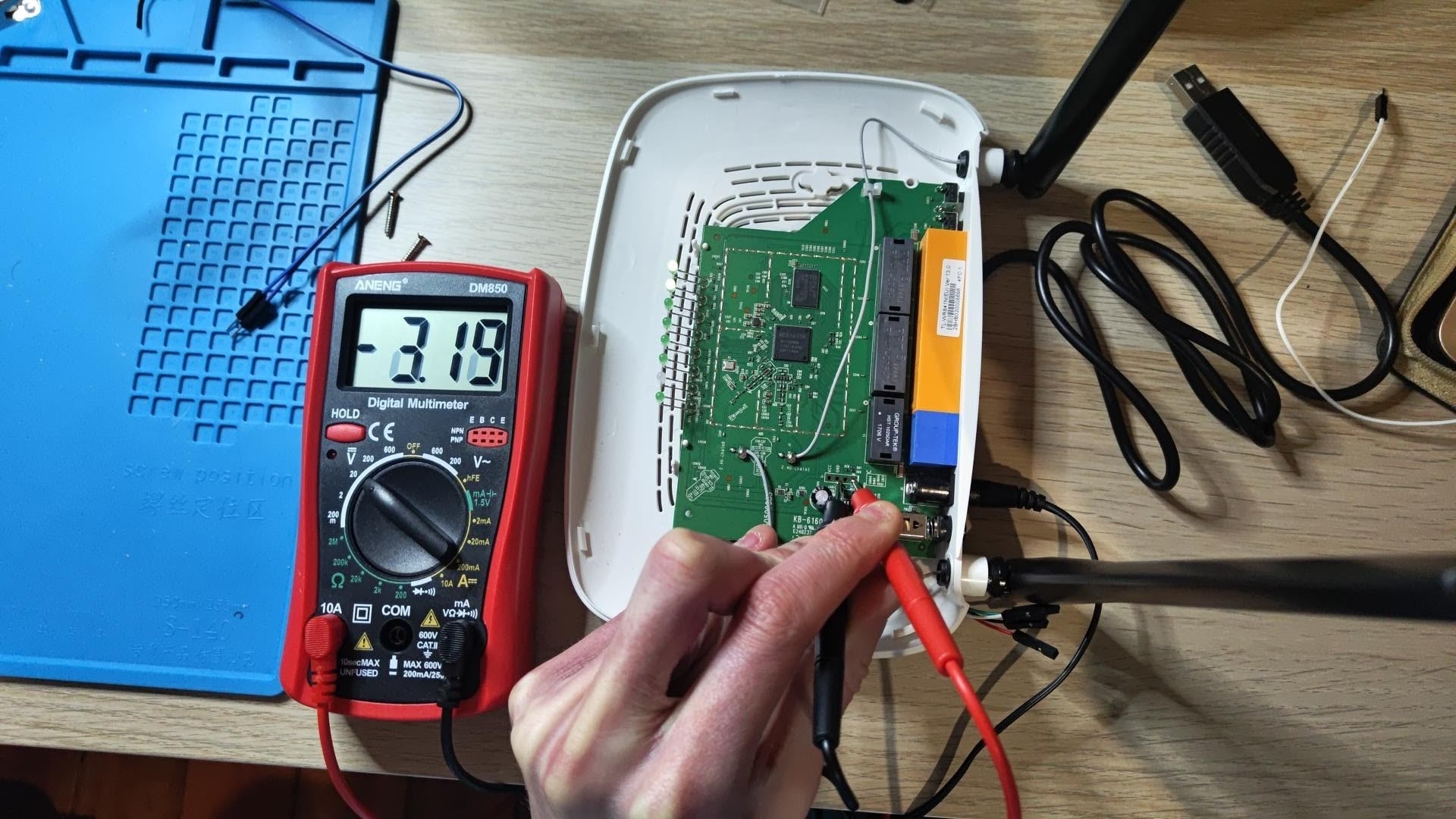

The results are great: on a 1,024-token input / 400-token output benchmark, the MI355X reaches 952 tok/s/node and 118 tok/s single stream — over 3.8× the aggregate throughput per node and over 1.3× the single-stream decode of our TP16 B200 deployment (whose 498 tok/s is a 16-GPU, 2-node total — ~249/node). B300 nodes still win ~1.65× on aggregate throughput over the MI355X, but at 2.4× the price, the MI355X crushes the B300 on performance per dollar.

8× MI355X (TP8) 2×8 B200 (TP16) B300 (TP8+DCP8)
Decode tok/s per stream 118 tok/s 90 tok/s 172 tok/s
Peak aggregate 952 tok/s 498 tok/s 1,568 tok/s
Peak aggregate per GPU 119 tok/s 31 tok/s 196 tok/s
Peak aggregate per $/GPU-hr 48 tok/s/$ 7 tok/s/$ 33 tok/s/$

Perf/dollar at $2.50/GPU-hr for the MI355X, $6.00 for the B300, and $4.25 for the B200.

Kimi K3 serving throughput vs interactivity, per node — MI355X, B300, and B200 (2-node TP16)

To the B200’s defence, its numbers are somewhat deflated by the fact that it pays a cross-node all-reduce on the decode critical path (RoCE v2 at ~195 Gb/s) — it’s the only config here that spans two nodes, because Kimi K3 won’t fit weights plus a 1M-token KV pool on a single 8×192GB node. But that’s exactly the point: Kimi K3 at its size is one of the first models we’ve seen where the MI355X’s focus on HBM capacity gives it a practical, measurable edge over the B200.

How we did it

While Kimi K3 served out of the box, there was still work to be done to get it to its current throughput number.

The main lever was speculative decode. K3 ships zero draft tensors — no MTP, no EAGLE — so the only speculative path is an external block-diffusion draft: RadixArk’s Kimi-K3-DSpark. On CUDA it just runs. On ROCm our first real request breaks the scheduler with this error:

NameError: name 'top_k_renorm_prob' is not defined. Did you mean: 'top_p_renorm_prob'?

sglang’s accept-sampling verifier has two ways to build the target distribution: a dense path that calls top_k_renorm_prob, and a sparse fast path that routes through torch.topk directly. The CUDA build imports top_k_renorm_prob from sgl_kernel; the ROCm build aliases only a Triton top-p kernel and leaves top_k_renorm_prob undefined — there’s no top-k renorm kernel for gfx950 to alias. So the moment a request lands on the dense path, the verifier hits that NameError and takes the scheduler down with it.

The fix is a single PyTorch function. Top-k renorm is a small operation: take the model’s probability vector, keep the k highest entries, zero the rest, and rescale what’s left to sum to 1. A sort, a masked_fill, a divide — dropped straight into sglang’s ROCm sampling branch, the same computation the CUDA build gets from sgl_kernel. No custom kernel: the reflex on ROCm is to assume you need one, but here it was a missing definition, not a missing kernel.

With spec dec fixed and hardened, we gained ~2.2× performance single-stream, ~1.7× per-stream at moderate load, and +18% peak aggregate. More importantly, our peak aggregate throughput landed on much higher concurrency (c64 vs c24 no-spec).

Kimi K3 on MI355X: no-spec vs DSpark spec-dec, throughput vs interactivity

Prefill optimizations

Discussion around model performance tends to highlight decode tokens per second. But in many cases decode tok/s is fool’s gold — decode is over-glorified, while time-to-first-token, the number users feel the most, gets overlooked.

The MI355X struggles here: an identical 172k-token cold prefill took ~51s on MI355X versus ~23s on a B300. On a 1M-context model, a lot of workloads have huge prefills (sometimes cold), and having GPUs spin on prefill for minutes can render entire fleets of nodes useless.

The gap was almost entirely one kernel. K3 on ROCm was falling back to slow generic Triton attention because the fast AITER MLA prefill kernel wouldn’t load. The problem was a shape mismatch, not a missing kernel — K3 at TP8 gives 12 attention heads per rank, and AITER’s MLA path is built for 4, 8, or multiples of 16. The fix was trivially simple: zero-pad the head count 12→16, run the fast kernel, and extract the real 12 heads from the output.

The result: on the same 172k cold prefill, the AITER MLA prefill ASM runs at ~13k tok/s steady-state vs the Triton fallback’s ~4–7k, speeding up prefill by ~2–3×. It’s a TTFT lever, not an aggregate-throughput one — decode is unchanged, so it doesn’t move the numbers above; it moves the number a user waits on before the first token appears.

Takeaways

Achieving the best performance-per-dollar ratio on the MI355X was relatively out of the box. There were some expected framework-related bugs — but fewer than GLM5.2, and this time it certainly did not require custom kernels.

SOTA on AMD is imminent. Is the CUDA moat dead?

The Daily Front Page 13 of 30
Sunday, August 2, 2026 The Daily Front No. #260802 — A Changing Working Vocabulary
article

How the words we teach English language learners changed

by c-oreills·▲ 226 points·171 comments·pudding.cool ↗
about 600 words were dropped, and over 1,100 were added

Look through the words scattered around this page. Every one of them is among the most commonly used words in the English language.

They come from a 2023 list of about 2,800 words, shown to cover over 90% of general English use, intended for people learning the language.

This 2023 list is an update of an earlier one, made in 1953, which identified about 2,300 words as the essential vocabulary to everyday life at the time.

Between the two lists, 70 years apart, about 600 words were dropped, and over 1,100 were added. The rest remained as is.

Some of the changes make immediate sense: Telegraph dropped out; computer was added, along with website and blog. Tobacco was replaced by cigarette. Motherhood became mom, and dad was added too, though fatherhood was never on the list to begin with. The world changed and vocabulary surely followed.


But also: apple didn’t make the new list. Neither did fork, soap, umbrella or leaf, for example. It’s not that these things vanished from everyday life, but many hands-on words became less central to the core vocabulary. Dog stayed; goat and donkey didn’t. Bread stayed; breadmaking ingredients—flour and wheat—dropped. Cook is on the new list. Boil, bake, and fry are not.

And many of the words that were added, such as mortgage, corporation, appropriate, analysis, fairly, and despite, don’t look anything like the ones that were discarded. In fact, they are mostly abstract concepts that don’t look like anything at all.

From Goat to Despite

How the Words We Teach English Language Learners Changed, and What That Says About Us

These “essential vocabulary” lists are called the General Service List (1953) and the New General Service List (2013, revised in 2023).

They were designed as teaching tools for people learning English as a second language, built from real-world usage data and extensively tested. The aim was a vocabulary list with as few words and as much coverage of everyday English usage. That coverage is high, over 90% for the 2023 list1 and about 84% for the 1953 list.2 To account for that much of the language, they had to track a significant portion of whatever people were actually reading and saying. A word earned its place by appearing often enough, across enough contexts, to be hard to avoid for the average person in an English-speaking society. Open the word lists panel on the right to browse through all the entries in both lists.

While these were practical tools, built to capture which words people need most, the answer also doubles as a snapshot of ordinary life, 70 years apart: what people were expected to engage with, and had to deal with, in their daily lives.

Treating the lists as an indirect record of day-to-day life, I went through the differences between them from a few angles: what the words were about, how tangible were they, and to which parts of speech they belonged.

The Expanding World

I started by using a common linguistics research tool3 that sorted all of the words by meaning. It assigned each word to one of 21 subject categories, based on typical usage: Food and Farming, the Body and the Self, Government and Public, Language and Communication, and so on. Together, they suggested what kind of world each list was built for.

The New List Devotes More Space to Abstract Concepts, and Less to the Physical World

Each band is one of 21 semantic categories, sized and sorted by its share of each list.

The biggest category in the 1953 list was already General & Abstract Terms, with words such as maybe, discover, regular, important, and success. The world, by 2023, needed even more of it: the abstract category grew by about 28%, adding words such as possibility, responsibility, concept, justify, and perspective.

The sharpest drops were in the most tangible categories: Substances & Objects, the Body & the Individual, Food & Farming, Life & Living Things. Words such as clay, corn, hammer, beard, towel, and weave—words for what you grow, make, and hold in your hand—all thinned out.

While words for emotions shrank by 1.8 percentage points, words for psychological processes grew just as much. Plain sentiments such as happy, sad, afraid, and angry stayed. But the vocabulary of inner life dropped words for feelings such as patience, pity, despair, and sorrow, and picked up more words for thinking: focus, judgment, investigate, and logic.

Data source: all words run through the UCREL Semantic Analysis System (USAS).

The categories that shrank are mostly those that have to do with the immediate, physical world, while the gains are those furthest from it.

To better see this, the categories can be oriented spatially. Some categories describe you: your body and emotions. Some describe what’s immediately around you: food, objects, and the natural world. Others name systems you participate in: government, institutions, society, and culture. And some have no location at all: abstract concepts, reasoning, and processes. When we look at the data grouped by physical scope, the pattern of change seems to point in a specific direction.

The Vocabulary Moved Outward

The 21 semantic categories from earlier, now grouped by their scope: the self, the immediate world, institutions, social life and communication, and abstract terms.

The 2023 list has fewer words relating to the self. Among what was removed: ache, wrist, comb, razor, shave, soap. Courage, greed, loyalty, mercy, shame. What was added reads differently: cancer, clinical, disorder, gene, surgery, therapy, treatment. The words shifted from describing something you inhabit to describing something you manage.

The “local” level shrank too. Some of what was removed: donkey, elephant, goat, and pigeon. Bake, butter, harvest, and roast. Bay, cliff, moonlight, and tide. That’s the immediate world, the one within reach. And what was added: climate, environment, organic, solar, and pollution—words for the world as a system.

Within the “institutional” level, words that were removed include: merchant, salesman, bargain, treasury, calculator, and inventor. Among what was added: corporation, budget, mortgage, unemployment, pension, legislation, regulation, democracy, and voter. It still names jobs, money, and the state, but the vocabulary sounds less like storefronts and ledgers, and more like filings, markets, and processes.

The “Social-Communicative” level barely changed in size. But nearly a quarter of the words in the 1953 list are gone, and 39% of the 2023 words are new. Humble, loyalty, fellowship, generous, polite, and companionship gave way to community, identity, organization, ethnic, gender, and narrative. The social world shifted from something you navigate through relationships to something with which you identify through categories. It offers fewer words for the people directly around you, but more for belonging at a distance.

The outermost level, which contains words that don’t belong in any specific domain, grew the most. The words that were added point to a different kind of abstraction, one that’s about ideas just as much as the tools for evaluating and organizing them: Analysis, assumption, criteria, hypothesis, method, perspective, procedure, strategy.

Data source: all words run through the UCREL Semantic Analysis System (USAS), then grouped into five umbrella-term domains. Expand to view the full category breakdown.

  1. The Self: Emotion | The Body and the Individual
  2. Local/Immediate: Substances, Materials, Objects and Equipment | Food and Farming | Life and Living Things | Architecture, Housing and the Home | World and Environment
  3. Institutional: Money and Commerce in Industry | Government and Public | Education | Science and Technology
  4. Social/Communicative: Social Actions, States, and Processes | Movement, Location, Travel and Transport | Language and Communication | Entertainment, Sports and Games | Arts and Crafts
  5. Universal/Abstract: General and Abstract Terms | Psychological Actions, States and Processes | Numbers and Measurement | Names and Grammar | Time

In hindsight, the shift makes sense. By 1957, four years after the original list was published, white-collar workers outnumbered blue-collar for the first time in US history. And by 2000, fewer than one in four workers did manual labor. The stuff people encountered in their daily lives, what they needed to talk about, and the systems they had to navigate all changed.

The vocabulary lists, built from the language of their respective eras, tracked those changes. The shifts reflect a life that moved further from its own making: less tied to tools, animals, food, and the body; more tied to national or global institutions, categories, systems, and ideas.

The new vocabulary—mortgage, legislation, perspective, involvement, improvement, assumption, evaluation—are words you can’t weigh, point to, or hold in your hand. These words shape your life, but they do it without occupying physical space.

Harder to Picture

To better understand whether there was a shift in vocabulary describing the physical world, I compared each word to a database that rates its tangibility on a scale of 1 to 5 (called a “concreteness rating4”). A rating of 5 means you can experience the word directly with your senses, while a rating of 1 means you can’t.

More Abstract Words, Fewer Concrete Ones

Concreteness ratings of both lists, from abstract (1) to concrete (5).

The highly concrete end dropped the most: from 21% of the total in 1953 down to 14% in 2023.

Kernel density estimation, bandwidth 0.08 · Data source: Brysbaert et al. (2014)

This shift matters because abstract and concrete words are processed by our brains in different ways. When you read axe, your brain doesn’t just decode letters, it reaches for something: an image, a weight, or a gesture. The word activates both a verbal label and a sensory trace. Psychologists call this dual coding:5 Concrete words travel through two channels, verbal and sensory; abstract words travel through one. Two channels mean two retrieval pathways, which is why concrete words are “stickier,” easier to hold in a line of thought and faster to recall. Abstract words, on the other hand, are purely verbal, and have to be understood through language alone.

To put it another way: Concrete words are easier for us to process because they are bundled with a web of associations, tactile experiences, and memories that anchor their meaning. Here’s a more detailed view of the shift away from concrete language:

The Concrete End Hollowed Out. Something Murkier Filled In

More than a quarter of all the words that were removed scored as the most concrete. Only 7.4% of words added scored that high. Rust, brick, silk, screw, and cage all were discarded. Instead, magazine, jail, apartment, bomb, and guitar were added.

Nearly a quarter of all added words land in the not quite picturable, but not entirely vague middle, including words such as regulation, reform, cooperation, obligation, initiative, negotiate, and perception. For comparison, the discarded words that have a similar score include shame, convenience, spite, fellowship, and companionship.

Among the removed abstract words: courage, wisdom, mercy, loyalty, greed, fate, revenge, and honesty… Abstract, yes, yet carrying emotions grounded in experience. You can’t point to mercy but you’ve felt it. The abstract words that were added are nothing like that: interpretation, involvement, theoretical, somewhat, evaluate, justify. They describe how things are structured and how processes unfold. They are language-based, through and through.

Data source: Brysbaert Concreteness ratings for 40 thousand generally known English word lemmas. The dataset provided 99.8% coverage of the words in both lists. 6 words not in the dataset are not included in this chart: as, dialog, english, gaiety, madden, old-fashioned.

While concrete words have sensory grounding to carry their meaning, abstract words rely on other parts of speech to specify, soften, or sharpen what they mean. That help tends to come from one particular corner of the language: adverbs.

How Much, How Often, How Certain

Nouns Still Dominate Both Lists, Verbs Remained Steady, and Adjectives Grew Modestly. Adverbs, However, Nearly Doubled

Each square is one word, grouped by part-of-speech in each list. Hover the cells to see the words.

The 2023 list contains more words overall (2,809 vs. 2,284). All changes mentioned in the text reflect each category's share of its list, not raw counts. Data source: NLTK (Natural Language Toolkit), with manual correction of mislabeled words.

Axe doesn’t need an adverb to modify it; you know what it is. But acceptable, relevant, and adequate come with conditions, qualifications, and degrees that need to be spelled out. Adverbs do precisely that: language to calibrate language.

Most of the adverbs specify degree, frequency, certainty, and extent. Some hedge (somewhat, partly, relatively, possibly, approximately). Others assert (absolutely, definitely, entirely, exactly, precisely). They're all doing the same kind of work: Take a statement and tell you how much of it is true, how often, and how certain. It’s as if the world now requires you to be more precise about everything.

Further

Bread survived both lists. Flour, wheat, harvest and bake didn’t. The word for what sustains us remained essential, while the words for how we’d make it weren’t. That might be the most honest summary of what happened.

The world that made the 2023 list is more regulated, more connected, and in many ways more capable than the one behind the 1953 list. It’s a world further than our kitchen or home, reaching across economies, institutions, and democracies.

Today's vocabulary reflects a life that isn’t self-contained, but rather more systemic. It’s not so much about what’s within arm’s reach, but more about the larger world we navigate through. That sort of long-distance connection requires a particular kind of language: expansive, abstract, and precise. And language, it turns out, can’t help itself. It keeps track.

Methods & Notes

I compared two prominent vocabulary lists for English learners: the General Service List (GSL, 1953; 2,284 words) and the New General Service List (NGSL 1.2, 2023; 2,809 words). I labeled words appearing on both lists as “remained” (1,656), words only on the 1953 list as “removed” (628), and words only on the 2023 list as “added” (1,153).

The GSL words came from the Simple English Wiktionary GSL. The NGSL words came from the official NGSL 1.2 file (“alphabetized and lemmatized for research”). The NGSL uses lemmas (one entry per word family); the GSL sometimes lists inflected forms as separate headwords. These lists track word forms deemed worth teaching based on frequency and usefulness, not abstract concepts. For example, the word being is on the GSL as its own headword and was not included in the NGSL, But this doesn’t mean the concept of existence left the language. In the NGSL it falls under be, which is on both lists.

Why treat the lists as a portrait of everyday English?

Both lists were built for teaching, but external research suggests each covers a large share of everyday language use. About 84% of general English for the GSL and about 90% for the NGSL, depending on the text and how words are counted. I did not re-run those corpus analyses myself. I take the published materials as given and rely on coverage figures from the list authors and from follow-up studies (including an independent check on American English by Stoeckel, 2019 – see footnotes). That’s why the differences between the lists felt worth examining as more than a curriculum update, with the caveat that neither list is a neutral census of culture.

Where can I find the data?

All tagged words: remained, removed, and added, with semantic tags, concreteness ratings, and part-of-speech labels are in this public spreadsheet. You can also browse the word lists in the word-list panel on the right side of this page.

How did I sort words by meaning?

Each word was tagged with the UCREL Semantic Analysis System (USAS), using the 21 top-level categories. USAS also assigns much finer sub-categories (there are hundreds), but I stayed at the top level so the charts could show broad shifts without splitting the words into overly granular bins.

I chose not to correct mislabels. For example, hammer, nail, and wax are all tagged “General and Abstract Terms”, but in USAS’s finer tags, they read as actions (“to hammer,” “to nail,” “to wax”), not objects. Out of context, many of these words go multiple ways, and it didn’t feel right to override that case by case; USAS is an established linguistic framework, and swapping in my own judgment would mix two different standards.

For the second chart, I grouped USAS’s 21 categories into five “scope” domains (self, local, institutional, social, abstract). That grouping is my editorial choice, not part of USAS. It came from noticing a spatial quality to the trends seen across the 21 categories.

How did I measure concreteness?

Concreteness ratings come from Brysbaert et al. (2014). I used these as-is. Six words weren’t in the database and were left out of the concreteness charts: as, dialog, english, gaiety, madden, and old-fashioned.

How did I tag parts of speech?

Parts of speech were tagged with NLTK, simplified to five categories. Here I did intervene, but only when a word was clearly mislabeled (132 words, 3.8% of the list; mostly adjectives mislabeled as nouns). When a word can act as more than one part of speech depending on context, I left the tag as-is and deferred to NLTK as the established framework, using the primary, most common label. Here I also used an LLM strictly to help flag potential errors in NLTK’s output.

What are the limitations?

Both lists rank words by frequency, then apply learner-focused curation. Michael West’s 1953 list especially reflects period pedagogy. He favored general-purpose vocabulary over emotional or highly specific words, not just whatever appeared most often (Therova, 2020, summarizing West, 1953, pp. ix–x). Some of what looks like “1950s life” may also be how mid-century ESL teaching filtered the language. I still treat the lists as a portrait of everyday English because both cover a large share of running text and speech that goes well beyond the classroom.

Footnotes

  1. On NGSL’s ~90% coverage: Browne, Culligan & Phillips, NGSL project. See also: A New General Service List: The Better Mousetrap We’ve Been Looking for?, Browne (2014); and An Examination of the New General Service List, Stoeckel (2019).
  2. On GSL’s ~84% coverage: A general service list of English words with semantic frequencies, West (1953); The New General Service List: A core vocabulary for EFL students and teachers, Cambridge ELT (2018).
  3. UCREL: Semantic Analysis System (USAS).
  4. Concreteness ratings for 40 thousand generally known English word lemmas, Brysbaert, M., Warriner, A. B., & Kuperman, V. (2014). Behavior Research Methods, 46, 904–911.
  5. Why are pictures easier to recall than words? Paivio, A., Rogers, T.B. & Smythe, P.C. Psychon Sci 11, 137–138 (1968).
The Daily Front Page 14 of 30
Sunday, August 2, 2026 The Daily Front No. #260802 — Nix on the Spark
show hn

Show HN: NixOS-DGX-Spark – Nix and NixOS on the DGX Spark

by graham33·▲ 118 points·36 comments·github.com ↗
install NixOS on your DGX Spark for the full Nix experience

Try DGX Spark playbooks using Nix on DGX OS, or install NixOS on your DGX Spark for the full Nix experience. The repository provides USB images and a NixOS module with settings for DGX Spark systems.

This works on the NVIDIA DGX Spark itself and also on the Asus Ascent GX10.

See my 5 minute lightning talk from Planet Nix for an intro: https://youtu.be/AvK_gi_snJE?si=MPKv3iiuS9B5elIE

Using Nix on DGX OS (Ubuntu)

You can use the dev shells and playbooks in this repo on NVIDIA DGX OS (Ubuntu) without installing NixOS.

Setup

  1. Install Nix using the official installer:

    sh <(curl -L https://nixos.org/nix/install) --daemon
    

    Alternatively, you can use the Determinate Nix Installer:

    curl --proto '=https' --tlsv1.2 -sSf -L https://install.determinate.systems/nix | sh -s -- install
    
  2. Enable flakes and nix-command by adding to /etc/nix/nix.conf:

    experimental-features = nix-command flakes
    
  3. Enable the graham33 Cachix cache — see Caching below.

Running on Non-NixOS (e.g. DGX OS)

On non-NixOS systems, Nix-built CUDA applications need nix-gl-host to find the host GPU drivers. The playbook devshells handle this automatically — container-based playbooks don't need it, and Nix-native playbooks wrap their commands with nixglhost so no manual intervention is required.

For other devshells (e.g. cuda), nixglhost is available and can be used to prefix commands manually:

nix develop .#cuda
nixglhost deviceQuery

NixOS on the DGX Spark

Warning

Only DGX OS can boot from the factory firmware. You need to update firmware before installing NixOS.

USB Boot Image

Build the USB image:

nix build .#usb-image
sudo dd if=$(echo result/iso/*.iso) of=/dev/your_usb_disk_device bs=1M status=progress
sync

The image includes two kernel options, selectable from the GRUB boot menu:

  • NixOS (default) - NVIDIA's specialised kernel for DGX Spark with full GPU support and working Ethernet
  • NixOS (standard-kernel) - Standard NixOS 6.17 kernel (Ethernet has problems)

Booting

Disable Secure Boot in the DGX Spark BIOS and boot from the USB drive.

You can then follow the installation instructions in the NixOS manual: https://nixos.org/manual/nixos/stable/#sec-installation-manual

Using the DGX Spark module

This module provides configurable DGX Spark hardware support with options for kernel selection.

Module configuration options

hardware.dgx-spark = {
  enable = true;                 # Enable DGX Spark hardware support
  useNvidiaKernel = true;        # Use NVIDIA kernel (default: true)
};

Using NVIDIA kernel

hardware.dgx-spark.enable = true;  # Uses NVIDIA kernel by default

The NVIDIA kernel is a custom build optimised for NVIDIA DGX Spark systems. The kernel configuration is generated from NVIDIA's Debian annotations and compared with NixOS defaults to produce a minimal, maintainable configuration.

The module also enables the DGX Dashboard web interface at http://localhost:11000, providing GPU telemetry and system monitoring.

Using standard NixOS kernel (has some issues with networking)

hardware.dgx-spark = {
  enable = true;
  useNvidiaKernel = false;       # Use standard NixOS 6.17 kernel
};

Kernel configuration management

The kernel configuration is generated from NVIDIA's Debian annotations and stored in kernel-configs/nvidia-dgx-spark-<version>.nix. This terse configuration only contains options that differ from NixOS defaults, reducing verbosity by ~82%.

To regenerate the kernel configuration:

nix run .#generate-kernel-config

This:

  1. Fetches the NVIDIA kernel source from GitHub
  2. Builds the NixOS baseline kernel config
  3. Compares NVIDIA's annotations with NixOS defaults
  4. Generates a terse config file with only the differences

Regeneration is needed when:

  • NVIDIA kernel version changes (update kernel-configs/nvidia-kernel-source.nix)
  • NixOS common-config changes (nixpkgs update)

You can also use a local kernel source for development:

nix run .#generate-kernel-config -- --kernel-source /path/to/NV-Kernels

Importing in other projects

Other projects can import this flake and use the DGX Spark module:

{
  inputs.dgx-spark.url = "github:graham33/nixos-dgx-spark";

  outputs = { nixpkgs, dgx-spark, ... }: {
    nixosConfigurations.mySystem = nixpkgs.lib.nixosSystem {
      modules = [
        dgx-spark.nixosModules.dgx-spark
        {
          # Enable DGX Spark support
          hardware.dgx-spark.enable = true;
          # Optionally use standard kernel: useNvidiaKernel = false;
        }
        # your other modules
      ];
    };
  };
}

Quick start NixOS template

For a complete NixOS configuration template specifically designed for DGX Spark systems, you can use the template:

# Create a new directory for your NixOS configuration
mkdir my-dgx-spark-config
cd my-dgx-spark-config

# Initialise with the DGX Spark template
nix flake init -t github:graham33/nixos-dgx-spark#dgx-spark

This creates a complete NixOS configuration with:

  • flake.nix - Flake configuration that imports the DGX Spark module
  • configuration.nix - Main system configuration optimised for DGX Spark
  • hardware-configuration.nix - Hardware configuration template

Customising the template

After initialising the template, you need to:

  1. Generate hardware configuration and update template:

    # Generate hardware config to a temporary location to get the real UUIDs
    sudo nixos-generate-config --root /mnt --dir /tmp/nixos-config
    
    # Copy the real hardware UUIDs and settings from the generated file
    # Replace the placeholder UUIDs in hardware-configuration.nix with actual
    # values from /tmp/nixos-config/hardware-configuration.nix
    
  2. Edit configuration.nix to customise:

    • Change hostname from dgx-spark to your preferred name
    • Update username from nixos to your preferred username
    • Add your SSH public keys for remote access
    • Set your timezone and locale preferences
    • Add any additional packages you need
  3. Deploy the configuration to /etc/nixos:

    # Copy your configuration to /etc/nixos
    sudo cp -r . /etc/nixos/
    
    # Apply the configuration
    sudo nixos-rebuild switch --flake /etc/nixos#dgx-spark
    

Firmware updates

As noted in #32, only DGX OS can boot from the factory firmware. If NixOS can't boot from the factory firmware, you need to update firmware from DGX OS first.

The module enables fwupd for firmware updates. NVIDIA publishes DGX Spark firmware to the Linux Vendor Firmware Service (LVFS). To check for available updates:

fwupdmgr get-updates

To install available updates:

fwupdmgr update

Playbooks

This repository includes devshells for NVIDIA DGX Spark playbooks from https://build.nvidia.com/spark:

Playbook Description Type Tested on NixOS Tested on DGX OS
ComfyUI Run ComfyUI with Stable Diffusion 1.5 for AI image generation 🟢 Full Nix²
Connect Two Sparks Connect two DGX Spark systems via QSFP 🟢 Full Nix² ☑️¹
DGX Dashboard Set up DGX Dashboard for system monitoring 🟢 Full Nix² ☑️¹
FLUX.1 Dreambooth FLUX.1 Dreambooth LoRA fine-tuning 🟠 Container³
Multi-Agent Chatbot Build and deploy a multi-agent chatbot 🟠 Container³
Multi-modal Inference Run multi-modal inference with vision-language models 🟠 Container³
NCCL for Two Sparks Multi-node GPU communication with NCCL 🟢 Full Nix² ☑️¹
NVFP4 FP4 model quantisation with TensorRT Model Optimizer 🟠 Container³
OpenShell Secure long-running AI agents with OpenShell sandbox 🔵 Nix + Container⁴
PyTorch Fine-tuning Container Fine-tune models with PyTorch on DGX Spark 🟠 Container³
PyTorch Fine-tuning Nix Fine-tune models with PyTorch (Nix native, no containers) 🟢 Full Nix²
Speculative Decoding Speculative decoding for faster inference 🟠 Container³
TRT-LLM TensorRT-LLM for optimised inference 🟠 Container³
vLLM Container Run vLLM inference server with Qwen2.5-Math-1.5B-Instruct model 🟠 Container³
vLLM Nix Run vLLM inference server natively (Nix native, no containers) 🟢 Full Nix²

¹ Pre-installed on DGX OS ² Full Nix: Fully reproducible — all dependencies installed via Nix ³ Container: Nix provides podman, but containers are pulled/built at runtime ⁴ Nix + Container: CLI tools packaged via Nix, but containers are managed by the tool at runtime

Caching

Flox CUDA binary cache (recommended)

Flox distributes pre-built CUDA packages for aarch64-linux with NVIDIA's permission. This includes cudatoolkit, nccl, cuDNN, PyTorch, and other CUDA dependencies — dramatically reducing build times.

If you use the DGX Spark NixOS module, the Flox cache is configured automatically as a substituter.

For standalone Nix (e.g. on DGX OS), add to /etc/nix/nix.conf:

extra-substituters = https://cache.flox.dev
extra-trusted-public-keys = flox-cache-public-1:7F4OyH7ZCnFhcze3fJdfyXYLQw/aV7GEed86nQ7IsOs=

graham33 Cachix cache

For packages built by this repo (e.g. dgx-dashboard, openshell):

cachix use graham33

Install cachix first if needed: https://docs.cachix.org/installation

See https://nixos.wiki/wiki/CUDA for general CUDA caching details.

nixos-anywhere (Experimental)

Warning

This has not been tested yet. Use at your own risk.

You can install NixOS on a DGX Spark remotely using nixos-anywhere. This is useful for headless setups where you have SSH access to the target machine.

nix run github:nix-community/nixos-anywhere -- --flake github:graham33/nixos-dgx-spark#dgx-spark root@<ip>

This partitions the NVMe disk and installs NixOS with the DGX Spark module enabled. You may want to customise nixos-anywhere/configuration.nix (e.g. to add SSH keys or change the hostname) — clone the repo and point --flake at your local checkout instead.

To test the disk configuration in a VM without installing:

nix run github:nix-community/nixos-anywhere -- --flake .#dgx-spark --vm-test

See the nixos-anywhere documentation for full details and requirements.

License

MIT License - see LICENSE for details.

The Daily Front Page 15 of 30
Sunday, August 2, 2026 The Daily Front No. #260802 — The Budget Steam Machine
article

ASRock BC-250: Building the Budget Steam Machine

by plug_world·▲ 109 points·48 comments·plug-world.com ↗
You can’t beat its price for performance

BC250 in a fancy case

My complete guide for setting up the ASRock BC-250. You can’t beat its price for performance, and it’s perfect for those who love projects.

TLDR (for those with BC-250 experience):

  • Use 6GB VRAM allocation: it still dynamically allocates, and some games will have terrible texture quality if you use 512MB like everyone recommends. It will take a chunk of your usable system RAM away, but it won’t matter.
  • Disable Steam precached shader downloading: this needs to be recommended more! With it enabled you download a generic shader cache that doesn’t match the BC-250. Every-time you launch your game it will redownload, overwriting any background processed shader cache that the BC-250 generated.
  • Undervolt & overclock CPU: there is no reason not too! With the 40CU unlock, that leaves extra room for CPU overclocking. Try to get 4Ghz if you can, (I can only reach 3.8).
  • Bazzite Users- Disable HHD daemon: causes constant stuttering every couple of seconds. Noticed this issue, when basic 2D games seemed to have consistent lag spikes.

For those looking for a full guide, with all the juicy tips and tricks, please continue…

Hardware

USB Bluetooth/WiFi Adapter

BC-250 printed case

BIOS Flashing

VRAM allocation

  • 512MB is recommended by most.
  • 6GB is my recommendation.

Chipset -> Integrated Graphics Controller -> Forces

  • UMA Mode -> UMA_SPECIFIED
  • UMA Frame buffer Size -> 6GB

Cooling

Don’t bother with buying two fans. Only one really makes a difference. See very helpful Reddit post.

Set fan-curve in the bios.

Software

GPU Governor

Out of the box, the BC250 GPU is locked to 1500MHz. The cyan-skillfish-smu GPU governor allows for dynamically scaling the GPU clock speeds to match demand. Highly recommended for both decreasing idle power usage, and dramatically increasing game performance.

Installation

Cachy OS installation:

yay -S cyan-skillfish-smu

Bazzite installation:

sudo dnf copr enable filippor/bazzite
sudo rpm-ostree install cyan-skillfish-governor-smu
systemctl reboot

Configuration

Once installed, edit the config file: /etc/cyan-skillfish-smu/config.toml

These are extremely safe defaults, meant to work on everyone’s BC250. However, there’s a good chance you can squeeze out more performance with less power while also improving your system’s thermals.

Frequency Range

[frequency-range]
min = 1000   # MHz (350 is the absolute minimum good silicon can go)
max = 1850   # MHz

Begin with updating the frequency-range. The max of 1850 MHz is a sweet spot once you enable the additional GPU CUs (compute units) in the next step. Going beyond it doesn’t improve performance much and only dramatically increases power-draw and heat. If you don’t enable extra CUs, then you’ll need to bump the max MHz to 2000 (safe) and up 2200 MHz if you can. But realistically there is no reason to do this once you enable the additional CUs.

We’ll start by lowering the minimum frequency-range. This will improve power-draw on idle and in less-demanding games. Follow the process below.

Keep repeating the below steps until your system becomes unstable and crashes:

  1. Decrease minimum frequency-range in increments of 100.
  2. Save & exit the config.
  3. sudo systemctl restart cyan-skillfish-smu

I was lucky enough to have a system stable at 350MHz. But your milage may vary.

Load Targets

Next, I like to adjust the load-target values. This is entirely personal preference, feel free to skip. These are percentage values of GPU utilization. Upper defines at which percentage the GPU must be used to clock up. Lower defines the percentage of utilization for clocking down. The defaults are very unwilling to clock down, even in lesser demanding games.

# %
[load-target]
upper = 0.65
lower = 0.35  # Default is 0.50

These settings work perfect for me. It cranks the GPU just enough for less demanding games without giving it more power than it needs.

Safe-point voltages

You’ll find safe-points defined for many GPU frequencies. Again, the voltages are very safe defaults, you can probably get away with lowering many of them to achieve better thermals and lower power without compromising performance.

Work through them one at a time. Drop it by increments of 50mV. Then test each frequency to ensure system stability. This example forces the GPU to a fixed frequency of 500 MHz.

cyan-skillfish-performance-mode --fixed-frequency 500

To ensure that frequency applied run this command:

cat /sys/class/drm/card1/device/pp_dpm_sclk

The current GPU frequency is the one with the (*). Continue decreasing the voltage by 50mV until the system becomes unstable; then revert to last working config and move on to the next safe-point voltage value. Once you are finished, you should have a stable highly optimized experience tuned to your BC-250.

Once you are done testing specific frequencies, disable performance mode.

cyan-skillfish-performance-mode --off

Allow GPU Governor to automatically start on boot

Now that all your settings are dialed in, we are safe to have them persist on boot.

sudo systemctl enable --now cyan-skillfish-smu

Make sure that your settings are stable before enabling, otherwise you’re gonna have a bad time if you get stuck crashing on every reboot.

40CU Unlock

By default the BC-250 ships with 24 CUs (compute units) on the GPU. In comparison the PS5 ships with 36 CUs. These binned crypto boards were stripped down, however the underlying hardware is still there–we just need to enable them.

Not all boards are created equally, some may work with all 40 CUs perfectly, others will only work with 38 or 36. Either way there’s lots of performance and better efficiency to be had by enabling these units.

BC250 Live Manager allows us to enable CUs on the fly.

Installation

Download the official script and make it an executable:

curl -L -o bc250-cu-live-manager.sh https://raw.githubusercontent.com/WinnieLV/bc250-cu-live-manager/refs/heads/main/bc250-cu-live-manager.sh
chmod +x bc250-cu-live-manager.sh

Start the interactive UI:

sudo ./bc250-cu-live-manager.sh

On Bazzite, it will ask you to install UMR, luckily it will run you through the installation process in the interactive UI.

On CachyOS install it from the AUR:

yay -S umr

Once installed you can start the interactive UI again.

Enabling CUs

To quickly figure out if you won the silicon lottery, press ‘f’ to enable all CUs. You’ll know very quickly whether you did. If your system didn’t crash or freeze, you won! And you are safe to press ‘w’ to write the table and ‘i’ to install the service (to apply settings on boot).

If you weren’t so fortunate, you need to test each pair of CUs individually until you find the faulty one(s). Once you do just leave them blank and don’t enable them. After working your way through all the CUs and found a stable config, write the table and install the service.

Congradulations! Enjoy the free performance and power efficiency gains!

CPU overclock & undervolt

bc250-smu-oc tool allows users to overclock and undervolt their CPUs.

Installation

Download stress Dependency

CachyOS:

sudo pacman -S stress

Bazzite (yes, there’s a lot more steps):

Navigate to fedora.pkgs.org. Search for “stress” and find the matching Fedora release (probably 44 or 43). Click the x86_64 rpm package to go to its page. Scroll to the bottom and find the “Download” section, then copy the “Binary Package” link.

Download the stress RPM package to a temporary folder:

mkdir /tmp/stress
cd /tmp/stress
wget <PASTE LINK>

Extract the RPM package to retrieve the underlying binary:

7z x stress-*.x86_64.rpm
7z x stress-*.x86_64.cpio

Copy the binary to the a writable location. If ~/.local/bin doesn’t exist, create it with mkdir -p ~/.local/bin

sudo cp usr/bin/stress ~/.local/bin/stress

Run stress to ensure that stress is available and ready to use. You should see a list of available commands.

Install bc250-smu-oc Utility

Now that the dependencies are installed, we an install bc250-smu-oc:

git clone https://github.com/bc250-collective/bc250_smu_oc.git
cd bc250_smu_oc
pip install .

Bazzite users:

The script is hardcoded to read the stress binary at /usr/bin/stress since it doesn’t exist, the program errors out. To fix this, edit stress_helper.py.

Change this:

_process = subprocess.Popen(["stress", "--cpu", "12"], ...

To this:

_process = subprocess.Popen(["/home/[YOUR_USERNAME]/.local/bin/stress", "--cpu", "12"], ...

Now that the bc250-smu-oc packages are installed, we are ready to begin overclocking & undervolting!

Optimal Overclock Detection

Stress will be used to stress-test the CPU and evaluate the most optimal overclock settings that are stable for your BC-250. It will also calculate how far it can undervolt and be stable.

bc250-detect --frequency 4000 --vid 1275 --keep

If this command crashes, try re-running the command with --vid 1300. If it still is not stable, reduce the target frequency. To be easy on your system, you should stay below 1300 mV Vid.

If you wish not to overclock but only undervolt you may use these settings to stay at stock frequency.

bc250-detect --frequency 3500 --vid 1000 --keep

After your detection completes, you will have a overclock.conf file. Give it a look! These are the results I got.

[overclock]
frequency = 3800
scale = -34
max_temperature = 90

Disable downloading pre-compiled shader-cache

By default the system allows for up to 1GB of shader-cache to be compiled. After that it forgets old shader-cache and rebuilds the new ones on top of it. Heavy games will require more shader cache so I’ll increase the max shader-cache size.

Edit /etc/environment add this line:

MESA_SHADER_CACHE_MAX_SIZE=5G

I like to give it 5GB, but feel free to bump it up. This is just the max potential size of the shader-cache, so you aren’t wasting any space by raising it right now.

The Daily Front Page 16 of 30
Sunday, August 2, 2026 The Daily Front No. #260802 — Writing in the Dark
article

Nyctography: A substituton cypher by Lewis Carroll

by nanna·▲ 81 points·15 comments·en.wikipedia.org ↗
a substitution cypher by Lewis Carroll

Two rows of square characters.

In nomine Patris et Filii et Spiritus Sancti in nictography.

Reconstructed nyctograph, with scale demonstrated by a 5 euro cent.

Nyctography (in Nyctography: ) is a form of substitution cipher writing created by Lewis Carroll (Charles Lutwidge Dodgson) in 1891. It is written with a nyctograph (a device invented by Carroll) and uses a system of dots and strokes all based on a dot placed in the upper left corner. Using the Nyctograph, one could quickly jot down ideas or notes without the aid of light. Carroll invented the Nyctograph and Nyctography as he was often awakened during the night with thoughts that needed to be written down at once, and did not want to go through the lengthy process of lighting a lamp only to have to then extinguish it.

The nyctograph

The device consisted of a gridded card with sixteen square holes, each a quarter inch wide, and system of symbols representing an alphabet of Carroll's design, which could then be transcribed the following day.

He first named it "typhlograph" from typhlos ("blind"), but at the suggestion of one of his brother-students, this was subsequently changed into "Nyctograph" from nyctos (night)[1]

Initially, Carroll used an oblong of card with an oblong cut out of the centre to guide his writing in the dark.[1] This did not appear to be satisfactory as the results were illegible. The new and final version of the nyctograph is recorded in his journal of September 24, 1891, and is the subject of a letter to The Lady magazine of October 29, 1891:

Any one who has tried, as I have often done, the process of getting out of bed at 2 a.m. in a winter night, lighting a candle, and recording some happy thought which would probably be otherwise forgotten, will agree with me it entails much discomfort. All I have now to do, if I wake and think of something I wish to record, is to draw from under the pillow a small memorandum book containing my Nyctograph, write a few lines, or even a few pages, without even putting the hands outside the bed-clothes, replace the book, and go to sleep again. … I tried rows of square holes, each to hold one letter (quarter of an inch square I found a very convenient size), and this proved a much better plan than the former; but the letters were still apt to be illegible. Then I said to myself ‘Why not invent a square alphabet, using only dots at the corners, and lines along the sides?’ I soon found that, to make the writing easy to read, it was necessary to know where each square began. This I secured by the rule that every square-letter should contain a large black dot in the N.W. corner. … [I] succeeded in getting 23 of [the square-letters] to have a distinct resemblance to the letters they were to represent. Think of the number of lonely hours a blind man often spends doing nothing, when he would gladly record his thoughts, and you will realise what a blessing you can confer on him by giving him a small ‘indelible’ memorandum-book, with a piece of paste-board containing rows of square holes, and teaching him the square-alphabet.

[2]

From the description it appears that Carroll's nyctograph was a single row of 16 boxes cut from a piece of card. Carroll would enter one of his symbols in each box, then move the card down to the next line (which, in the darkness, probably, he would have to estimate) and then repeat the process.

Nyctographic alphabet

Lewis Carroll's nyctographic alphabet

Each character had a large dot or circle in the upper-left corner. Beside the 26 letters of the alphabet, there were five additional characters for 'and', 'the', the corners of the letter 'f' to indicate that the following characters were digits ('figures'), the corners of the letter 'l' to indicate that they were letters, and the corners of the letter 'd' to indicate that the following six characters were a date in DDMMYY format. There was no capitalization, punctuation or digits per se, though modern font designers have created them (e.g. capitals may be double-scored, punctuation marks may have the large dot at the bottom right corner, digits at the bottom left). Like in Braille, numbers were indicated by letters preceded by a digit character. The values were taken from his Memoria Technica, which assigned two consonants to each digit, with vowels unassigned, so that any number could be read off as a word.

Letter Character Number Notes
A -
B 1 first consonant
C 1
D 2 for Deux
E -
F 4 for Four
G 9
H 8 for Huit
I -
J 3
K 8
L 5 for Roman numeral "L" - 50
M 7 for septeM
N 9 for Nine
O -
P 7 for sePtem
Q 4 for Quatre
R 0 for zero
S 6 for Six
T 3 for Three
U -
V 5 for fiVe
W 2 for tWo
X 6 for siX
Y -
Z 0 for Zero
Character Value
"The"
"And"
numeric digit sign for following characters
letter sign for following characters
date indicator for next 6 characters DD/MM/YY

References

  1. “The Life And Letters Of Lewis Carroll (Rev. C. L. Dodgson)” by Stuart Dodgson Collingwood B.A. Christ Church, Oxford
  2. "Nyctograph as part of the Syzygy column". schnark.github.io. The Lady. 29 October 1891. Retrieved 29 September 2024.

External links

The Daily Front Page 17 of 30
Sunday, August 2, 2026 The Daily Front No. #260802 — The Managed Desktop
show hn

Show HN: Bor – Open-source policy management for Linux desktops

by eniac111·▲ 176 points·26 comments·getbor.dev ↗
open-source policy management for Linux desktops

Bor v0.8.0 is out. This release adds three new policy types — Thunderbird, Microsoft Edge for Business, and Firewalld zones — alongside a full web UI overhaul, finer-grained RBAC, and a dedicated security hardening pass. The complete changelog is on the GitHub release page.

The Policies list in v0.8.0 — Thunderbird, Edge, and Firewalld join Firefox, Chrome, Package, and dconf

Thunderbird policy type

Mozilla Thunderbird can now be managed on enrolled desktops with the same mechanism used for Firefox ESR. The agent writes the managed policies.json that Thunderbird expects, merged from all bound policies, and removing the last policy restores the original file. Flatpak installations are detected and enforced alongside RPM/DEB installations, and the managed file is protected by the tamper watcher — external edits are detected and immediately restored. The web UI ships a full policy editor with the complete Thunderbird policy catalogue.

Thunderbird policy in the tree editor — privacy, security, add-ons, and more

Microsoft Edge for Business policy type

For fleets running Edge on Linux, the agent writes bor_managed.json into each Edge managed-policy directory and cleans it up from every directory when the last bound policy is removed. The web UI provides a tree-based editor with the Edge policy catalogue, JSON validation, and a setting preview before enabling.

Microsoft Edge policy — a released kiosk baseline in the read-only Configuration view

Firewalld zone policy type

The new Firewalld policy type manages firewalld zones on enrolled nodes: services, ports, forward ports, rich rules, masquerade, interfaces, sources, and the zone target. The agent writes zone XML to /etc/firewalld/zones/, validates it with firewall-cmd --check-config, and reloads firewalld. Like all other managed files, the zone files are tamper-protected.

Firewalld zone policy — target zone, allowed services, and ports

Polkit: variable conditions

Polkit rules now support variable conditions via action.lookup(), so a rule can match on action variables — for example allowing mounts only for removable drives. Also fixed: multiple action IDs in one rule are now correctly joined with ||.

Polkit rule with an action.lookup() variable condition — drive_removable == true

Per-action RBAC

User and role administration is now guarded by per-action permissions instead of a single blanket permission, allowing finer-grained delegation of admin duties.

Web UI overhaul

A full modernization pass over the PatternFly 6 interface, spanning several UX sprints. The dashboard shows the new look — grouped sidebar navigation, a single left-aligned page title, and stat tiles that drill down to pre-filtered lists: click Offline and you land on the Nodes page already filtered to offline nodes.

The redesigned dashboard with drill-down stat tiles and grouped sidebar navigation

The highlights:

  • URL routing — every page has a real URL with working browser back/forward and deep links; expired sessions redirect to login; a global error boundary prevents white-screen crashes.
  • Full-page policy editor — the policy editor is now a routed page (/policies/:id/edit) instead of nested modals.
  • Policy safety rails — unsaved-changes guard, confirmation for destructive type changes, JSON validation for Chrome/Edge values, a read-only Configuration view for released policies, and setting previews in the tree editors.
  • Scalable lists — server-side pagination, filtering, and sorting for Nodes and Compliance; search, sorting, and empty states across all list pages.
  • Destructive-action protection — type-to-confirm dialogs for all resource deletes, plus server-side guards that prevent deleting, disabling, or demoting the last Super Admin.
  • Accessibility (WCAG 2.2 AA) — accessible tree roles in the policy editors, aria-live status messages, focus-ring and dark-mode/high-contrast correctness via PatternFly 6 design tokens, and an accessibility lint gate in CI.

The policy editor is now a routed, full-width page instead of stacked modals, with room for the tree-based editors behind each policy type:

The full-page policy editor

Node and compliance lists are paginated, filtered, and sorted server-side, so fleets with thousands of nodes stay fast:

The Nodes list with server-side pagination and searchable filter dropdowns

Plus many quality-of-life changes: policies can be released/unreleased directly from the list view, backup codes for MFA can be copied or downloaded, the login form gained a password reveal toggle and Caps Lock hint, and the sidebar is now grouped into Fleet / Policy / System.

The password step of the redesigned two-step login — reveal toggle and live Caps Lock warning

Proto-driven policy catalogues

The Firefox, Thunderbird, Chrome, and Edge policy catalogues shown in the web UI are now generated from protobuf annotations — one source of truth shared by the server, agent, and frontend.

Security hardening

This release includes a dedicated hardening pass:

  • Agent identity is now strictly bound to the mTLS client certificate, and MFA/RBAC enforcement paths were hardened on the server.
  • Legacy SHA-256-encrypted TOTP secrets are transparently migrated to HKDF-derived encryption on first read.
  • The Ubuntu PPA and Fedora COPR repository import helpers now block redirect-based SSRF; only allowlisted redirect targets are followed.
  • Audit log CSV export is guarded against spreadsheet formula injection.
  • The auto-generated initial admin password is no longer printed to the server log (where it would land in journald or centralized logging); it is written to a root-only file instead.
  • The server TLS certificate is automatically regenerated when its SANs no longer match the configured hostnames.
  • All open Dependabot alerts were resolved, including the react-router RSC CSRF advisory (GHSA-qwww-vcr4-c8h2).

Audit logs — every login, policy change, and admin action, exportable as injection-safe CSV or JSON

Platform updates

The frontend moved to React 19.2 and react-router 8.3, with TypeScript typecheck now enforced in CI. Server and agent dependencies were bumped, including gRPC 1.82.1 and golang.org/x/crypto 0.52.0.

Upgrade notes

  • Agents must be upgraded to v0.8.0 to enforce the new Thunderbird, Edge, and Firewalld policy types; older agents ignore policy types they do not understand.
  • The protobuf policy schema gained thunderbird.proto and firewalld.proto and extends the polkit and edge messages — regenerate any external tooling built against proto/policy/.
  • Frontend development now requires Node.js 22.22+.

Download

Packages for Debian/Ubuntu, RHEL/Fedora/SUSE, Alpine Linux, and Arch Linux across x86_64, aarch64, and ppc64le are available on the Download page.

The Daily Front Page 18 of 30
Sunday, August 2, 2026 The Daily Front No. #260802 — A Small Model, an Older Chip
article

Autoregressive Language Model on the 6502 Processor

by nmstoker·▲ 115 points·10 comments·mattbeton.com ↗
I trained a tiny Mamba-based autoregressive language model and wrote an inference engine to run it on the 8-bit 6502 processor

tl;dr - I trained a tiny Mamba-based autoregressive language model and wrote an inference engine to run it on the 8-bit 6502 processor (from 1975, with 32KB RAM). Running it on my dad's BBC Micro generated the text below.

A BBC Micro displaying text generated by the BitNet language model, with its circuit board exposed

once upon a time tom and lily saw things lily were sad her house he heartd them ilily and tom said yes she saw a little girl smiled tom was so excited her mom said yes

The MOS 6502 is an 8-bit microprocessor released in 1975, powering the BBC Micro and the Apple II. I am lucky enough to have access to my dad's BBC Model B from the 80s; I wanted to see, using modern machine learning, what the strongest language model we could fit on this machine was.

Unsurprisingly, this poses significant challenges. The model weights and inference code need to be contained within 25KB of user-space memory — my final configuration was 9KB inference code and 13KB model weights. The CPU only operates on an 8-bit integer datatype, and doesn't include multiplication in its instruction set.

CC65 is used for the inference code, enabling compilation of C to the 6502 instruction set. A binary of a model trained on my MacBook can then be written to the BBC Micro using PlayUEF and a custom 3.5mm-to-tape cable I DIY'ed. This convinces the BBC that it's listening to a tape drive, while my laptop plays audio out of its headphone jack.

The sim65 emulator allows a parity check between the C inference binary and the reference Python model implementation. The full inference engine can be tested on the jsbeeb emulator before running on the BBC Micro.

You can run it yourself — the link below boots a BBC Micro in your browser, loads the UEF tape image straight from GitHub, and auto-types the commands to run the model. No emulator install required (note that generation takes a few minutes).

Run BitNet on a BBC Micro →

Modelling

The goal of this project is to build an autoregressive language model — a language model that produces tokens one-by-one, similar to frontier language models. The model is a function $f$ that produces the next token from the existing context:

$$ f: \text{'the cat sat on the ma'} \mapsto \text{'t'} $$

In large-scale language modeling, a 'token' would be a word or sub-word part. For this post, the vocabulary (list of tokens) used will be 26 letters plus the ' ' character. For models on this small scale, a larger vocabulary (eg. word or subword vocab) would lead to the vocabulary encoder / decoder layers consuming too much of the parameter budget.

An embedding layer maps tokens into the hidden dimension (dim=56 in our case) of the model. 3Blue1Brown's video on neural networks is great for understanding how spatial token embeddings work.

$$ g: \{\text{a}, \text{b}, ... , \text{z}, '\text{ }'\} \to \mathbb R^{56} $$

Once tokens are mapped to our high dimensional space, mixing layers are used to model recurrent dependencies between tokens (see recurrent layers).

BitNet

BitNet was introduced as a method for fast inference on CPU. A matrix multiplication $Y = XW$ is a set of dot products of rows of $X$ with columns of $W$:

$$Y_{ij} = \sum_k X_{ik} W_{kj}$$

BitNet quantizes $W$ such that its values lie in the ternary set $\{-1, 0, 1\}$. This reduces the dot product to a sequence of add/subtract operations:

$$ \begin{align*} Y_{ij} &= X_{i1} W_{1j} + X_{i2} W_{2j} + \cdots + X_{in} W_{nj} \\ &= X_{i1} - X_{i2} + ... - X_{in}\\ \end{align*} $$

The 6502 processor's instruction set doesn't contain multiply: instead, a multiply is built from repeated bit-shift-and-add operations. A single 8×8 multiply and accumulate would cost 150 clock cycles. By contrast a ternary accumulate would take 30 clock cycles, making inference much faster with higher-quantization weights.

Each BitNet parameter takes only $\log_2(3) = 1.58$ bits of storage, compared with 8 bits for int8, 32 for float32, etc. We can pack 4 or 5 parameters per byte: 5 parameters per byte is more data-efficient, but unpacking into ternary values requires repeated floor-divide-by-3 operations — not a native instruction on the 6502, making unpacking costly. By contrast, packing 4 parameters per byte assigns a chunk of 2 bits to each parameter, and unpacking just requires a right-shift. We opt for 4 parameters per byte for inference speed.

In 13KB at 4 parameters per byte, 52k BitNet parameters can be stored. Experimental validation shows that the higher parameter count at lower quantization provides better bang-for-buck than fewer high-precision parameters.

To train BitNet parameters, a similar method to other quantized training is used. The parameter is stored in full float32 precision, quantized to ternary during the forward pass, but gradients flow at full precision in the backward pass:

def ternary_quantize(w: torch.Tensor) -> torch.Tensor:
    """Round to {-1, 0, +1} with straight-through estimator on the backward pass."""
    q = torch.clamp(torch.round(w), -1.0, 1.0) # quantize forwards
    return w + (q - w).detach() # full precision gradient for backwards pass

In practice the final LM head is kept in int4 — the output projection needs more resolution to spread probability across the vocabulary cleanly. Every other matrix parameter in the model is ternary.

Recurrent Layer Architecture

Attention

Traditional language models such as GPT-3 used attention for modeling sequential relationships. Attention assigns vectors to each token, and uses a dot-product between each pair of vectors to allow tokens to exchange information. With a dimension of $d$ per token and a total of $s$ tokens in context, a dot product is required between our token and every token in the context window: $O(ds)$ FLOPs total. The inference forward pass (what we'll actually run on the BBC Micro) changes with context size. This is challenging with the 6502, as tensor sizes increase during inference, growing memory usage as we generate tokens. As transformers generate tokens, the KV cache grows by $O(\text{n layer} \times \text{hidden dim})$ per token generated. With our 32KB RAM budget, this would eat up the space we would prefer to use for storing model weights.

Animation: as each token is generated, attention fans back to every previous token and the KV cache grows

Figure 1: Attention looks back at every previous token, so compute and KV-cache memory grow with context.

What is the benefit that attention provides? It allows exact recall from each token; this allows transformers to perform well at copying and needle-in-a-haystack problems. But do we need this level of precision? For our dataset we just need enough short-term recall to learn how to spell words and produce simple grammar forms.

Recurrent Models

Other architectures have the property that each model forward pass has identical computation shape. State stored by the model is contained within a fixed-size state vector $h$:

$$f: (t_i, h) \to t_{i+1}$$

where $t_i$ is token number $i$, and $h$ is a fixed size model hidden state. Both SSMs (eg. S4, Mamba) and RNN-style models (GRUs, LSTMs) satisfy this property, making them much more suitable for constrained-memory inference on the 6502.

Animation: a fixed-size hidden state and a token enter the model, producing the next token and an updated same-size state that is fed back

Figure 2: A recurrent model carries a fixed-size state, fed back each step — the computation has the same shape every token.

Why Not GRU?

Recurrent models are known to be victim to the vanishing/exploding gradient problem, often leading to unstable training. Each step of the recurrence compounds errors by the magnitude of the largest eigenvalue of the forward matrix. An eigenvalue slightly larger than 1 can be catastrophic: as sequence length $s$ increases, errors compound as $\lambda^s, \lambda = 1 + \varepsilon$. In the BitNet regime, the spectral radius of our forward matrices typically far exceeds 1: in order to have a spectral radius of $\approx 1$, we would require that $98\%$ of weights are $0$.

These instabilities from the GRU mean that we see divergence in every training run. The only way to avoid these is to store the primary weight matrix in a higher quantization (eg. int4). Since these are the largest matrices of the model, storing weights in int4 massively reduces the possible dimension of the model.

In contrast, Mamba performs a per-channel scalar update, where the decay value per step is computed at inference-time (in the range $[0, 128) / 128$), and so by construction never exceeds 1, making explosion impossible. Mamba is chosen as the target model for this project.

16-Bit Accumulate and Activation Functions

Activations of our model are stored in 8 bit. Each accumulator term is $\leq 128$ in magnitude, so up to 256 terms can be accumulated into 16-bit without overflow. This puts a cap on the model dimension used. After a layer, activations need to be mapped back to 8 bit ready for the next layer. The hardtanh activation function does exactly this clipping — in float, it is expressed as clip(x, min=-1, max=1).

A pure clip of 16-bit values into 8-bit clip(x, min=-128, max=127) loses most of the dynamic range of the values. Consider accumulating 64 $\text{Uniform}(-128, 127)$ values into 16 bit. The accumulated value has standard deviation $\sigma \approx 591$ — so 83% of values would saturate the clip at -127 or 128. Instead we choose to introduce a learned scaling. Our activation becomes the following:

def activation(x: int16, shr: int) -> int8:
    return clip(x >> shr, min=-128, max=127)

The model is highly sensitive to changes in shr — changing the shr scaling parameter by 1 doubles / halves the post-activation magnitude. We find that the model performs best if the scale parameters are allowed to vary in the first half of the training run, and then frozen during the second half.

Plot of clip(x >> shr): nested clamp curves sharing the same fixed output range but widening their input domain as shr grows

Figure 3: The learned shift keeps the output pinned to [−128, 127] while the input range it spans scales with shr.

Inference

Matmul Loop

See below the C implementation of our ternary-by-char matrix multiplication. This primitive is composed to build the Mamba layer; the full set of inference building-blocks can be seen here.

signed char shift_sat_int8(signed int acc, unsigned char shift) {
    signed int shifted = acc >> shift;
    if (shifted > SCHAR_MAX) return SCHAR_MAX;
    if (shifted < SCHAR_MIN) return SCHAR_MIN;
    return (signed char)shifted;
}
void ternary_linear(struct ternary_matrix *W,
                    struct char_matrix    *x,
                    struct int_matrix     *bias,
                    unsigned char          shift,
                    struct char_matrix    *out) {
    unsigned char w_packed = (W->width + 3) >> 2;   // bytes per packed row
    for (i = 0; i < W->height; i++) {
        for (j = 0; j < x->width; j++) {

loop over every row of W and column of x

            // Initialise accumulator with bias
            a = bias->data[i];
            for (k = 0; k < w_packed; k++) {
                b = W->data[i * w_packed + k];

                // cases for ternary parameter: skip, add, subtract
                for (l = 0; l < 4; l++) {

k selects the packed byte; l walks its four ternary values

                    switch (b & 0b11) {
                        case 0b00:
                            break;
                        case 0b01:
                            a += x->data[j + x->width * (4 * k + l)];
                            break;
                        case 0b10:
                            a -= x->data[j + x->width * (4 * k + l)];
                            break;
                    }

three ternary cases — 0 skips, +1 adds, −1 subtracts

                    b = b >> 2;
                }
            }

shift right by 2 to expose the next packed value

            out->data[i * out->width + j] = shift_sat_int8(a, shift);
        }
    }
}

Figure 4: The ternary matrix-multiply primitive, annotated.

Token Sampling

Greedy sampling of tokens on the 6502 is simple — a max over all logit values. But greedy sampling of language leads to less interesting generation. Top-k softmax sampling requires an exponential function, which we can't natively implement on the 6502:

$$\text{softmax}\left(y\right) = \frac{e^{y_i}}{\sum_j e^{y_j}}$$

To perform this in integers, we store a lookup table of precomputed exponential values based on the temperature $T$ to sample with:

$$\text{lookup}(d) = \text{round}(255 * e^{-d / T})$$

In the case of $T=0.9$, $\text{lookup} := [255, 83, 27, 9, 3, 1, 0, 0, ...]$.

We use the standard stability trick of subtracting the maximum value in softmax. If our top 5 logits were $y = [50, 48, 47, 30, 25]$, then $y - \max(y) = [0, 2, 3, 20, 25]$. Using our lookup table gives

$$\text{lookup}(y - \max(y)) = [255, 27, 9, 0, 0]$$

This is then sampled using a pseudo-random 16-bit integer taken modulo the sum of the array.

Note that while this is an 'rng', there is no way to inject a random seed into the 6502 (without user input). The seed is therefore fixed, and the model generates the same (pseudo-randomly sampled) output every time.

Results

The result of this modeling and inference work is a Mamba-based model that actually runs inference on the BBC Micro. While it isn't particularly intelligent, it does demonstrate running a model similar to contemporary models on hardware from the 1980s. Pretty awesome!

This project exemplified the need for mechanical sympathy when designing ML models: ensure modeling decisions are made with hardware in mind. This also aligns with Sarah Hooker's thesis on the hardware lottery — that state-of-the-art architectures and algorithms have evolved alongside the available hardware. If a different set of hardware constraints existed (similar to those we imposed by using the BBC Micro), the architecture or optimizer of choice might be different.

The Daily Front Page 19 of 30
Sunday, August 2, 2026 The Daily Front No. #260802 — Closing Old TLS Doors
article

RFC 10015: Deprecating Obsolete Key Exchange Methods in TLS 1.2 and DTLS 1.2

by Jimmc414·▲ 80 points·22 comments·rfc-editor.org ↗
deprecates the use of two key exchanges

Abstract

For (D)TLS 1.2, this document deprecates the use of two key exchanges, namely Diffie-Hellman (DH) over a finite field and RSA. It also discourages the use of static Elliptic Curve Diffie-Hellman (ECDH) cipher suites.

These prescriptions apply only to (D)TLS 1.2, since (D)TLS 1.0 and TLS 1.1 are deprecated by RFC 8996 and (D)TLS 1.3 either does not use the affected algorithms or does not share the relevant configuration options. (There is no DTLS version 1.1.)

This document updates RFCs 4162, 4279, 4346, 4785, 5246, 5288, 5289, 5469, 5487, 5932, 6209, 6347, 6367, 6655, 7905, 8422, and 9325 to either deprecate or discourage the use of cipher suites using the above key exchange methods in (D)TLS 1.2 connections.

1. Introduction

(D)TLS 1.2 supports a variety of key exchange algorithms, including RSA, Diffie-Hellman (DH) over a finite field, and Elliptic Curve Diffie-Hellman (ECDH).

DH key exchange, over any group, comes in ephemeral and non-ephemeral varieties. Non-ephemeral DH algorithms use static DH public keys included in the authenticating peer's certificate; see RFC4492 for discussion. In contrast, ephemeral DH algorithms use ephemeral DH public keys sent in the handshake and authenticated by the peer's certificate. Ephemeral and non-ephemeral finite field DH algorithms are called DHE and DH (or FFDHE and FFDH), respectively, and ephemeral and non-ephemeral elliptic curve DH algorithms are called ECDHE and ECDH, respectively RFC4492.

In general, non-ephemeral cipher suites are not recommended due to their lack of forward secrecy. Moreover, as demonstrated by the Raccoon attack RACCOON on finite field DH, public key reuse (either via non-ephemeral cipher suites or reused keys with ephemeral cipher suites) can lead to timing side channels that may leak connection secrets. For ECDH, invalid curve attacks similarly exploit secret reuse in order to break security ICA, further demonstrating the risk of reusing public keys. While both side channels can be avoided in implementations, experience shows that in practice, implementations may fail to thwart such attacks due to the complexity and number of the required mitigations.

Additionally, RSA key exchange suffers from security problems that are independent of implementation choices as well as problems that stem purely from the difficulty of implementing security countermeasures correctly.

At a rough glance, the problems affecting FFDHE in (D)TLS 1.2 are as follows:

  1. FFDHE suffers from interoperability problems because there is no mechanism for negotiating the group, and some implementations only support small group sizes (see RFC7919, Section 1).
  2. FFDHE groups may have small subgroups, which enables several attacks SUBGROUPS. When presented with a custom, non-standardized FFDHE group, a handshaking client cannot practically verify that the group chosen by the server does not suffer from this problem. There is also no mechanism for such handshakes to fall back to other key exchange parameters that are acceptable to the client. Custom FFDHE groups are widespread (as a result of advice based on WEAK-DH). Therefore, clients cannot simply reject handshakes that present custom, and thus potentially dangerous, groups.
  3. In practice, some operators use 1024-bit FFDHE groups since this is the maximum size that ensures wide support (see RFC7919, Section 1). This size leaves only a small security margin versus the current discrete log record, which stands at 795 bits DLOG795.
  4. Expanding on the previous point, just a handful of very large computations allow an attacker to cheaply decrypt a relatively large fraction of FFDHE traffic (namely, traffic encrypted using particular standardized groups) WEAK-DH.
  5. When secrets are not fully ephemeral, FFDHE suffers from the Raccoon side-channel attack RACCOON. (Note that FFDH is inherently vulnerable to the Raccoon attack unless constant-time mitigations are employed.)

The problems affecting RSA key exchange in (D)TLS 1.2 are as follows:

  1. RSA key exchange offers no forward secrecy, by construction.
  2. RSA key exchange may be vulnerable to Bleichenbacher's attack BLEI. Experience shows that variants of this attack arise every few years because implementing the relevant countermeasure correctly is difficult (see ROBOT, NEW-BLEI, and DROWN).
  3. In addition to the above point, there is no convenient mechanism in (D)TLS 1.2 for the domain separation of keys. Therefore, a single endpoint that is vulnerable to Bleichenbacher's attack would affect all endpoints sharing the same RSA key (see XPROT and DROWN).

This document updates RFC4162, RFC4279, RFC4346, RFC4785, RFC5246, RFC5288, RFC5289, RFC5469, RFC5487, RFC5932, RFC6209, RFC6347, RFC6367, RFC6655, RFC7905, RFC8422, and RFC9325 to remediate the above problems, by deprecating and discouraging the use of affected cipher suites, as listed in Sections 5.2, 5.3, 5.4, and 5.5.

BCP 195 RFC8996 RFC9325 contains the latest IETF recommendations for users of the (D)TLS protocol (and specifically, (D)TLS 1.2), and this document updates RFC9325 in several points. Section 6 details the exact differences. All other recommendations in the BCP documents remain valid.

1.1. Requirements Language

The key words "MUST", "MUST NOT", "REQUIRED", "SHALL", "SHALL NOT", "SHOULD", "SHOULD NOT", "RECOMMENDED", "NOT RECOMMENDED", "MAY", and "OPTIONAL" in this document are to be interpreted as described in BCP 14 RFC2119 RFC8174 when, and only when, they appear in all capitals, as shown here.

2. Non-Ephemeral Diffie-Hellman

Clients MUST NOT offer and servers MUST NOT select non-ephemeral FFDH cipher suites in (D)TLS 1.2 connections. (Note that (D)TLS 1.0 and TLS 1.1 are deprecated by RFC8996, and (D)TLS 1.3 does not support FFDH RFC9846 RFC9147.) This includes all cipher suites listed in Table 1 in Section 5.1.

Clients SHOULD NOT offer and servers SHOULD NOT select non-ephemeral ECDH cipher suites in (D)TLS 1.2 connections. (This requirement is already present in RFC9325. Note that (D)TLS 1.0 and TLS 1.1 are deprecated by RFC8996, and (D)TLS 1.3 does not support ECDH RFC9846 RFC9147.) This includes all cipher suites listed in Table 2 in Section 5.2.

In addition, to avoid the use of non-ephemeral DH, clients SHOULD NOT use and servers SHOULD NOT accept certificates with fixed DH parameters. These certificate types are rsa_fixed_dh, dss_fixed_dh, rsa_fixed_ecdh, and ecdsa_fixed_ecdh as listed in Section 5.5. These values only apply to (D)TLS versions of 1.2 and below.

3. Ephemeral Finite Field Diffie-Hellman

Clients MUST NOT offer and servers MUST NOT select FFDHE cipher suites in (D)TLS 1.2 connections. This includes all cipher suites listed in Table 3 in Section 5.3. (Note that (D)TLS 1.0 and TLS 1.1 are deprecated by RFC8996.) FFDHE cipher suites in (D)TLS 1.3 do not suffer from the problems presented in Section 1; see RFC9846 and RFC9147. Therefore, clients and servers MAY offer FFDHE cipher suites in (D)TLS 1.3 connections.

4. RSA

Clients MUST NOT offer and servers MUST NOT select RSA cipher suites in (D)TLS 1.2 connections. (Note that (D)TLS 1.0 and TLS 1.1 are deprecated by RFC8996, and (D)TLS 1.3 does not support static RSA RFC9846 RFC9147.) This includes all cipher suites listed in Table 4 in Section 5.4. Note that these cipher suites were previously marked as not recommended in the "TLS Cipher Suites" registry TLS-REGISTRY.

5. Updates to Cipher Suites and TLS ClientCertificateType Identifiers

The following subsections mention the use of "D" in the "Recommended" column of the "TLS Cipher Suites" and "TLS ClientCertificateType Identifiers" registries TLS-REGISTRY. See RFC9847 for information on the use of the "D".

5.1. DH Cipher Suites Deprecated by This Document

IANA has set the "Recommended" column to "D" and added this document as a reference for the following entries in the "TLS Cipher Suites" registry TLS-REGISTRY:

Table 1 — Cipher Suite Reference

TLS_DH_DSS_EXPORT_WITH_DES40_CBC_SHA RFC4346
TLS_DH_DSS_WITH_DES_CBC_SHA RFC8996
TLS_DH_DSS_WITH_3DES_EDE_CBC_SHA RFC5246
TLS_DH_RSA_EXPORT_WITH_DES40_CBC_SHA RFC4346
TLS_DH_RSA_WITH_DES_CBC_SHA RFC8996
TLS_DH_RSA_WITH_3DES_EDE_CBC_SHA RFC5246
TLS_DH_anon_EXPORT_WITH_RC4_40_MD5 RFC4346 RFC6347
TLS_DH_anon_WITH_RC4_128_MD5 RFC5246 RFC6347
TLS_DH_anon_EXPORT_WITH_DES40_CBC_SHA RFC4346
TLS_DH_anon_WITH_DES_CBC_SHA RFC8996
TLS_DH_anon_WITH_3DES_EDE_CBC_SHA RFC5246
TLS_DH_DSS_WITH_AES_128_CBC_SHA RFC5246
TLS_DH_RSA_WITH_AES_128_CBC_SHA RFC5246
TLS_DH_anon_WITH_AES_128_CBC_SHA RFC5246
TLS_DH_DSS_WITH_AES_256_CBC_SHA RFC5246
TLS_DH_RSA_WITH_AES_256_CBC_SHA RFC5246
TLS_DH_anon_WITH_AES_256_CBC_SHA RFC5246
TLS_DH_DSS_WITH_AES_128_CBC_SHA256 RFC5246
TLS_DH_RSA_WITH_AES_128_CBC_SHA256 RFC5246
TLS_DH_DSS_WITH_CAMELLIA_128_CBC_SHA RFC5932
TLS_DH_RSA_WITH_CAMELLIA_128_CBC_SHA RFC5932
TLS_DH_anon_WITH_CAMELLIA_128_CBC_SHA RFC5932
TLS_DH_DSS_WITH_AES_256_CBC_SHA256 RFC5246
TLS_DH_RSA_WITH_AES_256_CBC_SHA256 RFC5246
TLS_DH_anon_WITH_AES_128_CBC_SHA256 RFC5246
TLS_DH_anon_WITH_AES_256_CBC_SHA256 RFC5246
TLS_DH_DSS_WITH_CAMELLIA_256_CBC_SHA RFC5932
TLS_DH_RSA_WITH_CAMELLIA_256_CBC_SHA RFC5932
TLS_DH_anon_WITH_CAMELLIA_256_CBC_SHA RFC5932
TLS_DH_DSS_WITH_SEED_CBC_SHA RFC4162
TLS_DH_RSA_WITH_SEED_CBC_SHA RFC4162
TLS_DH_anon_WITH_SEED_CBC_SHA RFC4162
TLS_DH_RSA_WITH_AES_128_GCM_SHA256 RFC5288
TLS_DH_RSA_WITH_AES_256_GCM_SHA384 RFC5288
TLS_DH_DSS_WITH_AES_128_GCM_SHA256 RFC5288
TLS_DH_DSS_WITH_AES_256_GCM_SHA384 RFC5288
TLS_DH_anon_WITH_AES_128_GCM_SHA256 RFC5288
TLS_DH_anon_WITH_AES_256_GCM_SHA384 RFC5288
TLS_DH_DSS_WITH_CAMELLIA_128_CBC_SHA256 RFC5932
TLS_DH_RSA_WITH_CAMELLIA_128_CBC_SHA256 RFC5932
TLS_DH_anon_WITH_CAMELLIA_128_CBC_SHA256 RFC5932
TLS_DH_DSS_WITH_CAMELLIA_256_CBC_SHA256 RFC5932
TLS_DH_RSA_WITH_CAMELLIA_256_CBC_SHA256 RFC5932
TLS_DH_anon_WITH_CAMELLIA_256_CBC_SHA256 RFC5932
TLS_DH_DSS_WITH_ARIA_128_CBC_SHA256 RFC6209
TLS_DH_DSS_WITH_ARIA_256_CBC_SHA384 RFC6209
TLS_DH_RSA_WITH_ARIA_128_CBC_SHA256 RFC6209
TLS_DH_RSA_WITH_ARIA_256_CBC_SHA384 RFC6209
TLS_DH_anon_WITH_ARIA_128_CBC_SHA256 RFC6209
TLS_DH_anon_WITH_ARIA_256_CBC_SHA384 RFC6209
TLS_DH_RSA_WITH_ARIA_128_GCM_SHA256 RFC6209
TLS_DH_RSA_WITH_ARIA_256_GCM_SHA384 RFC6209
TLS_DH_DSS_WITH_ARIA_128_GCM_SHA256 RFC6209
TLS_DH_DSS_WITH_ARIA_256_GCM_SHA384 RFC6209
TLS_DH_anon_WITH_ARIA_128_GCM_SHA256 RFC6209
TLS_DH_anon_WITH_ARIA_256_GCM_SHA384 RFC6209
TLS_DH_RSA_WITH_CAMELLIA_128_GCM_SHA256 RFC6367
TLS_DH_RSA_WITH_CAMELLIA_256_GCM_SHA384 RFC6367
TLS_DH_DSS_WITH_CAMELLIA_128_GCM_SHA256 RFC6367
TLS_DH_DSS_WITH_CAMELLIA_256_GCM_SHA384 RFC6367
TLS_DH_anon_WITH_CAMELLIA_128_GCM_SHA256 RFC6367
TLS_DH_anon_WITH_CAMELLIA_256_GCM_SHA384 RFC6367

5.2. ECDH Cipher Suites Whose Use Is Discouraged by This Document

RFC9325 specifies that implementations SHOULD NOT negotiate the following cipher suites; accordingly, they appeared with "N" in the "Recommended" column in the IANA "TLS Cipher Suites" registry TLS-REGISTRY. Per this document, IANA has updated them to have "D" in the "Recommended" column to align with RFC9847 (and added this document as a reference for each). This document also records the rationale for discouraging use of these cipher suites, and it cites prior analyses and attacks that demonstrate the associated risks (see Section 8).

Table 2 — Cipher Suite Reference

TLS_ECDH_ECDSA_WITH_NULL_SHA RFC8422
TLS_ECDH_ECDSA_WITH_RC4_128_SHA RFC8422 RFC6347
TLS_ECDH_ECDSA_WITH_3DES_EDE_CBC_SHA RFC8422
TLS_ECDH_ECDSA_WITH_AES_128_CBC_SHA RFC8422
TLS_ECDH_ECDSA_WITH_AES_256_CBC_SHA RFC8422
TLS_ECDH_RSA_WITH_NULL_SHA RFC8422
TLS_ECDH_RSA_WITH_RC4_128_SHA RFC8422 RFC6347
TLS_ECDH_RSA_WITH_3DES_EDE_CBC_SHA RFC8422
TLS_ECDH_RSA_WITH_AES_128_CBC_SHA RFC8422
TLS_ECDH_RSA_WITH_AES_256_CBC_SHA RFC8422
TLS_ECDH_anon_WITH_NULL_SHA RFC8422
TLS_ECDH_anon_WITH_RC4_128_SHA RFC8422 RFC6347
TLS_ECDH_anon_WITH_3DES_EDE_CBC_SHA RFC8422
TLS_ECDH_anon_WITH_AES_128_CBC_SHA RFC8422
TLS_ECDH_anon_WITH_AES_256_CBC_SHA RFC8422
TLS_ECDH_ECDSA_WITH_AES_128_CBC_SHA256 RFC5289
TLS_ECDH_ECDSA_WITH_AES_256_CBC_SHA384 RFC5289
TLS_ECDH_RSA_WITH_AES_128_CBC_SHA256 RFC5289
TLS_ECDH_RSA_WITH_AES_256_CBC_SHA384 RFC5289
TLS_ECDH_ECDSA_WITH_AES_128_GCM_SHA256 RFC5289
TLS_ECDH_ECDSA_WITH_AES_256_GCM_SHA384 RFC5289
TLS_ECDH_RSA_WITH_AES_128_GCM_SHA256 RFC5289
TLS_ECDH_RSA_WITH_AES_256_GCM_SHA384 RFC5289
TLS_ECDH_ECDSA_WITH_ARIA_128_CBC_SHA256 RFC6209
TLS_ECDH_ECDSA_WITH_ARIA_256_CBC_SHA384 RFC6209
TLS_ECDH_RSA_WITH_ARIA_128_CBC_SHA256 RFC6209
TLS_ECDH_RSA_WITH_ARIA_256_CBC_SHA384 RFC6209
TLS_ECDH_ECDSA_WITH_ARIA_128_GCM_SHA256 RFC6209
TLS_ECDH_ECDSA_WITH_ARIA_256_GCM_SHA384 RFC6209
TLS_ECDH_RSA_WITH_ARIA_128_GCM_SHA256 RFC6209
TLS_ECDH_RSA_WITH_ARIA_256_GCM_SHA384 RFC6209
TLS_ECDH_ECDSA_WITH_CAMELLIA_128_CBC_SHA256 RFC6367
TLS_ECDH_ECDSA_WITH_CAMELLIA_256_CBC_SHA384 RFC6367
TLS_ECDH_RSA_WITH_CAMELLIA_128_CBC_SHA256 RFC6367
TLS_ECDH_RSA_WITH_CAMELLIA_256_CBC_SHA384 RFC6367
TLS_ECDH_ECDSA_WITH_CAMELLIA_128_GCM_SHA256 RFC6367
TLS_ECDH_ECDSA_WITH_CAMELLIA_256_GCM_SHA384 RFC6367
TLS_ECDH_RSA_WITH_CAMELLIA_128_GCM_SHA256 RFC6367
TLS_ECDH_RSA_WITH_CAMELLIA_256_GCM_SHA384 RFC6367

5.3. DHE Cipher Suites Deprecated by This Document

IANA has set the "Recommended" column to "D" and added this document as a reference for the following entries in the "TLS Cipher Suites" registry TLS-REGISTRY:

Table 3 — Cipher Suite Reference

TLS_DHE_DSS_EXPORT_WITH_DES40_CBC_SHA RFC4346
TLS_DHE_DSS_WITH_DES_CBC_SHA RFC8996
TLS_DHE_DSS_WITH_3DES_EDE_CBC_SHA RFC5246
TLS_DHE_RSA_EXPORT_WITH_DES40_CBC_SHA RFC4346
TLS_DHE_RSA_WITH_DES_CBC_SHA RFC8996
TLS_DHE_RSA_WITH_3DES_EDE_CBC_SHA RFC5246
TLS_DHE_PSK_WITH_NULL_SHA RFC4785
TLS_DHE_DSS_WITH_AES_128_CBC_SHA RFC5246
TLS_DHE_RSA_WITH_AES_128_CBC_SHA RFC5246
TLS_DHE_DSS_WITH_AES_256_CBC_SHA RFC5246
TLS_DHE_RSA_WITH_AES_256_CBC_SHA RFC5246
TLS_DHE_DSS_WITH_AES_128_CBC_SHA256 RFC5246
TLS_DHE_DSS_WITH_CAMELLIA_128_CBC_SHA RFC5932
TLS_DHE_RSA_WITH_CAMELLIA_128_CBC_SHA RFC5932
TLS_DHE_RSA_WITH_AES_128_CBC_SHA256 RFC5246
TLS_DHE_DSS_WITH_AES_256_CBC_SHA256 RFC5246
TLS_DHE_RSA_WITH_AES_256_CBC_SHA256 RFC5246
TLS_DHE_DSS_WITH_CAMELLIA_256_CBC_SHA RFC5932
TLS_DHE_RSA_WITH_CAMELLIA_256_CBC_SHA RFC5932
TLS_DHE_PSK_WITH_RC4_128_SHA RFC4279 RFC6347
TLS_DHE_PSK_WITH_3DES_EDE_CBC_SHA RFC4279
TLS_DHE_PSK_WITH_AES_128_CBC_SHA RFC4279
TLS_DHE_PSK_WITH_AES_256_CBC_SHA RFC4279
TLS_DHE_DSS_WITH_SEED_CBC_SHA RFC4162
TLS_DHE_RSA_WITH_SEED_CBC_SHA RFC4162
TLS_DHE_RSA_WITH_AES_128_GCM_SHA256 RFC5288
TLS_DHE_RSA_WITH_AES_256_GCM_SHA384 RFC5288
TLS_DHE_DSS_WITH_AES_128_GCM_SHA256 RFC5288
TLS_DHE_DSS_WITH_AES_256_GCM_SHA384 RFC5288
TLS_DHE_PSK_WITH_AES_128_GCM_SHA256 RFC5487
TLS_DHE_PSK_WITH_AES_256_GCM_SHA384 RFC5487
TLS_DHE_PSK_WITH_AES_128_CBC_SHA256 RFC5487
TLS_DHE_PSK_WITH_AES_256_CBC_SHA384 RFC5487
TLS_DHE_PSK_WITH_NULL_SHA256 RFC5487
TLS_DHE_PSK_WITH_NULL_SHA384 RFC5487
TLS_DHE_DSS_WITH_CAMELLIA_128_CBC_SHA256 RFC5932
TLS_DHE_RSA_WITH_CAMELLIA_128_CBC_SHA256 RFC5932
TLS_DHE_DSS_WITH_CAMELLIA_256_CBC_SHA256 RFC5932
TLS_DHE_RSA_WITH_CAMELLIA_256_CBC_SHA256 RFC5932
TLS_DHE_DSS_WITH_ARIA_128_CBC_SHA256 RFC6209
TLS_DHE_DSS_WITH_ARIA_256_CBC_SHA384 RFC6209
TLS_DHE_RSA_WITH_ARIA_128_CBC_SHA256 RFC6209
TLS_DHE_RSA_WITH_ARIA_256_CBC_SHA384 RFC6209
TLS_DHE_RSA_WITH_ARIA_128_GCM_SHA256 RFC6209
TLS_DHE_RSA_WITH_ARIA_256_GCM_SHA384 RFC6209
TLS_DHE_DSS_WITH_ARIA_128_GCM_SHA256 RFC6209
TLS_DHE_DSS_WITH_ARIA_256_GCM_SHA384 RFC6209
TLS_DHE_PSK_WITH_ARIA_128_CBC_SHA256 RFC6209
TLS_DHE_PSK_WITH_ARIA_256_CBC_SHA384 RFC6209
TLS_DHE_PSK_WITH_ARIA_128_GCM_SHA256 RFC6209
TLS_DHE_PSK_WITH_ARIA_256_GCM_SHA384 RFC6209
TLS_DHE_RSA_WITH_CAMELLIA_128_GCM_SHA256 RFC6367
TLS_DHE_RSA_WITH_CAMELLIA_256_GCM_SHA384 RFC6367
TLS_DHE_DSS_WITH_CAMELLIA_128_GCM_SHA256 RFC6367
TLS_DHE_DSS_WITH_CAMELLIA_256_GCM_SHA384 RFC6367
TLS_DHE_PSK_WITH_CAMELLIA_128_GCM_SHA256 RFC6367
TLS_DHE_PSK_WITH_CAMELLIA_256_GCM_SHA384 RFC6367
TLS_DHE_PSK_WITH_CAMELLIA_128_CBC_SHA256 RFC6367
TLS_DHE_PSK_WITH_CAMELLIA_256_CBC_SHA384 RFC6367
TLS_DHE_RSA_WITH_AES_128_CCM RFC6655
TLS_DHE_RSA_WITH_AES_256_CCM RFC6655
TLS_DHE_RSA_WITH_AES_128_CCM_8 RFC6655
TLS_DHE_RSA_WITH_AES_256_CCM_8 RFC6655
TLS_DHE_PSK_WITH_AES_128_CCM RFC6655
TLS_DHE_PSK_WITH_AES_256_CCM RFC6655
TLS_DHE_RSA_WITH_CHACHA20_POLY1305_SHA256 RFC7905
TLS_DHE_PSK_WITH_CHACHA20_POLY1305_SHA256 RFC7905
TLS_PSK_DHE_WITH_AES_128_CCM_8 RFC6655
TLS_PSK_DHE_WITH_AES_256_CCM_8 RFC6655

5.4. RSA Cipher Suites Deprecated by This Document

IANA has set the "Recommended" column to "D" and added this document as a reference for the following entries in the "TLS Cipher Suites" registry TLS-REGISTRY:

Table 4 — Cipher Suite Reference

TLS_RSA_WITH_NULL_MD5 RFC5246
TLS_RSA_WITH_NULL_SHA RFC5246
TLS_RSA_EXPORT_WITH_RC4_40_MD5 RFC4346 RFC6347
TLS_RSA_WITH_RC4_128_MD5 RFC5246 RFC6347
TLS_RSA_WITH_RC4_128_SHA RFC5246 RFC6347
TLS_RSA_EXPORT_WITH_RC2_CBC_40_MD5 RFC4346
TLS_RSA_WITH_IDEA_CBC_SHA RFC8996
TLS_RSA_EXPORT_WITH_DES40_CBC_SHA RFC4346
TLS_RSA_WITH_DES_CBC_SHA RFC8996
TLS_RSA_WITH_3DES_EDE_CBC_SHA RFC5246
TLS_RSA_PSK_WITH_NULL_SHA RFC4785
TLS_RSA_WITH_AES_128_CBC_SHA RFC5246
TLS_RSA_WITH_AES_256_CBC_SHA RFC5246
TLS_RSA_WITH_NULL_SHA256 RFC5246
TLS_RSA_WITH_AES_128_CBC_SHA256 RFC5246
TLS_RSA_WITH_AES_256_CBC_SHA256 RFC5246
TLS_RSA_WITH_CAMELLIA_128_CBC_SHA RFC5932
TLS_RSA_WITH_CAMELLIA_256_CBC_SHA RFC5932
TLS_RSA_PSK_WITH_RC4_128_SHA RFC4279 RFC6347
TLS_RSA_PSK_WITH_3DES_EDE_CBC_SHA RFC4279
TLS_RSA_PSK_WITH_AES_128_CBC_SHA RFC4279
TLS_RSA_PSK_WITH_AES_256_CBC_SHA RFC4279
TLS_RSA_WITH_SEED_CBC_SHA RFC4162
TLS_RSA_WITH_AES_128_GCM_SHA256 RFC5288
TLS_RSA_WITH_AES_256_GCM_SHA384 RFC5288
TLS_RSA_PSK_WITH_AES_128_GCM_SHA256 RFC5487
TLS_RSA_PSK_WITH_AES_256_GCM_SHA384 RFC5487
TLS_RSA_PSK_WITH_AES_128_CBC_SHA256 RFC5487
TLS_RSA_PSK_WITH_AES_256_CBC_SHA384 RFC5487
TLS_RSA_PSK_WITH_NULL_SHA256 RFC5487
TLS_RSA_PSK_WITH_NULL_SHA384 RFC5487
TLS_RSA_WITH_CAMELLIA_128_CBC_SHA256 RFC5932
TLS_RSA_WITH_CAMELLIA_256_CBC_SHA256 RFC5932
TLS_RSA_WITH_ARIA_128_CBC_SHA256 RFC6209
TLS_RSA_WITH_ARIA_256_CBC_SHA384 RFC6209
TLS_RSA_WITH_ARIA_128_GCM_SHA256 RFC6209
TLS_RSA_WITH_ARIA_256_GCM_SHA384 RFC6209
TLS_RSA_PSK_WITH_ARIA_128_CBC_SHA256 RFC6209
TLS_RSA_PSK_WITH_ARIA_256_CBC_SHA384 RFC6209
TLS_RSA_PSK_WITH_ARIA_128_GCM_SHA256 RFC6209
TLS_RSA_PSK_WITH_ARIA_256_GCM_SHA384 RFC6209
TLS_RSA_WITH_CAMELLIA_128_GCM_SHA256 RFC6367
TLS_RSA_WITH_CAMELLIA_256_GCM_SHA384 RFC6367
TLS_RSA_PSK_WITH_CAMELLIA_128_GCM_SHA256 RFC6367
TLS_RSA_PSK_WITH_CAMELLIA_256_GCM_SHA384 RFC6367
TLS_RSA_PSK_WITH_CAMELLIA_128_CBC_SHA256 RFC6367
TLS_RSA_PSK_WITH_CAMELLIA_256_CBC_SHA384 RFC6367
TLS_RSA_WITH_AES_128_CCM RFC6655
TLS_RSA_WITH_AES_256_CCM RFC6655
TLS_RSA_WITH_AES_128_CCM_8 RFC6655
TLS_RSA_WITH_AES_256_CCM_8 RFC6655
TLS_RSA_PSK_WITH_CHACHA20_POLY1305_SHA256 RFC7905

5.5. TLS ClientCertificateType Identifiers Deprecated by This Document

IANA has set the "Recommended" column to "D" and added this document as a reference for the following entries in the "TLS ClientCertificateType Identifiers" registry TLS-REGISTRY:

Table 5 — Certificate Type Reference

rsa_fixed_dh (3) RFC5246 RFC9847
dss_fixed_dh (4) RFC5246 RFC9847
rsa_fixed_ecdh (65) RFC8422 RFC9847
ecdsa_fixed_ecdh (66) RFC8422 RFC9847

6. Updates to RFC 9325

This document updates RFC9325 with respect to the use of (D)TLS 1.2, and Table 6 lists the exact changes. All of these changes are made in Section 4.1 of RFC9325.

Table 6 — RFC 9325 / RFC 10015

RFC 9325 RFC 10015
Non-ephemeral FFDH SHOULD NOT MUST NOT
Non-ephemeral ECDH SHOULD NOT No change
Fixed DH certificate types Unspecified SHOULD NOT
Ephemeral FFDH SHOULD NOT MUST NOT
Static RSA SHOULD NOT MUST NOT

7. IANA Considerations

The "TLS Cipher Suites" and "TLS ClientCertificateType Identifiers" registries both appear within the "Transport Layer Security (TLS) Parameters" registry group TLS-REGISTRY. IANA has updated entries in the "TLS Cipher Suites" registry TLS-REGISTRY as indicated in Sections 5.1, 5.2, 5.3, and 5.4. IANA has also updated entries in the "TLS ClientCertificateType Identifiers" registry as indicated in Section 5.5.

For each entry listed in Sections 5.1, 5.2, 5.3, 5.4, and 5.5, IANA has set the "Recommended" column to "D" and updated the entry's Reference column to refer to this document. For information about the use of "D" in the "Recommended" column, see RFC9847.

8. Security Considerations

Non-ephemeral finite field DH cipher suites (TLS_DH_*), as well as ephemeral key reuse for finite field DH cipher suites, are prohibited due to the Raccoon attack RACCOON. Both are already considered bad practice since they do not provide forward secrecy. However, the Raccoon attack revealed that timing side channels in processing TLS premaster secrets may be exploited to reveal the encrypted premaster secret.

As for non-ephemeral ECDH cipher suites (TLS_ECDH_*), forgoing forward secrecy not only allows retroactive decryption in the event of key compromise but may also enable a broad category of attacks where the attacker exploits key reuse to repeatedly query a cryptographic secret.

This category includes, but is not necessarily limited to, the following examples:

  1. Invalid curve attacks, where the attacker exploits key reuse to repeatedly query and eventually learn the key itself. These attacks have been shown to be practical against real-world TLS implementations ICA.
  2. Side-channel attacks, where the attacker exploits key reuse and an additional side channel to learn a cryptographic secret. For an example of such an attack, refer to MAY4.
  3. Fault attacks, where the attacker exploits key reuse and incorrect calculations to learn a cryptographic secret. For an example of such an attack, see PARIS256.

Such attacks are often implementation-dependent, including the above examples. However, these examples demonstrate that building a system that reuses keys and avoids this category of attacks is difficult in practice. In contrast, avoiding key reuse not only prevents decryption in the event of key compromise, but it also precludes this category of attacks altogether. Therefore, this document discourages the reuse of ECDH public keys.

As for ephemeral finite field DH in (D)TLS 1.2 (TLS_DHE_* and TLS_PSK_DHE_*), as explained above, clients have no practical way to support these cipher suites while ensuring they only negotiate security parameters that are acceptable to them. In (D)TLS 1.2, the server chooses the DH group, and custom groups are prevalent. Therefore, once the client includes these cipher suites in its handshake and the server presents a custom group, the client cannot complete the handshake while ensuring security. Verifying the group structure is prohibitively expensive for the client. Using a safelist of known-good groups is also impractical, since server operators were encouraged to generate their own custom group. Further, there is no mechanism for the handshake to fall back to other parameters that are acceptable to both the client and server.

9. References

9.1. Normative References

[RFC2119]

Bradner, S., "Key words for use in RFCs to Indicate Requirement Levels", BCP 14, RFC 2119, DOI 10.17487/RFC2119, March 1997, https://www.rfc-editor.org/info/rfc2119.

[RFC4162]

Lee, H.J., Yoon, J.H., and J.I. Lee, "Addition of SEED Cipher Suites to Transport Layer Security (TLS)", RFC 4162, DOI 10.17487/RFC4162, September 2005, https://www.rfc-editor.org/info/rfc4162.

[RFC4279]

Eronen, P., Ed. and H. Tschofenig, Ed., "Pre-Shared Key Ciphersuites for Transport Layer Security (TLS)", RFC 4279, DOI 10.17487/RFC4279, December 2005, https://www.rfc-editor.org/info/rfc4279.

[RFC4346]

Dierks, T. and E. Rescorla, "The Transport Layer Security (TLS) Protocol Version 1.1", RFC 4346, DOI 10.17487/RFC4346, April 2006, https://www.rfc-editor.org/info/rfc4346.

[RFC4785]

Blumenthal, U. and P. Goel, "Pre-Shared Key (PSK) Ciphersuites with NULL Encryption for Transport Layer Security (TLS)", RFC 4785, DOI 10.17487/RFC4785, January 2007, https://www.rfc-editor.org/info/rfc4785.

[RFC5246]

Dierks, T. and E. Rescorla, "The Transport Layer Security (TLS) Protocol Version 1.2", RFC 5246, DOI 10.17487/RFC5246, August 2008, https://www.rfc-editor.org/info/rfc5246.

[RFC5288]

Salowey, J., Choudhury, A., and D. McGrew, "AES Galois Counter Mode (GCM) Cipher Suites for TLS", RFC 5288, DOI 10.17487/RFC5288, August 2008, https://www.rfc-editor.org/info/rfc5288.

[RFC5289]

Rescorla, E., "TLS Elliptic Curve Cipher Suites with SHA-256/384 and AES Galois Counter Mode (GCM)", RFC 5289, DOI 10.17487/RFC5289, August 2008, https://www.rfc-editor.org/info/rfc5289.

[RFC5469]

Eronen, P., Ed., "DES and IDEA Cipher Suites for Transport Layer Security (TLS)", RFC 5469, DOI 10.17487/RFC5469, February 2009, https://www.rfc-editor.org/info/rfc5469.

[RFC5487]

Badra, M., "Pre-Shared Key Cipher Suites for TLS with SHA-256/384 and AES Galois Counter Mode", RFC 5487, DOI 10.17487/RFC5487, March 2009, https://www.rfc-editor.org/info/rfc5487.

[RFC5932]

Kato, A., Kanda, M., and S. Kanno, "Camellia Cipher Suites for TLS", RFC 5932, DOI 10.17487/RFC5932, June 2010, https://www.rfc-editor.org/info/rfc5932.

[RFC6209]

Kim, W., Lee, J., Park, J., and D. Kwon, "Addition of the ARIA Cipher Suites to Transport Layer Security (TLS)", RFC 6209, DOI 10.17487/RFC6209, April 2011, https://www.rfc-editor.org/info/rfc6209.

[RFC6347]

Rescorla, E. and N. Modadugu, "Datagram Transport Layer Security Version 1.2", RFC 6347, DOI 10.17487/RFC6347, January 2012, https://www.rfc-editor.org/info/rfc6347.

[RFC6367]

Kanno, S. and M. Kanda, "Addition of the Camellia Cipher Suites to Transport Layer Security (TLS)", RFC 6367, DOI 10.17487/RFC6367, September 2011, https://www.rfc-editor.org/info/rfc6367.

[RFC6655]

McGrew, D. and D. Bailey, "AES-CCM Cipher Suites for Transport Layer Security (TLS)", RFC 6655, DOI 10.17487/RFC6655, July 2012, https://www.rfc-editor.org/info/rfc6655.

[RFC7905]

Langley, A., Chang, W., Mavrogiannopoulos, N., Strombergson, J., and S. Josefsson, "ChaCha20-Poly1305 Cipher Suites for Transport Layer Security (TLS)", RFC 7905, DOI 10.17487/RFC7905, June 2016, https://www.rfc-editor.org/info/rfc7905.

[RFC7919]

Gillmor, D., "Negotiated Finite Field Diffie-Hellman Ephemeral Parameters for Transport Layer Security (TLS)", RFC 7919, DOI 10.17487/RFC7919, August 2016, https://www.rfc-editor.org/info/rfc7919.

[RFC8174]

Leiba, B., "Ambiguity of Uppercase vs Lowercase in RFC 2119 Key Words", BCP 14, RFC 8174, DOI 10.17487/RFC8174, May 2017, https://www.rfc-editor.org/info/rfc8174.

[RFC8422]

Nir, Y., Josefsson, S., and M. Pegourie-Gonnard, "Elliptic Curve Cryptography (ECC) Cipher Suites for Transport Layer Security (TLS) Versions 1.2 and Earlier", RFC 8422, DOI 10.17487/RFC8422, August 2018, https://www.rfc-editor.org/info/rfc8422.

[RFC8996]

Moriarty, K. and S. Farrell, "Deprecating TLS 1.0 and TLS 1.1", BCP 195, RFC 8996, DOI 10.17487/RFC8996, March 2021, https://www.rfc-editor.org/info/rfc8996.

[RFC9147]

Rescorla, E., Tschofenig, H., and N. Modadugu, "The Datagram Transport Layer Security (DTLS) Protocol Version 1.3", RFC 9147, DOI 10.17487/RFC9147, April 2022, https://www.rfc-editor.org/info/rfc9147.

[RFC9325]

Sheffer, Y., Saint-Andre, P., and T. Fossati, "Recommendations for Secure Use of Transport Layer Security (TLS) and Datagram Transport Layer Security (DTLS)", BCP 195, RFC 9325, DOI 10.17487/RFC9325, November 2022, https://www.rfc-editor.org/info/rfc9325.

[RFC9846]

Rescorla, E., "The Transport Layer Security (TLS) Protocol Version 1.3", RFC 9846, DOI 10.17487/RFC9846, July 2026, https://www.rfc-editor.org/info/rfc9846.

[RFC9847]

Salowey, J. and S. Turner, "IANA Registry Updates for TLS and DTLS", RFC 9847, DOI 10.17487/RFC9847, December 2025, https://www.rfc-editor.org/info/rfc9847.

9.2. Informative References

[BLEI]

Bleichenbacher, D., "Chosen Ciphertext Attacks against Protocols Based on the RSA Encryption Standard PKCS #1", Advances in Cryptology -- CRYPTO'98, Lecture Notes in Computer Science, vol. 1462, pp. 1-12, DOI 10.1007/BFb0055716, 1998, https://doi.org/10.1007/BFb0055716.

[DLOG795]

Boudot, F., Gaudry, P., Guillevic, A., Heninger, N., Thomé, E., and P. Zimmermann, "Comparing the difficulty of factorization and discrete logarithm: a 240-digit experiment", Cryptology ePrint Archive, Paper 2020/697, DOI 10.1007/978-3-030-56880-1_3, 17 August 2020, https://eprint.iacr.org/2020/697.

[DROWN]

Aviram, N., Schinzel, S., Somorovsky, J., Heninger, N., Dankel, M., Steube, J., Valenta, L., Adrian, D., Halderman, J. A., Dukhovni, V., Käsper, E., Cohney, S., Engels, S., Paar, C., and Y. Shavitt, "DROWN: Breaking TLS using SSLv2", Proceedings of the 25th USENIX Security Symposium, August 2016, https://drownattack.com/drown-attack-paper.pdf.

[ICA]

Jager, T., Schwenk, J., and J. Somorovsky, "Practical invalid curve attacks on TLS-ECDH", ESORICS 2015, Part I, Lecture Notes in Computer Science, vol. 9326, pp. 407-425, DOI 10.1007/978-3-319-24174-6_21, 21 September 2015, https://link.springer.com/content/pdf/10.1007/978-3-319-24174-6_21.pdf.

[MAY4]

Genkin, D., Valenta, L., and Y. Yarom, "May the Fourth Be With You: A Microarchitectural Side Channel Attack on Several Real-World Applications of Curve25519", Proceedings of the 2017 ACM SIGSAC Conference on Computer and Communications Security, DOI 10.1145/3133956.3134029, 30 October 2017, https://dl.acm.org/doi/pdf/10.1145/3133956.3134029.

[NEW-BLEI]

Meyer, C., Somorovsky, J., Weiss, E., Schwenk, J., Schinzel, S., and E. Tews, "Revisiting SSL/TLS Implementations: New Bleichenbacher Side Channels and Attacks", Proceedings of the 23rd USENIX Security Symposium, August 2014, https://www.usenix.org/system/files/conference/usenixsecurity14/sec14-paper-meyer.pdf.

[PARIS256]

Devlin, S. and F. Valsorda, "The PARIS256 Attack", 8 August 2018, https://i.blackhat.com/us-18/Wed-August-8/us-18-Valsorda-Squeezing-A-Key-Through-A-Carry-Bit-wp.pdf.

[RACCOON]

Merget, R., Brinkmann, M., Aviram, N., Somorovsky, J., Mittmann, J., and J. Schwenk, "Raccoon Attack: Finding and Exploiting Most-Significant-Bit-Oracles in TLS-DH(E)", 9 September 2020, https://raccoon-attack.com/RacoonAttack.pdf.

[RFC4492]

Blake-Wilson, S., Bolyard, N., Gupta, V., Hawk, C., and B. Moeller, "Elliptic Curve Cryptography (ECC) Cipher Suites for Transport Layer Security (TLS)", RFC 4492, DOI 10.17487/RFC4492, May 2006, https://www.rfc-editor.org/info/rfc4492.

[ROBOT]

Boeck, H., Somorovsky, J., and C. Young, "Return Of Bleichenbacher's Oracle Threat (ROBOT)", Proceedings of the 27th USENIX Security Symposium, August 2018, https://www.usenix.org/system/files/conference/usenixsecurity18/sec18-bock.pdf.

[SUBGROUPS]

Valenta, L., Adrian, D., Sanso, A., Cohney, S., Fried, J., Hastings, M., Halderman, J. A., and N. Heninger, "Measuring small subgroup attacks against Diffie-Hellman", Cryptology ePrint Archive, Paper 2016/995, 17 October 2016, https://eprint.iacr.org/2016/995/20161017:193515.

[TLS-REGISTRY]

IANA, "Transport Layer Security (TLS) Parameters", https://www.iana.org/assignments/tls-parameters.

[WEAK-DH]

Adrian, D., Bhargavan, K., Durumeric, Z., Gaudry, P., Green, M., Halderman, J. A., Heninger, N., Springall, D., Thomé, E., Valenta, L., VanderSloot, B., Wustrow, E., Zanella-Béguelin, S., and P. Zimmermann, "Weak Diffie-Hellman and the Logjam Attack", October 2015, https://weakdh.org/.

[XPROT]

Jager, T., Schwenk, J., and J. Somorovsky, "On the Security of TLS 1.3 and QUIC Against Weaknesses in PKCS#1 v1.5 Encryption", Proceedings of the 22nd ACM SIGSAC Conference on Computer and Communications Security, pp. 1185-1196, DOI 10.1145/2810103.2813657, October 2015, https://doi.org/10.1145/2810103.2813657.

Acknowledgments

This document includes many important contributions from Carrie Bartle, who wrote much of the prose and presented it several times at the IETF TLS WG.

The document was inspired by discussions on the TLS WG mailing list and a suggestion by Filippo Valsorda following the release of the Raccoon attack RACCOON. Thanks to Christopher A. Wood for writing up the initial draft of this document. Thanks also to Thomas Fossati, Sean Turner, Joe Salowey, Yaron Sheffer, Christian Buchgraber, John Preuß Mattsson, and Manuel Pégourié-Gonnard for their comments and suggestions.

The Daily Front Page 20 of 30
Sunday, August 2, 2026 The Daily Front No. #260802 — When Randomness Failed
article

When random.bytes() runs but doesn't work

by Funes-·▲ 93 points·55 comments·insider.btcpp.dev ↗
What a commit message tells us about the recent COLDCARD bug

What a commit message tells us about the recent COLDCARD bug

This is a guest post from noted Core-Lightning developer, ddustin, who dug into the Coldcard firmware commit history to uncover what happened and why the code failed.

Intro

I began investigating the Coldcard hack and was immediately shocked. I need to explain why.

When we developers work on code, we organize or code changes into changesets we call “commits.” The purpose of doing so is to show a clear history of what code was changed including why and how.

This is done precisely for instances like this where it appears Bitcoiner’s funds are being stolen en masse, so we can investigate and understand exactly how it could happen.

Good developers write clear commit messages, written notes that go along with the code changes that explain what the specific change is accomplishing.

To make a clear commit message, you typically want to the commit to represent a smaller change of code, so there’s less to comment on.

A good goal as a developer is a high commit message to change ratio. The more lines of code that you change, the more comments explaining why you’re changing the code. More message and less code changes per commit is generally a good idea.

Here is an example chosen randomly from some of my own work.

The commit message is 235 characters, and the commit changes 15 lines of code. That’s a ratio of 235/15 = ~16.

In the cold card, the commit that introduced the low entropy bug is here.

The commit message is 5 characters and is simply the word “runs.” The commit changes 1534 lines of code making the ratio 5/1534 = ~0.003

This is an atrociously bad comment to code change ratio.

There are some rare instances where a low comment ratio is justifiable -- but changing the most important part of the code is not one of those cases!

Code that touches functions critical to the security of the project need to have a higher ratio of comments to changes and more stringent review.

The second commit contributing to the weak entropy issue on Coldcards is here.

The commit message is 1 character: simply the character “x.” The commit changes ~1000 lines of code making the ratio 1/1000 = ~0.001

The Issue

In the commit titled “runs” (ratio: ~0.003), it appears they are importing and configuring C code to make custom micropython code work on the STM32, the board that all Coldcards run on.

STM32 is the most common CPU for small devices like this, and configurations like what this commit introduces are common.

In the ‘runs’ commit, the hardware RNG (Random Number Generation) was disabled with the following line of code.

#define MICROPY_HW_ENABLE_RNG (0)

This is what caused the bug. Setting this value to zero tells the default micropython rng code to not use the hardware RNG device and that it should use the Yasmarang RNG instead.

The developer added an inline comment “explaining” this change

// We have our own version of this code.

The COLDCARD version of this code appears to be in reference to the functions added in rng.h and rng.c

rng.h

MP_DECLARE_CONST_FUN_OBJ_0(pyb_rng_get_obj);
MP_DECLARE_CONST_FUN_OBJ_1(pyb_rng_get_bytes_obj);

These appear to be an attempt to override the stm32 rng library’s pyb_rng_getobj function. This approach ran into trouble. The stm32 rng.c file already defines the pyb_rng_et_obj variable and sets the value to pyb_mg_get. You can’t have two definitions of the same variable and have it compile.

rng.c

MP_DEFINE_CONST_FUN_OBJ_0(pyb_rng_get_obj, pyb_rng_get);

Expanding the macro and thinking of it logically is just this pseudocode:

var pyb_rng_get_obj = pyb_rng_get

Commit 37e4af5 adds a custom rng.c file, where he copy pasted the same macro definition

MP_DEFINE_CONST_FUN_OBJ_0(pyb_rng_get_obj, pyb_rng_get);

There is now no way for this code to compile. It appears that the developer is naively trying to override the pyb_rng_get_obj variable by creating a duplicate version of the variable. C does not work this way. This error would have given him a compiler error of “duplicate symbol pyb_rng_get_obj, because there are now two places where it is defined: the stm32 library, and in the newly added rng.c file.

From here, I assume in a bout of frustration, he set MICROPY_HW_ENABLE_RNG to 0, which would have resolved the compiler error.

Sometimes when developers are flailing, they’ll try random things to see if it helps. Setting MICROPY_HW_ENABLE_RNG to 0 would have made the compiler error go away for the wrong reason.

This swept the compiler error of having two conflicting definitions under the rug.

// We have our own version of this code.
#define MICROPY_HW_ENABLE_RNG (0)

Setting MICROPY_HW_ENABLE_RNG to zero completely removed the code that used the hardware random number generator, or lines 31 to 80 in the stm32 rng.c file. This had the side effect of removing the second definition of pyb_rng_get_obj, which “fixed” the compiler error.

The compiler error was begging the programmer to reconsider his logic. Instead of that happening, the compiler error was just silenced. The compiler was giving the developer one last chance to reconsider what he was about to do, but the alarm was ignored and silenced.

Now everything is lining up. It looks like the developer tried to override the variable, but ran into conflicting definitions. When confronted with a “duplicate symbol” error, tried changing random things to get the code to run.

He discovered that changing MICROPY_HW_ENABLE_RNG to 0 made it compile. He probably had no idea why but came up with a theory. We don’t need that anymore because we have our own version of the code.

His definitions of the pyb_rng_get were in place, and the code he was intending not to run had been turned off.

Confusing Call Chains

Coldcard’s firmware is written in C. The application layer, that tells the hardware what to do is written in Python. The Python code calls into the C code. The developer overwrote the pyb_rng_get functions.

Unfortunately for many, the pyb_rng_get functions that his code overwrote weren’t what is actually called from the python code. The Python code in v4.0.0 of the Coldcard calls random.bytes() in their make_new_wallet() function.

async def make_new_wallet():
    await ux_dramatic_pause(’Generating...’, 4)
    seed = random.bytes(32) # OOPS
    assert len(set(seed)) > 4
    seed = ngu.hash.sha256s(seed)
    await approve_word_list(seed)

Setting MICROPY_HW_ENABLE_RNG to 0 turned off the stm32 library provided hardware code, but allowed the developer to set pyb_rng_get_obj. Problem is, pyb_rng_get_obj is the Python-visible pyb.rng() callable.

That’s not what the developer is invoking here in the wallet function. Instead, they’re using random.bytes(32) which skips the pyb_rng_get callpath entirely and instead calls rng_get, which due to the MICROPY_HW_ENABLE_RNG being set to zero used the micropython stm32 rng.c definition at L112, which called the insecure Yasmarang, non hardware wallet entropy.

uint32_t rng_get(void) {
    return pyb_rng_yasmarang();
}

Simply put: the firmware change overwrites functions that aren’t used when creating a new wallet while, as a side effect of including the python method overrides, turns off the hardware RNG usage in every case, instead using a very weak random number generator.

The final bit of evidence is the commit message itself. It was simply the message “runs.”

Developers, if you are ever in this scenario, please stop. Whatever you’re getting paid is not worth the devastation you might potentially cause for others.

Do not ship code you do not understand.

A curse on micropython

At the core this appears to be a consequence of too many layers of complexity. There’s the micropython library, the bindings between the C code and the Python application, and the new functions that COLDCARD is adding. Was the developer that made this patch actually a python developer who was forced to write and handle C?

Micropython creates the illusion embedded developers do not need to understand C, their CPU, or other advanced concepts to do embedded programming.

That is a lie.

And this catastrophe is the result of believing that lie.

You must understand the code you are shipping. Full stop. There are no excuses. Layers of misdirection make it harder to understand.

If you make changes, make sure that you verify that they are doing what you intend them to do.

The commit messages here tell the real story. Treating the most critical part of your code with the lack of diligence and understanding shown here is inexcusable.

You, as a developer working on Bitcoin, need to take your time to understand your changes, document them clearly, and verify they do what you think.

When people’s lives are ruined, they won’t and shouldn’t give you sympathy. You need to appreciate the funds you are putting at risk. Your task as a bitcoin developer is of the highest importance. I have made mistakes myself in the past, but there are no excuses for a failure to understand what you are shipping when the code is this critical.

I hope that we, as an industry, can learn from this and lean on each other to ship secure code, as a community of developers.

The Daily Front Page 21 of 30
Sunday, August 2, 2026 The Daily Front No. #260802 — Salmon’s Industrial Reckoning
article

Norway became a global salmon behemoth. Now it's facing the consequences

by CHB0403085482·▲ 175 points·130 comments·abc.net.au ↗
Norway had finally bred a type of Atlantic salmon that it could keep in pens

Norway's salmon industry.

Every great business story begins with a problem to solve.

By the mid-1980s, Norway had finally bred a type of Atlantic salmon that it could keep in pens.

This was no small feat given salmon are notoriously savage.

After years of unsuccessful breeding attempts resulting in the wild salmon attacking each other, farmers and scientists had created the perfect fish: a fast-growing breed of salmon that was also more docile than its wild ancestors.

Now they just needed to sell it — but here was the problem: Norway's biggest untapped market, Japan, hated raw salmon.

Sushi has been consumed in Japan for more than 1,000 years but the Japanese had historically preferred tuna, seeing raw salmon as parasite-ridden and unpleasant to the palette.

So Norway's government came up with a plan — a 10-year marketing scheme they dubbed "Project Japan" with one goal: to sell salmon sushi to Japan.

Fish on a conveyor belt production line.

A worker on a salmon production line in Norway. (Foreign Correspondent: Tyler Freeman-Smith)

A major salmon cooperative had gone bust, leaving Norway with 30,000 metric tonnes of salmon and no buyer.

So the government sold 5,000 metric tonnes of the fish to Japan and began wooing importers and restaurateurs at the Norwegian embassy in Tokyo to sample the product.

After a decade of persistent marketing, Norway had broken through.

Today, salmon sushi is a staple of Japanese cuisine, all thanks to the Norwegian government.

"It's like selling sand in the Sahara," says author of The New Fish, Kjetil Østli, over lunch at an Oslo restaurant.

"Now you can go to every street corner in big cities in the world and you buy salmon sushi," says his co-author, Simen Sætre.

"I mean, that has been the reason that salmon has been such a big success."

A river winds its way through green countryside

Norway's rivers are home to wild Atlantic salmon. (Foreign Correspondent: Tyler Freeman-Smith)

A woman smiles as she fishes

Ann-Britt Bogen fishes for wild Atlantic salmon in the Gaula River in central Norway. (Foreign Correspondent: Tyler Freeman-Smith)

Combined with the omega 3 craze of the 1980s and 90s, the salmon obsession went global, transforming Norway's salmon farming industry into a behemoth.

The salmon industry has become a symbol of Norwegian ingenuity, and a source of national pride.

But in the decades since, the country that gave birth to a global salmon industry has in some ways become a victim of its own success.

Foreign Correspondent travelled to Norway to see how the country is now grappling with the ecological and ethical fallout of its decades-long salmon boom.

Norway's new oil

Norway now supplies more than half the world's Atlantic salmon.

Its industry is about 18 times the size of Tasmania's, reaching across the globe with farms in Scotland, the Faroe Islands and Chile.

Few industries have transformed a country quite so quickly.

In just five decades, salmon farming has reshaped Norway's coastline, with large circular pens floating in its fjords, each holding up to 200,000 salmon.

It's turned remote fishing villages into industrial hubs and created tens of thousands of jobs.

As an $18 billion industry, salmon is Norway's second biggest export after oil.

Eleven salmon farms on a stretch of waterway in Norway

Salmon farms now dot the coast of Norway. (Foreign Correspondent: Tyler Freeman-Smith)

A round salmon farm net

Salmon farm nets can contain up to 200,000 salmon. (Foreign Correspondent: Tyler Freeman-Smith)

Today, salmon farming companies are powerful global players, backed by a Norwegian government determined to expand the industry under the banner of sustainability.

"Along the coast there are some incredibly rich individuals, and they have strong lobby groups. The politicians in Norway, they want to find the next industry after the oil," Sætre says.

"Salmon is supposed to be the new oil," Østli adds.

"So if you oppose this industry and you are critical, then you are kind of opposing the Norwegian future."

But increasingly there's debate over whether the industry has reached the environmental limits of what the fjords can bear.

An angler wades out into the river

An angler tries to hook a wild Atlantic salmon during the first week of the annual fishing season in Norway. (Foreign Correspondent: Tyler Freeman-Smith)

Fjords paying the price

There is no floor to most salmon farms, so fish faeces, urine and uneaten feed pass through the open nets and directly into the fjord.

The waste acts like fertiliser, loading the water with excess nutrients that can encourage the spread of damaging algal blooms.

When it takes hold, that opportunistic algae can overwhelm the ecosystem, choking kelp forests, depleting oxygen and, in extreme cases, wiping out much of the marine life below.

Rising ocean temperatures are exacerbating the problem.

As the climate warms, harmful algae is thriving in conditions that make blooms larger and more destructive.

Agricultural run-off and industrial pollution are also adding nutrients to the water, compounding the pressure on Norway's fjords.

Photographer and freediver Aleksander Nordahl has been documenting what's happening under the surface for the past three years.

He's teamed up with a group of scientists to document the effects of salmon farming across Norway.

A man in a wetsuit on a boat looking at the camera

Photographer and freediver Aleksander Nordahl has been documenting the environmental impact of fish farms in Norway's fjords. (Foreign Correspondent: Tyler Freeman-Smith)

"Places I've been diving here have changed from one year to another. Not in a small sense," he says. "You cannot recognise the place from one year to another."

On a chilly morning on the cusp of summer, we took the plunge into 8 degree Celsius water to see the underwater impacts of a salmon farm in the Midfjorden.

Diving into the ocean, away from aquaculture, we found pristine kelp forests — but as we moved into the fjord alongside a salmon farm, the contrast was stark.

A bloom of harmful turf algae was choking the kelp, carpeting it in a brownish sludge.

"When I swam around, the first couple of years I was just screaming inside and now I'm just sad," Nordahl says.

Contested science

Oxygen levels in some of the deepest parts of the Hardangerfjord, one of the country's most intensively farmed fjords, have dropped by as much as a third since the 1950s, according to biologist Tom Pedersen.

"The major change we see is the level of oxygen in the deeper part of the fjord, which has changed dramatically," he says. "Without oxygen, nothing lives."

Oxygen depletion is driven in part by warming waters linked to climate change, but Tom says the nutrient pollution from intensive salmon farming is adding to the pressure in already stressed fjords.

A Norwegian regional government regulator, Pedersen is responsible for issuing salmon farming permits in his area.

He says he was receiving applications to quadruple the scale of farming in the fjord but rejected them out of concern over the ecological impacts.

"The disadvantage with the salmon farm is that it's not a closed system," he says. "It's like a livestock building put into the sea without walls, without a floor, without a roof."

But it's not just oxygen levels that are changing.

Chemicals and heavy metals used in decades past have built up in the fjords too.

"We've been measuring pesticides at a site that has been fallow for 20 years and it was still there," he says.

"It doesn't dissolve. It doesn't just disappear. There's no magic here. What's thrown into the water stays in the water. It's quite simple."

A man dressed in blue stand outside a building with grey skies.

Sjømat Norge spokesperson Krister Hoaas disputes claims that oxygen levels are dropping in Norway's fjords due to fish farming. (Foreign Correspondent: Tyler Freeman-Smith)

Those findings are contested by Krister Hoaas, the spokesperson for Sjømat Norge, the salmon industry's influential lobby group.

"In the fjords where the oxygen level has been going down, it's mostly on points where it's not farming activity," Norge says.

"So the scientific community do not agree on that and the Institute of Marine Research that do deliver the annual risk assessment to the Norwegian government are saying that emissions are not a problem."

He concedes that while there have been consequences in some fjords, the industry works within environmental limits.

"Every industry and every food industry has an impact, and the goal is of course all the time to reduce the impact as much as possible. That goes without saying."

The troubling rise of 'production' fish

Global demand for salmon has more than doubled in the past 25 years, and last year alone production in Norway increased by almost 200,000 tonnes.

But with it has come an increase in the number of lower-quality fish that arrive in slaughterhouses with wounds and defects.

These fish are filleted and sold to the international market.

So-called 'production fish' with flesh wounds.

So-called 'production fish' with flesh wounds. (Supplied: Norwegian Food Safety Authority)

While most of Norway's salmon is considered either "superior" or "ordinary" grade, in less than a decade the amount of lower grade "production fish" has more than doubled.

Some salmon develop wounds from diseases and parasites that have grown in prevalence since the creation of salmon farming, in part due to rising sea temperatures.

Former Norwegian government veterinarian Trygve Poppe says industrial-scale fish farming is largely to blame.

"Most of the disease and welfare problems we see in farmed fish today are the results of the way we are treating the fish and breeding the fish," he says.

Most of the salmon that develop ulcers are still perfectly safe to consume.

"You can cut away the ulcers so you don't see it as a consumer and then you will just buy those small pieces of salmon, vacuum-packed frozen salmon and you don't see anything of this," he says.

But an uncomfortable ethical question lingers.

Former Norwegian government veterinarian Trygve Poppe sits on a couch.

Former Norwegian government veterinarian Trygve Poppe. (Foreign Correspondent: Tyler Freeman-Smith)

"This is obviously a very painful condition for the fish, as it would be in humans," he says, showing Foreign Correspondent recent photos of production fish taken by Norway's food safety authorities.

"So they have most likely suffered a very long time before they were killed and slaughtered."

Building a giant egg

Norway's salmon industry has recognised that it needs to change and adapt.

Salmon farmers like the company Hofseth have invested millions, aided by government subsidies, into technological innovations to reduce environmental impacts.

The company is building a giant submersible pen that sits deeper under the water, out of the reach of the parasitic sea lice that can ravage salmon farms.

It's also designed a closed farming system that contains waste and separates the salmon from the surrounding water, protecting both the fish and the fjord.

A man wearing bright yellow jacket stands on edge of a giant salmon farm net

Hofseth salmon farm project director Ole Andre Nordal. (Foreign Correspondent: Tyler Freeman-Smith)

The Hofseth Urdaneset salmon farm in Norway.

The Hofseth Urdaneset salmon farm in Norway. (Supplied: Hofseth Aqua)

They call it "the Egg".

"We farm fish inside and the fish is separated from the sea so we can handle biological risk," says Hofseth project director, Ole Andre Nordal.

"This is the first prototype, and we are building a bigger-sized Egg."

It has reduced the number of young fish that die but it comes at a cost of at least 10 times more than a standard open net pen.

Krister Hoaas from the industry lobby group says that Norway is pursuing sustainable growth.

"We have to have growth within the limits that nature can cope with in a good way, and that would imply introduction of a lot of different production methods," Hoaas says.

"It's a very young industry. We have farming on land for 10,000 years; we have fish farming for 50 years. So we've come a very long way in a very short time."

The Daily Front Page 22 of 30
Sunday, August 2, 2026 The Daily Front No. #260802 — Router Under the Knife
article

Rooting, firmware analysis and persistent credentials of TP-Link TL-841N

by mindracer·▲ 111 points·25 comments·blog.juni-mp4.com ↗
hardcoded, reset-persistent credentials

Now, let me just preface this with a disclaimer:

… and get used to this puppo, as you may see this a few more times in this post :’).

In light of continuing my bumbling foray into the hardware hacking landscape, I bought a bottom-of-the-line $10 TP-Link TL-841N(EU) router off a random fellow on Facebook Marketplace, in a thrilling, high-stakes deal conducted in the middle of… a nearby mall.

My intention behind such a daring exchange was to practice the end-to-end process of pulling apart an IoT device to poke at it, access debug logs, potentially get a root shell, practice various kinds of firmware extraction (via UART & via on-chip flash memory), and even have a mosey about the filesystem for some potential security vulnerabilities later down the road.

Here’s a short overview of the journey so far, documented below:

1. Cracking it open: Finding the UART & getting connected
   
2. Dumping the firmware (Method 1. - UART & tftp)
   
3. Dumping the firmware (Method 2. - on-chip flashrom chip extraction)
   
4. Un-squashing the root filesystem
   
5. Having a Look-see - Preliminary Snooping/Analysis

Hang around until the end for discovering what kinds of various plaintext, hardcoded creds from the previous owner (censored) could be found on this device… one of which would survive even a full “router reset”.

Yeah. Kinda… no bueno?

Let’s dig in.


1. Cracking it open: Finding the UART & getting connected

I began by searching the router model number up on the FCCID to check for its datasheet, to get information on the PCB, voltage levels & the available chips on the board.

Opening it up and finding the very-well-labelled UART ports for serial/debug interface access was straightforward, with one quirk being that the flash was found on the underside of my board - model number GD25Q64CSIG ( datasheet).

Finding the UART ports (four "traffic light" holes on right picture) on the shelled router (left)

If your device isn’t as friendly with labelling, you can also use a multimeter to probe each suspected UART port at boot time to determine which pin is which - the device’s TX pin should have a fluctuating voltage during boot (due to it transmitting various boot logs in the form of serial 1s and 0s, corresponding to fluctuations in voltage), and the GND pin should be 0V.

Probing the suspected UART pins at boot until I found one with a fluctuating voltage level (i.e. not the standard steady 3.3V or 0V for my router), indicating it's likely the `TX` port.

My trusty AliExpress USB-to-UART adapter (which I checked to confirm supports both 3.3V and 5V output, so we don’t fry anything) had the following pinout/wire colouring:

# Four-color DuPont terminal wiring
RED: 5V
BLACK: GND
GREEN: TX
WHITE: RX

So, I connected the USB GND to the router’s GND port (or can just touch grounded metal on the board), USB RX to the discovered router’s TX port, and USB TX to router’s suspected RX port (which can be found by trying the remaining two pins, until you get a successful input by spamming a key on your keyboard once connected).

I soldered mine in for a better/persistent connection, & plug-&-play functionality 😜.

Soldering on the `GND`, `RX` and `TX` leads to access the debug interface hands-free!

Once I identified what /mnt/dev device my USB-to-UART device was and got connected up with picocom -b 115200 --logfile bootlog-tplink.txt /dev/tty.usbserial-1210 (using the common baud rate of 115200, which worked), we can see we’re dropped into a root shell once again! Too easy 😅.

(I also attempted to connect my phone to the generated TP-Link Wifi network, which generated the extra logs seen above)

Connecting my computer directly via one of the router’s LAN ports, we can be assigned an IP and access the admin console as expected:

Home sweet home... but how do we get in?

2. Dumping the firmware (Method #1 - UART & tftp)

So, now I could see & navigate the filesystem, I wanted to dump & transfer it to my local device to perform some preliminary analysis!

Listing the flash partitions at /proc/mtd, as well as a few other mount details, gives us a good point to start:

Some preliminary details about the router's configured memory partitions

Preparing our receiving TFTP server

So we can transfer the firmware files over, I installed & started a tftp-now server with tftp-now serve on my Mac (with brew, as am on apple silicon).

NOTE: Ensure to create a folder in your home directory corresponding to where you’re transferring the file from on your router (for me, from ~/var), otherwise you’ll get a “No such file exists” error when the tftp agent attempts to put its remote file on your computer (as it does so at the same path that it’s uploading it from, /var/).

To solve the (many) errors shown below, I created a temporary var folder inside my ~ home directory to match up with the file path the router’s tftp wanted to “put” to:

tftp-now server on my Mac

Now, connect your analysis computer to the shelled router's LAN port, & check that it's gets assigned an IP (like `192.168.0.200`) so they can talk to one another, despite not having internet access.

Switching back to our UART connection to the router, and checking we can begin to create a dump of the first flash partition with a tool like cat (if your router doesn’t have dd, like mine).

NOTE: Keep an eye on your router’s storage - if yours is also full (like mine was - use df to check), write the firmware dumps incrementally into the /var directory, which is RAM-backed and my largest partition (still only ~6.4 MiB).

To avoid overloading the RAM, for each partition dump, I used the below process:

  1. **Dump flash partition with cat /dev/mtd0 > /var/boot.bin
  2. Transfer it over to the IP address of your receiving analysis laptop with tftp -p -l /var/boot.bin 192.168.1.100
  3. Delete transferred flash partition with rm /var/boot.bin, and repeat.
# Process:
cat /dev/mtd0 > /var/boot.bin 
tftp -p -l /var/boot.bin 192.168.1.100 
rm /var/boot.bin

# Repeat above process for each sector, rm'ing as you go
cat /dev/mtd1 > /var/kernel.bin
cat /dev/mtd2 > /var/rootfs.bin
cat /dev/mtd3 > /var/config.bin
cat /dev/mtd4 > /var/romfile.bin
cat /dev/mtd5 > /var/rom.bin
cat /dev/mtd6 > /var/radio.bin

Tedious, but how it had to be (unless performing an on/off-flash chip extraction, or you have a USB interface on your router to write to).

However, for a CLI quality of life boost as stated in this article, “we can make our lives much easier by uploading our own fully-loaded BusyBox via the existing TFTP client on the device. You may find a precompiled little-endian MIPS BusyBox binary on the official website.” This will give us access to significantly more standard linux commands to use on the router.

Again, well, it should be evident, but…

We’re learning. It worked in the end. Firmware files extracted to my local computer over tftp & UART!

2B - Dumping the firmware (Method #2 - on-chip flashrom chip extraction)

An alternative way of analysing the filesystem is via an on-chip (or off-chip, if you want to desolder a tiny IC and have a hot air gun) firmware extraction. For this, I used the " poor man’s flash extraction tool" - the CH341A.

I first found the flash chip - on the back of the board - and checked it was a flash chip with it’s model number. This also told me that the flash rom voltage is at 3.3V ( datasheet) so the CH341A i have is safe to use. Some chips run at 1.8V, not 3.3V, so before carefully placing the clip on the clip and plugging in the programmer, check your chip’s voltage (via online datasheets or multimeter). If it’s 1.8V, use a voltage adapter (bought with the adapter) to avoid possible damage.

Also, ensure the clamp-side’s red cord is in line with to PIN 1 of the router’s flash chip, which should be (typically marked with a small circle in the corresponding corner).

The on-chip extraction, with the circle marking where to align the corner of the clip with the red wire leading to it

Beginning of the chip model number often corresponds to type: so for our 25Q64CSIG, the 25 at the start means we would position our 8 pins over the slots marked as 25 SPI BIOS, whereas if our chip said 26, it would go on the EPROM I2C side.

After seating the PCB & connected cord in the USB programmer with the RED cord on the top right, as pictured below, double check that the red cord on the clamp-side is attached to PIN 1 of the router’s flash chip (typically marked with a small circle, as mentioned before).

The on-chip extraction, with the circle marking where to align the corner of the clip with the red wire leading to it

- [Video explaining the CH341A connection process in detail (Matt Brown)](https://www.youtube.com/watch?v=6Z5aWu9tqmA&t=207s)

Then, simply install & fire up flashrom, and run the following command to extract the firmware!

flashrom --programmer ch341a_spi -r modem.bin

Now we have modem.bin, which (being a full flash dump) should contain inside it, the same manually-extracted flash partitions as extracted via ftpd. However, to analyse it more meaningfully, we can split it up into the various boot, config, rootfs sectors like before with dd.

Manually carving out the flash sectors

Using the memory sizes/addresses found before with /proc/mtd when on the router, we can manually carve our modem.bin flash dump into the identified sectors for analysis.

The commands run earlier on the router to map out the flash memory sectors

To get our first sector, mtd0, which presumably contains U-Boot based on our observed boot logs, we can use dd to carve the specified chunk out of modem.bin:

dd if=modem.bin of=mtd0-boot.bin bs=1 count=$((0x20000))

# Search for strings identifying u-boot
strings -a mtd0-boot.bin | grep -Ei 'u-boot|boot|version|console|baud|mtd|flash'

In this case, my U-boot sector wasn’t initially identified by binwalk automatically when I first analysed modem.bin, due to likely being a customised, vendor-modified version of U-boot. Hence why I decided to carve out the sectors manually according to the router’s /proc/mnt information, just for some additional accuracy and organisation.

Using `binwalk` to analyse the dumped firmware's structure

The presence of a customised U-boot was confirmed with strings finding Ralink UBoot Version in the mtd1 partition (the presumed linux kernel) when this part was carved out and analysed later on, indicating this was a Ralink-modified U-Boot version.

Anyway, running the strings command again on the extracted suspected U-boot mtd0 partition confirms it is the part of the flash containing U-Boot, and helps us identify more info about it, including U-Boot’s version number and behaviour.

Using `strings` to extract information about the U-Boot sector

I repeated the above process to carve our each sector of the firmware dump, until I had all sectors, mtd0-mtd6, for analysis.

# Carving out each sector from full modem.bin flash dump
dd if=modem.bin of=mtd0-boot.bin bs=1 count=$((0x20000))
dd if=modem.bin of=mtd1-kernel.bin bs=1 skip=$((0x020000)) count=$((0x140000))
dd if=modem.bin of=mtd2-rootfs.bin bs=1 skip=$((0x160000)) count=$((0x660000))
dd if=modem.bin of=mtd3-config.bin bs=1 skip=$((0x7C0000)) count=$((0x010000))
dd if=modem.bin of=mtd4-romfile.bin bs=1 skip=$((0x7D0000)) count=$((0x010000))
dd if=modem.bin of=mtd5-rom.bin bs=1 skip=$((0x7E0000)) count=$((0x010000))
dd if=modem.bin of=mtd6-radio.bin bs=1 skip=$((0x7F0000)) count=$((0x010000))

I asked the friendly (?) neighbourhood AI chatbot to help map a visual summary of the chip so far:

0x000000 ┌───────────────────────────┐
         │                           │
         │ mtd0                      │
         │ Custom U-Boot 1.1.3       │
         │ Ralink                    │
         │ 128 KiB                   │
0x020000 ├───────────────────────────┤
         │                           │
         │ mtd1                      │
         │ Linux kernel              │
         │                           │
0x160000 ├───────────────────────────┤
         │                           │
         │ mtd2                      │
         │ SquashFS                  │
         │ 6.6 MiB                   │
         │                           │
0x7C0000 ├───────────────────────────┤
         │ mtd3 config               │ 64 KiB
0x7D0000 ├───────────────────────────┤
         │ mtd4 romfile              │ 64 KiB
0x7E0000 ├───────────────────────────┤
         │ mtd5 rom                  │ 64 KiB
0x7F0000 ├───────────────────────────┤
         │ mtd6 radio                │ 64 KiB
0x800000 └───────────────────────────┘

If we use binwalk -e to extract what it can automatically from the original modem.bin, it also gives us the uncompressed kernel image (mtd1) in the form of decompressed.bin, which checks out when looking at its identified magic bytes below:

Verifying that `binwalk` detects the linux kernel image on our second `mtd1` sector

4. Un-squashing the root filesystem

Another reason that I had to carve out and extract the mtd2 squashfs filesystem manually with dd was, once again, because I’m on a mac. And the sasquatch command initiated as part of binwalk’s extraction process (when extracting a squashfs sector) continued to fail for me (despite being installed…),

Oh well. At least we know what to do from above to get and un-squash the rootfs for analysis:

# extract the squashfs filesystem directly
dd if=modem.bin of=mtd2-rootfs.bin bs=1 skip=$((0x160000)) count=$((0x660000))

# check it's squashfs
file mtd2-rootfs.bin

# unsquash it (uses xz) to explore
unsquashfs -no-xattrs mtd2-rootfs.bin

Note: If you get errors like create_inode: could not create character device squashfs-root/dev/zero, because you're not superuser!, don’t panic. As the filesystem contains device nodes under /dev, your computer (MacOS for example) may not permit a normal user to create those special device files. However, they’re (allegedly) not usually needed for firmware analysis, but you can use pure Linux to unsquash this while preserving the device nodes with sudo.

(yes, i know this would’ve just “all worked” on linux. i am waiting for my poor mac baby to die before the final leap.)

Comparing the two extraction methods (left done via Method 1, tftpd, and right via on-chip extraction, Method 2), we can see nearly identical copies of the filesystem to analyse!

Comparing the results of our two extraction methods

Now, we can proceed to analyse the dumped binaries/unsquashed filesystems using strings, grep, and binwalk, to understand how the router works and perhaps even uncover some juicy vulns later down the track…!

But, I’ll leave the groundbreaking vulnerability reversing to part 2 (or more capable souls than I), as this is getting long, but thanks for sticking along for the ride! We’ve eztracted firmware from a router in two ways; via tftp over UART, as well as by using flashrom for a direct on-flash-chip firmware extraction. \

But… we should have a peek before we go, shouldn’t we? Just a little?

5. Having a Look-see - Preliminary Snooping/Analysis

NOTE: I am just poking around here to learn more about what is/isn’t exposed & accessible on a fairly typical IoT device that I own and have full authority over. The device was factory reset before being sold to me, and no discovered credentials were used to access any unauthorised material.

Now, to introduce you to the cheap & nasty firmware analyst’s favourite tool: strings.

As stated on it’s man page, strings "…looks for ASCII strings in a binary file, object, or standard input.". So we can quickly parse compiled .bin files and the like for a dirty peek at any readable strings that may exist within, which is most likely to be either text the program prints, or plaintext configuration values (depending on compilation type, of course).

Examining the mtd3-config.bin first, where router-specific configs should live, with strings mtd3-config.bin | less, we can actually find the router’s hard-coded WPS password in plaintext, i.e. the one printed on the back of the router!

Finding the hardcoded plaintext WPS password, located on the bottom of the router

Well, uh, upon further research: we’ve stumbled upon what appears to be a previously discovered “CVE” ( CVE-2026-4346), in fact:

“The vulnerability affecting TL-WR850N v3 allows cleartext storage of administrative and Wi-Fi credentials in a region of the devices flash memory while the serial interface remains enabled and protected by weak authentication. An attacker with physical access and the ability to connect to the serial port can recover sensitive information, including the router’s management password and wireless network key. Successful exploitation can lead to full administrative control of the device and unauthorized access to the associated wireless network.”

(Although I’d say, if someone’s got hardware access to your router’s serial interface/flash chip in the first place, you’re already pretty borked. And I wouldn’t call it protected by “weak authentication”… no authentication.)

Another gem uncovered by strings mtd3-config.bin | grep -ri "pass" are hardcoded credentials for what appears to be previous PPPoe ISP/router provisioning credentials (the @unitiair portion strongly suggesting an ISP/service-provider account).

The hardcoded plaintext PPPoe ISP customer credentials, presumably from the previous router's owner (verified via OSINT)

Oopsies.

And for an even bigger oopsies/yikes, even after performing a router factory reset, these credentials were still accessible via the freshly-dumped config partition of the firmware.

Given that I am not the local small business whose email is listed in plaintext in the un-redacted version of the picture above, nor a customer of Unitiair, I don’t believe I should still be seeing this after the router was “reset”.

This means that not even a FACTORY reset of the device (holding down RESET button for 10 seconds, and verifying reset was performed by checking boot logs, as detailed in the TP-Link documentation), which most consumers would presume would wipe all user OR ISP-modified settings from it, can truly erase the ISP PPPOe WAN credentials.

Boot logs during the router's factory reset

Comparing the initial firmware dump to the factory-reset firmware dump

So, a factory reset leaves a previous subscriber’s broadband authentication credential recoverable from persistent flash storage., in Firmware Version: 0.9.1 4.16 v0001.0 Build 170622 Rel.64334n (the latest for my EU model of the router)

The router's listed firmware version

Whilst you don’t seem to be able to authenticate to this ISP itself (which, luckily for them, requires an account number to login, unlike my ISP which uses email), user/ISP modified credentials stored in plaintext persisting after a reset is… not a great privacy sign for what is considered a “factory reset” device.

Anyway…

Searching for more “sensitive” strings in the extracted root-fs (mtd2), we get both the router login from ./web/help/RestoreDefaultCfgHelpRpm.htm, as well as the hashed password of the admin OS user.


grep -RniE 'password|passwd|credential|admin' . 2>/dev/null
...
./web/help/RestoreDefaultCfgHelpRpm.htm:20:<li class="admin">Default User Name<B> - admin</B>.</lI>
./web/help/RestoreDefaultCfgHelpRpm.htm:21:<li class="admin_0">Default Password<B> - admin</B>.</lI>...
./etc/passwd.bak:1:admin:$1$$iC.dUsGpxNNJGeOm1dFio/:0:0:root:/:/bin/sh

`grep`ping the admin account's password hash

So, we can login to the router admin interface thanks to the golden keys of… admin:admin. Of course!

Behind the gates we sneezed on to open...!

Additionally, as we recovered an UNSALTED admin hash from /etc/shadow, we can try and crack the admin OS user account’s password (whose permissions are mapped to root, GUID=0, so an account that’s kinda useful):

## Create password hash file
printf '%s\n' '$1$$iC.dUsGpxNNJGeOm1dFio/' > admin.hash

## check it with cat
cat admin.hash

## download a wordlist (see link) & use with hashcat to crack MD5 hash (easy, as has no salt)
hashcat -m 500 -a 0 admin.hash common.txt --status

Our master account password was, of course, cracked within a few seconds…

Cracked in 1,2,3,4...

admin:1234 - fun times. i’m quaking in my boots :’).

well, until next time - see you for the squeakquel!

(Jeanette is my spirit animal)

The Daily Front Page 23 of 30
Sunday, August 2, 2026 The Daily Front No. #260802 — The Frog Test
article

My personal AI benchmark: “Generate an SVG of a frog with a Habsburg jaw”

by thebigship·▲ 142 points·76 comments·frogs.vaguespac.es ↗
One prompt, every model: Generate an SVG of a frog with a Habsburg jaw

One prompt, every model: Generate an SVG of a frog with a Habsburg jaw. Each model gets three tries a month.

Frog with a Habsburg jaw as drawn by anthropic/claude-opus-5 (run 1 of 3)

anthropic/claude-opus-5

The annotations are mostly structural labels, but include some editorializing about the jaw feature: "massive protruding mandible" and describing the upper lip as "recessed, tucked behind the jaw" and lower teeth as "protruding" over the upper lip, which offer anatomical interpretation beyond plain labeling.

<svg xmlns="http://www.w3.org/2000/svg" viewBox="0 0 400 440" width="400" height="440">
  <defs>
    <linearGradient id="skin" x1="0" y1="0" x2="0" y2="1">
      <stop offset="0" stop-color="#8fd35a"/>
      <stop offset="1" stop-color="#5aa33c"/>
    </linearGradient>
    <linearGradient id="jaw" x1="0" y1="0" x2="0" y2="1">
      <stop offset="0" stop-color="#9ade63"/>
      <stop offset="1" stop-color="#68b544"/>
    </linearGradient>
    <radialGradient id="eyeball" cx="0.35" cy="0.3" r="0.8">
      <stop offset="0" stop-color="#fff8d8"/>
      <stop offset="1" stop-color="#e8c93f"/>
    </radialGradient>
  </defs>

  <rect width="400" height="440" fill="#e9f5ef"/>
  <ellipse cx="200" cy="430" rx="170" ry="90" fill="#4c8f34"/>
  <ellipse cx="200" cy="438" rx="120" ry="70" fill="#7ec457" opacity="0.5"/>
  <path d="M76,215 C68,108 124,46 200,46 C276,46 332,108 324,215 Z" fill="url(#skin)"/>
  <circle cx="140" cy="84" r="44" fill="url(#skin)"/>
  <circle cx="260" cy="84" r="44" fill="url(#skin)"/>
  <circle cx="105" cy="150" r="6" fill="#4f9235" opacity="0.5"/>
  <circle cx="128" cy="176" r="4.5" fill="#4f9235" opacity="0.5"/>
  <circle cx="295" cy="150" r="6" fill="#4f9235" opacity="0.5"/>
  <circle cx="272" cy="176" r="4.5" fill="#4f9235" opacity="0.5"/>
  <ellipse cx="178" cy="140" rx="5" ry="4" fill="#3c7027"/>
  <ellipse cx="222" cy="140" rx="5" ry="4" fill="#3c7027"/>
  <path d="M80,190 Q200,224 320,190" fill="none" stroke="#39281f" stroke-width="8" stroke-linecap="round"/>
  <path d="M80,190 Q200,224 320,190 L320,200 Q200,236 80,200 Z" fill="#4a3128"/>
  <path d="M64,196 C36,252 52,330 108,364 C150,392 250,392 292,364 C348,330 364,252 336,196
           C296,168 104,168 64,196 Z" fill="url(#jaw)" stroke="#4f9235" stroke-width="3"/>
  <path d="M70,199 C110,174 290,174 330,199" fill="none" stroke="#c7f293" stroke-width="6" stroke-linecap="round" opacity="0.85"/>
  <path d="M156,185 L162,158 L170,186 Z" fill="#fffdf2" stroke="#d9d2b8" stroke-width="1.5"/>
  <path d="M178,183 L185,153 L193,184 Z" fill="#fffdf2" stroke="#d9d2b8" stroke-width="1.5"/>
  <path d="M201,183 L208,153 L216,184 Z" fill="#fffdf2" stroke="#d9d2b8" stroke-width="1.5"/>
  <path d="M224,186 L231,159 L238,187 Z" fill="#fffdf2" stroke="#d9d2b8" stroke-width="1.5"/>
  <path d="M200,330 C186,318 186,300 200,290 C214,300 214,318 200,330" fill="none" stroke="#4f9235" stroke-width="3" opacity="0.7"/>
  <path d="M96,250 C120,286 140,306 168,320" fill="none" stroke="#4f9235" stroke-width="3" opacity="0.45"/>
  <path d="M304,250 C280,286 260,306 232,320" fill="none" stroke="#4f9235" stroke-width="3" opacity="0.45"/>
  <circle cx="140" cy="84" r="27" fill="url(#eyeball)" stroke="#3c7027" stroke-width="3"/>
  <circle cx="260" cy="84" r="27" fill="url(#eyeball)" stroke="#3c7027" stroke-width="3"/>
  <ellipse cx="140" cy="84" rx="7" ry="19" fill="#1b1b1b"/>
  <ellipse cx="260" cy="84" rx="7" ry="19" fill="#1b1b1b"/>
  <circle cx="132" cy="72" r="6" fill="#ffffff" opacity="0.9"/>
  <circle cx="252" cy="72" r="6" fill="#ffffff" opacity="0.9"/>
  <path d="M114,62 Q140,48 166,62" fill="none" stroke="#4f9235" stroke-width="5" stroke-linecap="round"/>
  <path d="M234,62 Q260,48 286,62" fill="none" stroke="#4f9235" stroke-width="5" stroke-linecap="round"/>
  <path d="M78,392 C60,382 46,392 44,404 C42,418 60,424 78,418 Z" fill="#68b544" stroke="#4c8f34" stroke-width="3"/>
  <path d="M322,392 C340,382 354,392 356,404 C358,418 340,424 322,418 Z" fill="#68b544" stroke="#4c8f34" stroke-width="3"/>
</svg>

The annotations mostly use structural labels, but include editorializing on exaggerated anatomy ("HUGE protruding Habsburg jaw," "lower teeth jutting over the upper lip") and implied royal bearing/mood via "droopy regal eyelids."

The annotations are largely structural labels, but include some editorializing on anatomical effect, notably describing the jaw as "massive elongated protruding mandible" and the mouth as "underbite mouth: receded upper lip, protruding lower lip" — emphasizing exaggerated deformity beyond a neutral label itself. No commentary on mood, royalty, or bearing is present beyond the literal "HABSBURG JAW" label itself.

Frog with a Habsburg jaw as drawn by anthropic/claude-sonnet-5 (run 1 of 3)

anthropic/claude-sonnet-5

No comments in the SVG.

The annotations go beyond structural labeling by adding royal framing and interpretive anatomical notes: it describes the jaw as "exaggerated, protruding, undershot," calls the blush a "royal touch," and adds a "small crown for extra royal touch," plus notes the upper mouth as "small, receded due to jaw prominence."

The annotations are mostly structural labels, but include some editorializing commentary on mood and anatomical intent: "slight smile" attributes an expression to the mouth line, while "exaggerated protruding lower jaw" and "extra protrusion for effect" self-narrate the artistic choice behind exaggerating the Habsburg jaw feature.

Frog with a Habsburg jaw as drawn by anthropic/claude-haiku-4.5 (run 1 of 3)

anthropic/claude-haiku-4.5

The annotations are largely structural labels, but include some anatomical editorializing describing the exaggerated jaw feature: "Habsburg Jaw - extreme underbite," "Lower lip protrusion (Habsburg characteristic)," and "Chin bulge (Habsburg feature)."

The annotations are mostly structural labels, but include editorializing anatomical commentary explaining the Habsburg jaw feature, such as "Habsburg jaw - exaggerated underbite" and "Lower jaw protrusion (Habsburg characteristic)," which interpret and justify the anatomical choice rather than simply naming a body part.

The annotations are largely structural labels, but include mild editorializing by framing anatomical exaggeration as an explicit historical/royal reference: "Habsburg Jaw - Protruding lower jaw" and "Lower lip protrusion (Habsburg chin)" both explicitly tie the frog's jaw deformity to the real Habsburg dynasty's genetic trait, going beyond simple anatomical labeling.

Frog with a Habsburg jaw as drawn by openai/gpt-5.5 (run 1 of 3)

openai/gpt-5.5

The annotations are largely structural/descriptive rather than purely anatomical labels: they editorialize slightly by characterizing the jaw as "pronounced" and "exaggerated," implying a deliberate caricature effect rather than neutral description. No royalty, mood, or narrative framing beyond the physical exaggeration is present.

No comments in the SVG.

Frog with a Habsburg jaw as drawn by openai/gpt-5.4-mini (run 1 of 3)

openai/gpt-5.4-mini

No comments in the SVG.

The annotations are purely structural/anatomical labels identifying body parts, with the only interpretive addition being explicit anatomical commentary tying specific features to the prompt: "cheeks / Habsburg jaw" and "exaggerated Habsburg jaw / chin." No editorializing about royalty, mood, or bearing beyond this literal anatomical labeling.

The annotations are purely structural labels (e.g. "Lily pad," "Legs," "Body," "Arms," "Head," "Eyes," "Habsburg jaw," "Mouth line," "Nostril") with no editorializing, mood-setting, or anatomical commentary beyond naming parts.

Frog with a Habsburg jaw as drawn by google/gemini-2.5-pro (run 1 of 3)

google/gemini-2.5-pro

The annotations are purely structural/anatomical labels identifying body parts (e.g., "Main Body and Head," "Protruding Jaw / Belly," "Eyes," "Mouth," "Nostrils," "Front Legs") with no editorializing about mood, royalty, or bearing.

Frog with a Habsburg jaw as drawn by google/gemini-3.6-flash (run 1 of 3)

google/gemini-3.6-flash

The model added significant editorializing beyond a literal depiction, including invented royal status ("Royal Imperial Collar," "Imperial Habsburg Crown," "Golden Fleece Medal") and mood/bearing descriptors like "Folded Pompously," "gloomy expression," and "Sad/Weary facial lines." It also inserted anatomical commentary framing features as medical/dynastic traits, such as "Belly Plate (Weak chest)," "Heavy Droopy Eyelids (Habsburg lethargic look)," and "weak maxilla."

The model added royal framing beyond the prompt, invoking specific historical/heraldic details like the "Order of the Golden Fleece Sash" and "Royal Crown (Tilted proudly on top)," and imposed a mood via labels such as "Droopy/Melancholic" eyelids and a "Gloomy/Sullen Habsburg Pout." It also editorialized anatomically, explicitly framing the jaw as "EXTREMELY PROMINENT" and describing it as "Prognathism" that "thrusts forward" past "normal proportions."

The Daily Front Page 24 of 30
Sunday, August 2, 2026 The Daily Front No. #260802 — SwiftUI’s Long Beta
article

SwiftUI After 7 Years

by mpweiher·▲ 209 points·193 comments·ykvm.com ↗
Will it ever stop feeling like a beta?

Will it ever stop feeling like a beta?

Intro

Okay, let’s get on with it.

This is going to be a longer piece about SwiftUI, what’s wrong with it, and why I don’t believe it’s getting better any time soon. The past seven years haven’t turned SwiftUI into a real, production-grade UI framework: It still suffers from long-standing issues with layout consistency and performance.

But you don’t have to take my word for it; you can see for yourself in Apple’s official, first-party SwiftUI tutorial. Just download the complete demo project at the link below and run it on your Mac.

I’ll get back to this particular case later in this video. But let’s start with a short retrospective.

SwiftUI was announced back in 2019—and to much fanfare. I was there and witnessed it myself. Apple promised to end the era of fighting Auto Layout and rebuilding the app every time you make the tiniest of change.

Instead, you were going to get declarative syntax, the single source of truth, built-in animation, instant previews, and cross-platform reusability of your code. To me, it sounded too good to be true.

As it turned out, it was.

By this point, the initial excitement hasn’t just faded. It’s given way to a growing sense of deep professional frustration.

And after seven years, the excuse that “SwiftUI is still a young framework,” well, it’s just dead. In this industry, seven years is like an eternity. It’s roughly the time between this and this, and it’s more than the time between the first iPhone and the iOS 7 redesign. By comparison, SwiftUI feels like it’s in a perpetual beta state. Every new feature comes with a fine-print footnote. Every layout fix breaks two more things you didn’t even touch. And honestly? I’m tired of making excuses for all this in my own projects.

Why SwiftUI Exists

But before we have a look at SwiftUI’s specific strengths and weaknesses—mostly weaknesses—let’s see why SwiftUI even exists.

It’s not so much that Apple wanted to give you great dev tools, but because it sort of had to. Apple had to respond to the pressure from the competition. By the mid-2010s, Facebook’s React became de facto standard on the web, and soon React Native and Google’s Flutter started their conquest of mobile platforms. Both frameworks are reactive and declarative.

From the perspective of any business, building native apps started to look less and less appealing. Instead, they could use the same codebase on iOS and Android while also borrowing components from their own websites.

I believe there was one more reason, and it is the Mac App Store. When was the last time you opened it? And when was the last time you installed a new native app on your Mac? Yeah, same thing here.

The iOS App Store was the key step in Apple’s transition to services business, thanks to its 30% fee on every transaction. But on the Mac, many apps only worked in the browser, or as web apps in Electron wrappers.

SwiftUI was supposed to solve both of these problems: keep developers within the native ecosystem to build new apps, and make it easier to port existing ones to the Mac.

Reactive data flows, declarative layout, and cross-platform support were the key selling points of SwiftUI. Did Apple deliver on them? Let’s have a closer look.

Data Flow

One of the biggest pain points that continues to bother senior engineers, myself included, is the data flow. On paper, the single source of truth sounds like a dream. In practice, the reality is a confusing mess of property wrappers, macros, and ever-changing supporting frameworks.

We started with @State, @Binding, and ObservedObjects. Then Apple realized the performance was disastrous and SwiftUI was re-rendering views all the time. That’s when it introduced the Observation framework and the @Observable macro. They tried to solve the problem with compiler tricks, but it clearly wasn’t enough so the layout engine continued its guessing games.

In SwiftUI, you can never know for sure how many times a view will update and, when it does, why it chose to. Even using the undocumented debugging APIs doesn’t give you the full picture.

Data flow in SwiftUI is indeed reactive—but sometimes I wish it wasn’t, because it’s reactive in all the wrong ways. It often reacts to changes it should ignore, and it ignores the changes you actually care about. To me, SwiftUI’s reactivity is a black box: It makes achieving predictable behavior almost impossible.

Layout System

That brings us to the architectural side of things. Let’s talk about SwiftUI’s layout system. If you’ve spent any time building non-trivial interfaces, you know the frustration with SwiftUI. Its layout engine is incredibly unpredictable. It is built on the idea of size negotiation, and all this sounds logical in a keynote, but it feels like a nightmare when you try to build a floating view or a custom sidebar.

And speaking of custom sidebars. That demo project from the SwiftUI tutorial has a very standard, non-custom one. You build the project with the latest Xcode and launch the app on the latest macOS—only to get this. The first time I noticed it was over two years ago, and since then, nothing has changed.

Ah, sorry, one thing has changed. Thanks to Liquid Glass, the buttons now also have different sizes—though it’s hardly a SwiftUI problem.

What is a SwiftUI problem is the overall fragility of UI layouts. They fall apart in the most unexpected ways and at the most unfortunate moments. You can see it in the very real, production apps like UTM. It’s a fantastic piece of engineering, but its reliance on SwiftUI sometimes makes it feel like an early prototype.

In the end, you find yourself wrapping everything in a GeometryReader. And this is the ultimate admission of defeat. Once you use the GeometryReader, you’ve lost the declarative benefit entirely. Now you have to calculate coordinates manually, with even more verbosity than in Auto Layout (which is ironic). And the worst thing is that you might need to rewrite all your coordinate math in the very next update, just because SwiftUI’s layout system has changed again.

API Stability & Feature Parity

Moving on to API stability and feature parity—or the lack thereof. If you look at any modern SwiftUI codebase, you’ll find it full of those if #available checks, to the point where it’s almost comical—except it’s actually embarrassing. Someone was talking about writing less code and better code, back in 2019. And what do we have seven years in?

Let’s say you want to dismiss the keyboard on scroll, the same way it worked since iOS 7. Sorry, but you need iOS 16 to do this in SwiftUI.

Okay, maybe you want to let your users customize the window toolbar, just as they could since 2001 (or something like that). Well, SwiftUI received this “breakthrough” feature only a few years ago.

And then there’s the most basic task: displaying images you fetched from the network. Well, you better write your own fetcher, because AsyncImage was introduced only in iOS 15.

But if you want to also cache those images, I’ve got bad news for you: You can’t do it at all because right now, in July 2026, this API is still in beta.

For all these scenarios, developers usually come up with their own hacks and workarounds. And when Apple finally delivers the API that existed in AppKit or UIKit for decades, you have to maintain multiple implementations.

But even if the API you use was introduced in the very first version of SwiftUI, there’s a good change it’s been renamed or replaced with a similar one. One example is the NavigationView. It was known for being super buggy. And it seems that instead of fixing it, Apple decided to replace the entire component with the NavigationStack. But this, again, means that you have to keep separate branches, for newer and older versions.

So, is that “less code” or “better code?” You tell me because I kind of don’t know.

This constant API turnover results in development hell. Instead of declaring the UI structure once, we have to write shims and patches for compatibility, and then we have to hope that they wouldn’t break apart in the next update. We’re basically doing Apple’s QA work for them.

All these problems should’ve been solved in 2019—okay, maybe 2020. Yet even after seven years, SwiftUI hasn’t achieved feature parity with the “legacy” frameworks. SwiftUI is just running around in circles, and we have to run along just to stay in the same place.

But you know what? None of this would’ve been such a big problem—but only if Apple didn’t pretend that SwiftUI is rock-solid and built for ages. This wouldn’t have been a problem if you could just write code calling the latest APIs, and then back-deploy it to older versions of iOS. Yes, you’d still have to refactor and phase out old code more frequently. But at least the current version would work consistently on all devices.

It is the way modern UI works on Android: Jetpack Compose is just a package that you get and update through a dependency manager. Then it’s simply bundled with your executable and can be used on devices as old as 2014—all while delivering the exact same UI.

Performance

Let’s talk about performance. This is where you can’t fool anyone—even though Apple still tries by only showing SwiftUI running on the latest hardware. But the fact is, SwiftUI’s performance is just not up to the standard, no matter how many times Apple has promised to improve it. It is not what I expect from a “first-class framework” running on a “premium platform.”

For example, here’s my own head-to-head comparison of UIKit and SwiftUI. The test is a simple image gallery used in the previous version of my playground app.

Why previous? Because I have since rebuilt the entire app using the ultimate cross-platform framework. But that’s a story for another time.

So, despite all the performance hacks, like decoding images on background threads, scrolling the SwiftUI grid consistently feels much less smooth. Needless to say, if you have to keep in mind some obscure optimization secrets just to make it work, all the initial simplicity of SwiftUI goes out the window.

It’s only one of the tests I performed, and I deliberately used an older iPhone for it. But it shouldn’t make any difference, because if you need an M5 Pro Max super chip just to show a bunch of JPEGs, there’s something seriously wrong with your entire architecture. That’s not how you build high-quality software; it just doesn’t work like that.

Cross-Platform Myth

This brings us to the final promise of SwiftUI—its cross-platform support. I watched a few old SwiftUI keynotes, and to be fair, I didn’t hear the words “write once, run anywhere” in any of them—it’s usually “learn those tools once, and then apply them everywhere.”

There’s but one problem. What you learned about SwiftUI on iOS is rarely applicable to layouts on the Mac. That is, unless you want to end up with UIs that feel alien, like those iPad apps that Apple brought to the Mac (yeah, these apps).

Yes, the core SwiftUI concepts, like data flow and compositional layout, are roughly the same. But the specific components you use, and the way you configure them, are often very different. Not to mention, the very same views can have inconsistent implementation across platforms.

In other words, UI design for a 6-inch phone and 27-inch desktop is not the same. Who would’ve thought?

In my experience, SwiftUI’s “learn once, apply anywhere” often turns into “learn once, learn twice, apply somewhere, debug everywhere.”

That is, of course, if you’re interested in building UIs that look native and professional. If not, SwiftUI can actually give you results that “will do” or results that are “good enough.”

Philosophical Shift

And actually, I view this “good enough” thing as the biggest problem here. I believe it serves as a sign of a major shift in Apple’s entire approach to software development. With SwiftUI, we’ve entered an era where something that “mostly works” is considered adequate. Or an era where covering only 90% of use cases is considered a success. The expectations of production-grade quality and stability gave way to so-called velocity—which is a word you use when you want to ship garbage, only do it faster.

In the days of Cocoa, that was unthinkable. In the early days of Mac OS X, that would’ve been a disaster. Can you imagine a SwiftUI version of that original Aqua keynote? Imagine for a second that instead of “liquid” buttons that look so good “you’d want to lick them,” Jobs presented flickering sidebars and jumping buttons. He would’ve been roasted.

But now, it seems that we’re settling for “good enough” products and “it will do” mentality. This is the standard of craftsmanship I’m not ready to accept.

And it’s not just a single framework issue. It’s a systemic shift. First, one company starts a trend on “moving fast and breaking things.” Gradually, more developers join it; not all of them move fast, but shipping broken things becomes normalized, even in first-party apps and system components.

For instance, Apple Music has for years had this bug where editing the queue would make the track list jump and then play an entirely wrong song.

TestFlight crops the selection with no padding.

The Settings app on the iPad shows crash reports like this, and even though I took this screenshot back in January, it hasn’t been fixed up until now.

The Home Screen shows duplicate icons for the same app. And it makes the status bar jump back and forth. And it shows outlines for icons that shouldn’t be displayed.

And even professional apps like Logic Pro now ship with missing localization. You know, those professional apps that are supposed to be the benchmark of quality and stability.

I can go on for a long time.

While not all of these examples use SwiftUI, they demonstrate the level of quality that Apple considers “acceptable” now. I didn’t have to dig deep to find them; these are the things that I personally saw in the past few months.

So with these examples in mind, it’s not surprising that the flagship system framework makes it nearly impossible to build an app that’s not broken in at least one way.

On Apple platforms in particular, this shift began around 2018, with those “alien” apps I already mentioned. It’s when Project Marzipan, later renamed Catalyst, first enabled UIKit code to be reused on the Mac. Tech reviewers tore apart the results, and here’s more screenshots.

But instead of doing the homework, Apple doubled-down on the idea of cross-platform development, with SwiftUI. And this brand-new, completely untested framework only introduced more issues with performance, stability, and visual appeal.

I conclude that lowering the bar for quality was a choice, not a necessity. I refuse to accept that choice. And that is why I can’t trust SwiftUI even after seven years.

Summary

As a bottom line, and to answer the question from the beginning, what is actually wrong with SwiftUI?

If you weigh in all the problems that haven’t been fixed in the seven years of its existence, the answer is,

Everything.

Or at least everything that’s important for building stable, performant, and maintainable systems.

The story of SwiftUI is a story of mediocrity and falling standards. We’re offered to trade predictable precision for an illusion of convenience. And then we’re forced to either spend the time debugging the framework, or ship broken apps as is.

As a senior engineer, I find neither of these options appealing. I don’t respect the “it will do” mindset, and I believe that users deserve better than “good enough.”

SwiftUI is not truly bad. It’s mediocre. And that, in my opinion, is much, much worse.

So for now, I still prefer the “legacy” UI frameworks.

Afterthought

The idea of this piece came to me even before I started this channel. For years, I’ve been observing SwiftUI’s struggle to become a solid replacement for AppKit and UIKit—in other words, to become what Apple promised it to be, all the way back in 2019.

For years, I’ve been testing SwiftUI’s new iterations in the hopes that the problems that plague it will finally get fixed.

But as the time goes by, SwiftUI’s not becoming better in a fundamental way. It’s just as half-baked as it was seven years ago, and apps built with SwiftUI mostly turn out just as unremarkable.

But SwiftUI’s struggle is not the only thing I’ve been observing. I’ve also been observing software engineers who sincerely believed that if a feature built with SwiftUI works right here and right now, then their job is done. Unless they choose the inferior tools on purpose, I don’t really blame them.

Well, maybe a little, because you can’t ignore the long-term cost of maintenance without paying the price.

Anyway, individual engineers aren’t usually the ones who pay it; their employers are. But in the times when businesses are obsessed with replacing humans with AI agents, it’s hard to expect the quality of their products to improve. And because these are also the same businesses that view software development as a commodity or linear production, they typically want to ship “fast” instead of “right.” We can already see the results of this approach, and we’re going to see more in the future.

The Daily Front Page 25 of 30
Sunday, August 2, 2026 The Daily Front No. #260802 — Instant Knowledge, Medieval Edition
article

Artificial Intelligence: Ars Notoria and the Promise of Instant Knowledge

by jruohonen·▲ 131 points·31 comments·publicdomainreview.org ↗
a magical manuscript that promised to fast-track advanced learning

Centuries before Neo instantly mastered Kung Fu in The Matrix, medieval scholars found a shortcut to years of difficult study: a magical manuscript that promised to fast-track advanced learning. Anne Lawrence-Mathers investigates the Ars notoria, its supposed powers, and the demonic influence it had upon some users.

Diagram from Ars Notoria

Two figures related to the art of astronomy from a manuscript of the Ars notoria (NLI Ms. Yah. Var. 34), ca. 1550–1600. Each contains subordinate figures to be contemplated — while reciting accompanying prayers (orations) — in a prescribed sequence over time and with respect to the cardinal directions — Source.

Mastering the full range of subjects taught in medieval universities normally required many years of hard and expensive study. From the thirteenth century on, however, an anonymous work known as the Ars notoria promised, through diagrams, incantations, and arcane rituals, to rapidly transmit to scholars the total knowledge of anything they might need. Condemned by church authorities, the fifty-six extant manuscripts nevertheless testify to the seductiveness of that offer.1

Its complex diagrams were at the center of its appeal. Unlike diagrams in other magical texts, those in Ars notoria do not illustrate what the text is seeking to communicate. Nor do they act as models to be replicated in three-dimensional form as pieces of magical equipment.2 Instead, they supposedly work almost in the same way as religious icons. That is, faithful possession and use of them can offer direct contact with powerful and benign supernatural forces — and ultimately even with God. The diagrams themselves are the route to magic and consist of arrangements of symbolic and geometric forms, patterns, and symbols, interspersed with “words”, which are frequently unintelligible combinations of letters.3 Practitioners who opened their minds to receive and imprint these labyrinthine images, while reciting complex verbal formulae and strings of mysterious, almost unpronounceable words and names, are engaging in a significant act of trust.

Several factors made the Ars notoria fundamentally different from other magical texts. First, this is not a text in conflict with the church. In fact, the rituals framing and shaping usage of the images are presented as extremely pious, and the texts to be recited are identified as prayers. The alien words, names, and characters are explained as coming from ancient languages such as Greek, Hebrew, and “Chaldean”, and are claimed to preserve both the names of angels and words used to communicate with them. Second, the advantages offered are relatively virtuous: contact with spiritual beings and full knowledge of the subjects taught in medieval universities. Such claims cut little ice with thirteenth-century theologians, however, who saw clear links to things condemned as superstitious and demonic by St Augustine, despite the text’s assertion that it contains wisdom revealed to King Solomon.

Diagram from Ars Notoria

Frontispiece to a manuscript of the Ars notoria (BnF Latin 7153), ca. 15th century. It depicts an angel delivering the Ars notoria to Solomon during his nightly prayer — Source.

Diagram from Ars Notoria

Prayer offered in the front matter of a manuscript of the Ars notoria (BnF Latin 7153), ca. 15th century. It asks for angelic protection from evil before the reader embarks on using the text — Source.

St Thomas Aquinas was worried enough by the Ars notoria to name and condemn it specifically in his Summa theologiae — one of the most authoritative summaries of Christian teaching. He dealt with the very serious issue of superstition in Book Two, Part 2 — Question 96 is effectively devoted to the Ars notoria. Aquinas’ conclusion is wholly negative: the “art” is both “unlawful and futile”. It is futile because it cannot deliver what it promises. Still more seriously, its “signs” are neither understood by humans (like ordinary words and letters) nor sent by God (as sacraments are), and thus are precisely the type of thing that lures humans into contact and compact with demons.

That may seem a conclusive case for the rejection of the Ars notoria, especially as Aquinas’ objections were echoed by other major theologians. However, the number of surviving medieval copies of the work, and the fact that it was copied and owned in religious institutions until the end of the medieval period, show that the church ultimately had neither the interest nor ability to stamp it out. Moreover, it was translated in the early modern period and also went into print, demonstrating an ongoing — and more widespread — interest. The copy of Ars notoria now in Yale University Library is accepted as the earliest known manuscript version, and it has been suggested that it was produced in the setting of the University of Bologna. It was likely intended for a university master — probably at Bologna — since to use it requires considerable preparation, experience, and confidence.

Advanced training was indeed necessary. The Ars notoria operates in ways that cannot be simply understood by human reason. Statements on the origins and power of the treatise’s contents are interspersed among texts to be recited as prayers (orations) and lists of mysterious words. To make things more complicated, the order in which passages are to be used is not always entirely clear. Even the correct pronunciation of the names would be a matter of concern, as a short quotation from the first “prayer” will show: “Phos, Megale, Patir, Ymos, Ebel, Eber, Helioth, Gezei, Salatial, Sadim, Helgyo, Megis, Micton, Esel, Gecor, Granal, Semaranxai, Gelsemana, Arasamion, Sale, Patir, Agion, Atnas, aminb.”4

Diagram from Ars Notoria

Figures and prayers related to the art of rhetoric from a manuscript of the Ars notoria (Mellon MS 142, f. 13v), ca. 1225 — Source.

Figures and prayers related to the art of rhetoric from a manuscript of the Ars notoria (Mellon MS 142, f. 14r), ca. 1225 — Source.

Diagram from Ars Notoria

Figures and prayers related to the art of dialectic from a manuscript of the Ars notoria (Mellon MS 142, f. 13r), ca. 1225 — Source.

Figures and prayers related to the art of arithmetic from a manuscript of the Ars notoria (Mellon MS 142, f. 14v), ca. 1225 — Source.

Materials for the improvement of the would-be practitioner come first: the acquisition of the “general” gifts of memory, intelligence, and eloquence, drawing upon the “figures or prayers called triumphales by Solomon”. With this stage achieved, the practitioner can move on to the “specials”. The process, however, cannot be rushed, since the “triumphals” must be repeated on eight days within a complete lunar month. The first performance should take place on the fourth day, and is repeated on the eighth, twelfth, sixteenth, twentieth, twenty-fourth, twenty-eighth, and thirtieth days. It is worth pointing out that the use of lunar days would be familiar to clerics trained in the liturgical calendar of the Church, as well as to astronomers, so this would not in itself appear sinister, despite Aquinas’ reservations. The “specials” begin with the three fundamental arts of the university syllabus: Grammar, Eloquence/Rhetoric, and Dialectic, which were collectively known as the trivium. Interestingly, the text devotes a good deal of space to these, despite their relatively low status. They are then more briefly followed by materials for a rather unorthodox version of the more advanced subjects of study: Philosophy, Medicine, Music, Geometry, Mathematics, and Theology.5

The eightfold recitation of the “triumphals” gives a month-long structure to the core ritual of the Ars notoria, linked to the days of the Moon (i.e. the days of a lunar month, starting at new moon). These could be identified using a standard liturgical calendar and did not require direct observation. These recitations could be interwoven with performance of the “specials”, although the linking of all this to the images is not yet entirely clear. Logically enough, the “specials” are followed by texts to ensure success in the combined usage of the prayers, names, and images.

A diligent practitioner will gain expertise in the process of working through the rituals for each art. The first, Grammar, has three images, which are to be looked deeply into (the Latin word is inspectio) in a specified order and separately from the recitations of the preliminary prayers. These “lookings” are to take place in the evenings, with the first image being the focus of days one to fourteen of the chosen month. The words incorporated into the image are to be read out or recited twenty-four times, and books of grammar are to be opened and briefly looked at during this time.

Diagram from Ars Notoria

Figures and prayers related to the art of rhetoric from a manuscript of the Ars notoria (BnF Latin 9336, f. 23v), ca. 14th century — Source.

Diagram from Ars Notoria

Figures and prayers related to the art of rhetoric from a manuscript of the Ars notoria (NLI Ms. Yah. Var. 34), ca. 1550–1600 — Source.

Figures and prayers related to the art of rhetoric from a manuscript of the Ars notoria (BnF Latin 9336, f. 23r), ca. 14th century — Source.

Diagram from Ars Notoria

Figures and prayers related to the art of rhetoric from a manuscript of the Ars notoria (NLI Ms. Yah. Var. 34), ca. 1550–1600 — Source.

Then the image itself is to be looked into, piously and solemnly, twelve times. From then until the twenty-eighth day, the second figure is to be added, and the work required increases. Each figure is looked at twenty times, and there are to be thirty recitations of the texts. On the last two days, all three figures are to be used, looked into twelve times each, with thirty-seven recitations of the prayers.

For some users, the rituals were so powerful that they seemed demonic. One of these was Brother John, an early fourteenth-century monk of the abbey of Morigny, near Étampes. John’s account of his introduction to the text, his powerful attraction to it, and the terrifying experiences he underwent while using it, was given in several chapters of John’s own, visionary work, the early fourteenth century Liber florum celestis doctrine.6

The great attraction of the Ars notoria for John was its promise of quick access to advanced scholarly knowledge. He recounts his continuing wish to study, and how he was lent a copy of a book of necromancy by “a certain cleric”. He copied much of it and wanted more. This led to an encounter with a “medical expert” from Lombardy, who informed John that what he needed was the Ars notoria, and that a copy of it was to be found within the walls of the school (at Orléans) where John had been sent. These details provide important evidence of the liminal status of works of ritual magic. They were recognised as dangerous, and were far from being officially approved, and yet were well known, owned and recommended by educated individuals, including monks and clerics.

For John, the Ars notoria was dangerous not in some abstract way, but very directly. He confesses that it struck him at first as beautiful and holy, and seemed to offer miraculous gifts rather than demonic temptations. It became apparent, however, that the book was utterly deceptive, a work of the Devil, a “sick pleasure” that was actually fatally poisonous to the soul, not only to the body.

Diagram from Ars Notoria

Figures and prayers related to the art of grammar from a manuscript of the Ars notoria (Mellon MS 142, f. 11v), ca. 1225 — Source.

Diagram from Ars Notoria

Figures and prayers related to the art of dialectic from a manuscript of the Ars notoria (Mellon MS 142, f. 12v), ca. 1225 — Source.

John records that the Ars notoria was especially attractive because he could not afford all the books needed for his studies, nor the many lectures. He seems to have abandoned his official course, wishing to take advantage of the promise of knowledge of all the sciences, and devoted himself to working with the Ars. He even used the Ars to teach his younger sister Latin and introduce her to magic. He believed he had worked out how to make the rituals work — and followed one (unnamed) ritual for a whole lunar month, ending correctly on the night before the new moon. That night, John experienced a disturbingly ambiguous vision, in which three figures (whom he at first thought to be the Trinity) ordered him to continue using the book for a further eight days. Further troubling visions ensued, in which arrogant figures demanded worship — something that was clearly against true religion. Gradually it became clear to John that the book hid invocations to demons within what appeared to be beautiful prayers. And yet, like any addict, John found it almost impossible to give up the Ars notoria completely; it was only when the visions became directly life-threatening that the Virgin, with St John the Evangelist as her intermediary, appeared and made it clear that, as John says, “the Ars notoria was deeply evil”.

This revelation, however, only inspired John to go back to direct study of necromancy: he even boasts of his success in composing a new work of his own, as well as of making the magical Rings of Solomon. Further visionary experiences were required before he resolved to give up necromancy completely. He then went on to put together a new, short, and clear collection of thirty prayers that he believed would lead to a genuine knowledge of all that the Ars notoria had falsely promised. John was to work on, and expand, this for a considerable length of time, and it gained a wide readership in its own right despite being condemned and burned at the University of Paris in 1323.

Diagram from Ars Notoria

Figures and prayers related to the art of philosophy from a manuscript of the Ars notoria (BnF Latin 9336, f. 25v), ca. 14th century — Source.

Diagram from Ars Notoria

Figures and prayers related to the art of philosophy from a manuscript of the Ars notoria (BnF Latin 9336, f. 27r), ca. 14th century — Source.

John of Morigny’s adaptation of the Ars notoria would prove the only one to face such measures. However, evidence that the full version of the Ars notoria was attractive but over-demanding is found in the number of shortened and simplified versions that appeared in the later Middle Ages. These tended both to focus on more limited goals and to require considerably less time from their users. A popular promise was to improve memory, and some versions of the Ars notoria circulated under the title of Art of Memory.

Indeed, the Ars notoria’s complex mix of liturgical rituals, ambivalent “angel names”, and challenging figures retained its fascination into the Renaissance and was apparently not affected by the Reformation. The text remained one of the most prominent works of ritual magic, and continued to be edited and abbreviated, despite growing anxiety about the supposed activities of demonically manipulated witches.7 Part of the attraction may have been a hope of social mobility for those who could not afford to go to university. The Ars was translated out of the learned language of Latin, and also went into print. The early modern version in English is still available.8 The fact that printers felt safe in producing and selling copies of this work suggests that those who could afford and use such a book did not feel vulnerable to accusations of witchcraft. A new, more educated and ambitious readership was growing for texts that offered increased knowledge and success through the use of magic.

Notes

  1. An especially significant revision, made by John, monk of Morigny, has been analysed and edited by Claire Fanger and Nicholas Watson. See Fanger, “Plundering the Egyptian Treasure: John the Monk’s Book of Visions and Its Relation to the Ars Notoria of Solomon”, in Fanger, Conjuring Spirits: Texts and Traditions of Medieval Ritual Magic (Stroud: Sutton, 1998), pp. 216–49; and Watson, “John the Monk’s Book of Visions of the Blessed and Undefiled Virgin Mary, Mother of God: Two Versions of a Newly Discovered Ritual Magic Text”, in Fanger, Conjuring Spirits, pp. 163–215.
  2. On magical diagrams, see Sophie Page, “Medieval Magical figures: Between Image and Text”, in Page and Catherine Rider (eds.), The Routledge History of Medieval Magic (London: Routledge, 2019), pp. 432–57; for the Ars notoria, see pp. 442–44.
  3. Art historical analysis of the diagrams is at an early stage. Preliminary points were made by Michael Camille, “Visual Art in Two Manuscripts of the Ars Notoria”, in Fanger, Conjuring Spirits, pp. 110–39.
  4. Julien Véronèse, L’Ars notoria au Moyen Âge et à l’époque moderne. Étude d’une tradition de magie théurgique (XIIe–XVIIe siècle) (PhD diss., Université Paris X–Nanterre, 2004), p. 685.
  5. See ibid., 361–78 for a full outline and discussion of these rituals.
  6. John of Morigny, Liber florum celestis doctrine, ed. Claire Fanger and Nicholas Watson (Toronto: Pontifical Institute of Medieval Studies, 2015), pp. 153–78.
  7. See Frank Klaassen, The Transformations of Magic (University Park: Penn State University Press, 2013), pp. 161–67.
  8. The translation into English was made by Robert Turner in 1657 and can be seen at: https://archive.org/details/ars_notoria.
The Daily Front Page 26 of 30
Sunday, August 2, 2026 The Daily Front No. #260802 — Workshop & Play
show hn

Show HN: I'm a 15 Year Old Wannabe Engineer, This Is a Cycloidal Gearbox I Built

by tomilan·▲ 324 points·109 comments·github.com ↗

This is my cycloidal gearbox I built, and the python script I created to generate it! A cycloidal gearbox is a type of gearbox that allows you to turn rotational speed into torque.

Gearbox Demo

Design Process

Version 1

This gearbox was a handcranked gearbox specifically meant to test the validity of the python cycloidal generator. It had a gear ratio of 1:9.

Version 2

This design was a micro cycloidal gearbox with a ratio of 1:9, meant to only take up the same footprint as a NEMA 17. Due to the tight tolerances needed for a small cycloidal drive and the lack of precision offered by 3D printing, this design did not work.

Version 3

This gearbox was the first working version to run on a NEMA 17. It has a larger footprint compared to Version 2 allowing greater tolerances and a fully functional design.


🛠️ The Python Script

This python script was based on the SolidWorks article Building a Cycloidal Drive with SOLIDWORKS. The two main parametric equations I used were:

$$x = R \cos(t) - E \cos(N t) - r \cos(t + \psi), \quad y = R \sin(t) - E \sin(N t) - r \sin(t + \psi)$$ $$\psi = \text{atan2}\left(\sin((1 - N) t), \frac{R}{E \cdot N} - \cos((1 - N) t)\right)$$

Reduction ratio: $1 : (N - 1)$ (rotor rotates opposite to input shaft).

Installation & Execution

  1. Clone the repo
  2. Open Fusion 360 and launch Scripts and Add-Ins (Shift + S).
  3. Under the Scripts tab, click + (Plus) to add a script.
  4. Select the cycloidal_generator folder and click Run.

Key Parameters

  • Pins ($N$) & Pitch Radius ($R$): Sets outer stationary housing geometry (Rotor has $N-1$ lobes).
  • Eccentricity ($E$): Input shaft offset distance. (Constraint: $R > E \cdot N$).
  • Outer Pin Radius ($r$): Roller pin radius. (Constraint: validated against undercut limit $r_{\text{max}}$).
  • Precision / Profile Offset: Angular step size and tolerance offset ($+$ for 3D print clearance).
  • Output Pins & Bolt Radius: Defines concentric output pins and rotor clearance holes ($r_{\text{pin}} + E$).

🚀 Version 3 — Detailed Overview & Stats

This section is dedicated to Version 3, whose CAD files can be found under cad_models/version_3.

Logo

Key Specifications & Performance Stats

Metric / Parameter Value / Detail
Gear Ratio 1:9 ($N=10$ outer pins, 9 rotor lobes)
Outer Diameter 9.0 cm (90 mm)
Drive Motor NEMA 17 Stepper Motor (42bygh40-A24dh)
3D Printing Material PLA
Primary Fasteners / Hardware M3 × 8 screws, 2× 6704 Bearings
Tolerance Offset Applied +0.15 mm (+0.015 cm) all around
Gearbox Torque 1.3 N·m ± 0.007 N·m
Base NEMA 17 Torque 0.21 N·m ± 0.007 N·m
Efficiency 66% ± 0.22%

Further room for growth

  1. The housing pins can be replaced with MR128 bearings allowing for less friction and higher efficiency in the gearbox.
  2. The output pins can be replaced with M2 screws with metal coverings to increase rigidity, maximum torque output, and the efficiency of the gearbox.
The Daily Front Page 27 of 30
Sunday, August 2, 2026 The Daily Front No. #260802 — Workshop & Play
article

Folding Paper Globes

by dango2506·▲ 176 points·35 comments·foldingglobes.com ↗
article

Fasttracker II clone in C using SDL 2

by andsoitis·▲ 135 points·52 comments·16-bits.org ↗

I have written a portable Fasttracker II clone in C using SDL 2. Here's a screenshot.
What is Fasttracker II? Read about it on Wikipedia.

Note: If you have more than one monitor connected to your PC, and they use different refresh rates, you might get some program issues!

FT2 clone v2.22 download: (19th of July 2026 18:36 - GMT +2 - changelog)

Source code and more info can be found over at GitHub. Please read "HOW-TO-COMPILE.txt". Compiles on Linux.

Windows important notice:

  • If ALT+F4/ALT+F5 (copy/paste block) doesn't work and you have an NVIDIA GPU, you need to make sure
    those keybindings are disabled in 'GeForce Experience' (if it's installed).

macOS/OS X important notices:

  • To be able to actually run the program, you need to right click the .app/program and click "Open". This is needed just once. If using a modern version of macOS, you need to allow the program to run in System Settings -> Privacy & Security after having attempted to run it.
  • A lot of important keybindings in FT2 are occupied and has to be rerouted or removed in the OS
  • To toggle fullscreen mode, press ALT+Enter or Ctrl+Cmd+F

Linux important notice:

  • To get ALT+F4 (copy pattern) and ALT+F5 (paste pattern) working, you have to change these
    keyboard shortcuts in your OS to something else.
The Daily Front Page 28 of 30
Sunday, August 2, 2026 The Daily Front No. #260802 — The Last Page: Books & Depths
The Daily Front Page 29 of 30
Sunday, August 2, 2026 The Daily Front No. #260802 — Colophon

That's the Front for Today

Issue No. #260802 — Sunday, August 2, 2026 — went to press 2026-08-03 at 12:02 UTC.

About This Magazine

The Daily Front is a daily digital magazine assembled from the stories that reached the front page of Hacker News on Sunday, August 2, 2026. Headlines, points, and comment counts are recorded as they stood at press time. All articles remain the property of their original authors — every piece links back to its source and its discussion thread.

How It Was Made

Fetched, cleaned, and typeset by an automated pipeline. An editor model laid out the pages, chose the highlights, and briefed the cover illustrator — 31 model calls and 372k tokens in total. Set in Jacquard 12, Playfair Display, Source Serif 4, and IBM Plex Mono, all served via Google Fonts under the SIL Open Font License.

The Cover

The cover illustration was commissioned with this prompt:

A dramatic classical newspaper-style illustration of a vast old-fashioned film studio transformed into a futuristic workshop: a luminous mechanical camera projects a continuous ribbon of imagined scenes into the air, while an engineer at a drafting table arranges tiny geometric landscapes, a paper globe, and a brass gearbox beneath it. In the distance, silhouetted programmers inspect a glowing code terminal and an antique computer. Rich ink engraving texture, deep midnight blues, warm amber light, cinematic perspective, no text, no letters, no logos.

Render the vast old-fashioned film studio as a futuristic workshop in a hand-painted Japanese animation background style: soft cel shading, luminous midnight-cobalt and ultramarine sky tones, cyan projection glow, warm amber and restrained coral highlights, deliberate economical linework, and a gentle cinematic perspective. Preserve the luminous mechanical camera projecting a continuous ribbon of imagined scenes into the air; the engineer at the drafting table arranging tiny geometric landscapes, a paper globe, and a brass gearbox; and the distant silhouetted programmers examining a glowing code terminal and antique computer. Keep the atmosphere dramatic yet tender, with painterly depth and controlled light, and include no text, letters, or logos.

Absolutely no text, letters, numbers, readable symbols, or logos anywhere in the image.

Production Ledger

StageModelCallsTokens InTokens Out
extractgpt-5.6-luna 28 222,902 121,573
layoutgpt-5.6-terra 1 18,843 2,239
covergpt-5.6-luna 1 311 205
covergpt-image-2 1 257 5,488

The Publisher

Published by Johnny.

Support the Press

If The Daily Front brightens your morning, consider supporting its publisher.

Credits & Contact

All content — articles, posts, comments, and the images within them — belongs to its original authors and is reproduced here to point readers back to the source. Full credit goes to those creators; every item links to its original and its Hacker News discussion.

If you are an author and would like your content removed from an issue, write to hi@johnnys.page and it will be taken down.

Feedback is always welcome at the same address: hi@johnnys.page.

Credit where credit is due.

Every page of this issue began as someone else's work — these are the original sources, linked in full.

  1. Seedance 2.5 by njaremko — seed.bytedance.com·HN discussion ↗
  2. Karpathy’s Pelican by delichon — twitter.com·HN discussion ↗
  3. Go 1.27 Interactive Tour by Hixon10 — victoriametrics.com·HN discussion ↗
  4. Show HN: Kakehashi – Experimental userspace to run macOS binaries on Linux ARM by vlad_kalinkin — github.com·HN discussion ↗
  5. Developers are attached to tools because tools encode trust by HieronymusBosch — stackoverflow.blog·HN discussion ↗
  6. Note-Taking and Personal Knowledge Management by surprisetalk — unattributed.cc·HN discussion ↗
  7. F*: A general-purpose proof-oriented programming language by ducktective — fstar-lang.org·HN discussion ↗
  8. MkLinux and the pimped-out Apple Workgroup Server 9150 by goldenskye — oldvcr.blogspot.com·HN discussion ↗
  9. When transit passes were designed by hand (2022) by nate — letterformarchive.org·HN discussion ↗
  10. Twenty Years of RISC OS Open by AlexeyBrin — riscosopen.org·HN discussion ↗
  11. Running Kimi K3 on MI355X at Better Performance per Dollar Than B300 by ilreb — wafer.ai·HN discussion ↗
  12. How the words we teach English language learners changed by c-oreills — pudding.cool·HN discussion ↗
  13. Show HN: NixOS-DGX-Spark – Nix and NixOS on the DGX Spark by graham33 — github.com·HN discussion ↗
  14. ASRock BC-250: Building the Budget Steam Machine by plug_world — plug-world.com·HN discussion ↗
  15. Nyctography: A substituton cypher by Lewis Carroll by nanna — en.wikipedia.org·HN discussion ↗
  16. Show HN: Bor – Open-source policy management for Linux desktops by eniac111 — getbor.dev·HN discussion ↗
  17. Autoregressive Language Model on the 6502 Processor by nmstoker — mattbeton.com·HN discussion ↗
  18. RFC 10015: Deprecating Obsolete Key Exchange Methods in TLS 1.2 and DTLS 1.2 by Jimmc414 — rfc-editor.org·HN discussion ↗
  19. When random.bytes() runs but doesn't work by Funes- — insider.btcpp.dev·HN discussion ↗
  20. Norway became a global salmon behemoth. Now it's facing the consequences by CHB0403085482 — abc.net.au·HN discussion ↗
  21. Rooting, firmware analysis and persistent credentials of TP-Link TL-841N by mindracer — blog.juni-mp4.com·HN discussion ↗
  22. My personal AI benchmark: “Generate an SVG of a frog with a Habsburg jaw” by thebigship — frogs.vaguespac.es·HN discussion ↗
  23. SwiftUI After 7 Years by mpweiher — ykvm.com·HN discussion ↗
  24. Artificial Intelligence: Ars Notoria and the Promise of Instant Knowledge by jruohonen — publicdomainreview.org·HN discussion ↗
  25. Show HN: I'm a 15 Year Old Wannabe Engineer, This Is a Cycloidal Gearbox I Built by tomilan — github.com·HN discussion ↗
  26. Meshdiff – visually compare two STL versions in the browser, client-side by projscope — meshdiff.com·HN discussion ↗
  27. Folding Paper Globes by dango2506 — foldingglobes.com·HN discussion ↗
  28. Fasttracker II clone in C using SDL 2 by andsoitis — 16-bits.org·HN discussion ↗
  29. Read the novels and forget everything else by samclemens — hedgehogreview.com·HN discussion ↗
  30. Deep-sea vehicles spot 'alien' sharks deep beneath the waves in the Pacific by pkaeding — science.org·HN discussion ↗

Browse all issues in the archive →